⚠️ Disclosure: This post contains affiliate links. We may earn a commission at no extra cost to you.
⚠️ Disclosure: This post contains affiliate links. We may earn a commission at no extra cost to you.


Full-time content creators spend an average of 30–40 hours per month on administrative, repetitive tasks that generate no direct revenue, on top of core production work like filming, editing, and engaging with audiences. If you’re juggling content ideation, sponsor outreach, and business operations while trying to grow your channel, you’re not alone—most creators hit a scaling ceiling not because they lack creative ideas, but because they don’t have the bandwidth to execute them.
A dedicated virtual assistant for content creators solves that bottleneck. These remote professionals handle time-consuming, non-creative tasks, letting you focus on the high-impact work that grows your brand, increases your revenue, and prevents creator burnout. This guide breaks down exactly what a VA can do for you, how to find the right fit, and how to build a working relationship that scales with your business.
A virtual assistant for content creators is a remote, contract professional trained to handle the administrative, creative, and operational tasks that take time away from core content production. Unlike general virtual assistants, creator-focused VAs understand the unique workflows of the content industry: they know how to schedule posts for algorithm performance, format assets for multiple platforms, and navigate FTC disclosure rules for sponsored content.
This role is a fit for solo creators, small creator teams, and even brand content departments. If you spend more than 5 hours a week on tasks like answering emails, editing raw footage, or scheduling social posts, a VA can free up that time to let you take on more high-value work, like securing sponsorships, launching digital products, or filming more content.
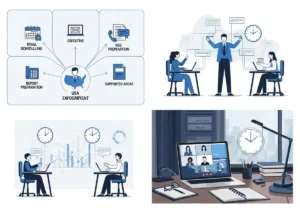
The tasks a VA handles for you will depend on your niche, platform, and business needs, but most creator VAs take on a mix of administrative, creative, and strategic work. Common responsibilities include:
| Task Category | Example Responsibilities | Time Saved Per Week (Average) |
|---|---|---|
| Administrative | Email management, scheduling, data entry | 3–5 hours |
| Creative | Basic video editing, graphic design, caption writing | 5–8 hours |
| Strategic | Research, analytics reporting, content planning | 2–4 hours |
Delegating even 5 hours of weekly tasks to a VA can free up 20+ hours a month for high-impact creative work.
 A dedicated VA can handle content planning, leaving you free to focus on high-impact creative work.
For creators in regulated niches like personal finance or health, a VA trained in FTC guidelines for influencer marketing can ensure all sponsored content meets regulatory requirements, reducing your risk of costly penalties.
Hiring a virtual assistant for content creators delivers tangible benefits that go beyond just saving time. In practice, creators who delegate routine tasks to a VA see consistent improvements in their output, revenue, and well-being:
These benefits also deliver broader business benefits of virtual assistant support for creators building long-term, scalable brands.
Not all virtual assistants for content creators have the same skill set. Choosing the right type of VA for your needs will ensure you get the most value from your investment:
These VAs handle core operational tasks that keep your creator business running smoothly. They are ideal for new creators or those with limited budgets who only need help with basic admin work. Common tasks include:
These VAs have specialized skills in content creation and design, and are ideal for creators who need help polishing their content without hiring a full-time editor or designer. Common tasks include:
These VAs focus exclusively on a specific creator niche or platform, and bring deep, platform-specific expertise that general VAs lack. They are ideal for creators with established audiences who need support with advanced, platform-specific tasks. Common niches include:
 VAs can handle both creative editing and administrative scheduling to streamline your entire workflow.
Hiring the right virtual assistant for content creators requires more than just posting a job listing. Start by auditing your current workload: make a list of all the non-creative tasks you complete each week, and rank them by how much time they take and how much you dislike doing them. The tasks that take the most time and bring you the least joy are the best ones to delegate first.
Once you know what you need help with, look for these core skills in a VA:
| Skill | Why It Matters for Creators |
|---|---|
| Niche/platform familiarity | Reduces training time and ensures tasks are completed to platform-specific best practices |
| Technical proficiency | Eliminates the need to train the VA on your core tools, saving time and reducing errors |
| Communication skills | Ensures clear feedback loops and avoids misunderstandings about task requirements |
| Attention to detail | Prevents costly mistakes like missed disclosures, broken links, or off-brand content |
Once you know what skills to look for, these are the most reliable places to find creator-focused VAs:
The onboarding process sets the foundation for a successful, long-term working relationship with your VA. Rushing this step often leads to miscommunication, missed deadlines, and frustration on both sides. Follow these steps to onboard your VA effectively:
Before committing to a long-term contract, hire your VA for a 2-week paid trial to test compatibility. Give them a small set of tasks to complete, and evaluate their communication, attention to detail, and ability to follow your instructions. This low-risk step ensures you’re a good fit for each other before investing in a longer partnership.
Before the trial starts, document all expectations in writing to avoid misunderstandings. Key points to cover include:
| Expectation | Details |
|---|---|
| Task scope | Social media scheduling, comment moderation, basic video editing |
| Communication tools | Slack for daily updates, Loom for video feedback, Notion for task tracking |
| Work hours | 10am–4pm EST, 1 hour overlap with creator’s 9am–5pm EST schedule |
| Response times | 2 hours for urgent messages, 24 hours for non-urgent requests |
| KPIs | 98% of scheduled posts go live on time, 90% of comments responded to within 24 hours |
Once you hire your VA, invest time in training them to ensure they understand your brand, workflows, and goals. Key resources to share include:
For creators looking to build their own virtual assistant skills to better manage workflows, or for VAs looking to upskill in content-specific tasks, Alison offers a range of free and low-cost certified courses in project management, digital marketing, and remote work best practices. You can also reference training resources to upskill your virtual assistant and independent reviews of creator-focused virtual assistant platforms to find tools that fit your needs.
 Clear feedback loops ensure your VA’s work aligns with your brand voice and goals.
This step-by-step walkthrough covers setting expectations and sharing brand resources with your new VA.
The right collaboration tools will streamline your workflow with your VA, reduce miscommunication, and ensure all tasks are completed on time. Most creator-VA teams use tools across three core categories:
These tools help you track tasks, deadlines, and progress, so you always know what your VA is working on. Top options for creators include:
| Tool | Best For | Key Creator Features |
|---|---|---|
| Trello | New creators, simple workflows | Visual boards, free basic plan, easy to use |
| Asana | Established creators, complex workflows | Custom projects, milestone tracking, third-party integrations |
| Notion | All-in-one workspace | Customizable databases, document storage, task tracking |
Clear, consistent communication is key to a successful creator-VA relationship. These platforms help you stay connected without clogging your personal inbox:
These tools help you and your VA store, organize, and access content assets easily, eliminating the frustration of lost files or outdated versions:
To track your VA’s hours and ensure you are getting value for your investment, check out our guide to time-tracking tools to streamline creator-VA collaboration.
The cost of hiring a virtual assistant for content creators varies based on the VA’s experience, skill set, location, and the complexity of the tasks you need help with. As of 2026, here is a breakdown of typical pricing:
| VA Type | Hourly Rate | 10-Hour Weekly Retainer (Monthly) | Best For |
|---|---|---|---|
| Entry-level admin | $15–$25 | $400–$700 | New creators, basic admin tasks |
| Mid-tier creator-focused | $25–$45 | $700–$1,200 | Established creators, creative and admin tasks |
| Niche specialized | $45–$75 | $1,200–$2,000 | Large creators, platform-specific advanced tasks |
It’s important to note that hiring a VA is almost always more cost-effective than hiring a full-time employee. You do not have to pay for benefits, PTO, payroll taxes, or workspace costs, which can add 30–40% to the cost of a full-time hire.
To assess the value of a VA for your business, compare the cost of their services to the value of the time you will save. For example, if you charge $100 per hour for sponsored content, and a VA saves you 15 hours a week of admin work, you can use that time to take on 1–2 additional sponsorships per month, generating $800–$1,600 in extra revenue—far more than the $600–$1,800 per month you would pay a mid-tier VA for 15 hours of work.
If you want to learn more about the virtual assistant industry and how to hire the best talent for your needs, check out our guide to the top virtual assistant training courses for 2026.
The virtual assistant industry for content creators is evolving rapidly, with new trends making VAs more effective, affordable, and aligned with creator needs. Here are the top trends to watch in 2026:
In 2026, most professional VAs use AI-powered tools to speed up routine tasks and deliver higher-quality work in less time. Common AI tools VAs use include:
AI augmentation allows VAs to handle more work in less time, passing cost savings on to you, while also improving the quality of their output.
As the creator industry grows, more VAs are focusing exclusively on specific creator niches and platforms, rather than offering general admin support. A VA who specializes in TikTok e-commerce creators, for example, will have deep knowledge of TikTok’s algorithm, trending audio, and shopping features, which a general VA will not. This specialization means you get higher-quality, more relevant support for your specific needs.
With many creators working irregular hours (e.g., filming late at night, traveling for brand trips), async communication tools like Loom, Notion, and Slack threads are replacing real-time check-ins. This allows VAs to complete tasks on their own schedule, without needing to coordinate real-time meetings, which is ideal for creators with non-traditional work hours.
More VAs are offering performance-based pricing models, where a portion of their fee is tied to specific results (e.g., a bonus if your follower growth hits 10% in a month, or a bonus if your sponsored content generates a certain number of clicks). This aligns the VA’s incentives with your business goals, ensuring they are motivated to deliver high-quality work that drives results.
These trends mean virtual assistants are becoming more valuable than ever for creators looking to scale their businesses without sacrificing their well-being.
Even with a skilled VA, missteps in the working relationship can lead to wasted time and money. Avoid these common mistakes to build a successful partnership:
A virtual assistant for content creators is a remote, contract professional who handles administrative, creative, and operational tasks that take time away from core content production. Unlike general virtual assistants, creator-focused VAs understand the unique workflows of the content industry, including platform-specific best practices, FTC disclosure rules for sponsored content, and content repurposing strategies.
A VA can help content creators by handling time-consuming, non-creative tasks like content scheduling, email management, basic video editing, and audience engagement. This frees up creators to focus on high-impact work like filming content, securing sponsorships, and launching digital products, leading to increased output, higher revenue, and reduced burnout.
Common tasks include content scheduling and repurposing, email and inbox management, research and ideation support, basic video and graphic editing, audience engagement and moderation, analytics reporting, and sponsor coordination. The exact tasks depend on the creator’s niche, platform, and business needs.
Hiring a VA allows you to scale your content business without taking on more stress or working 60+ hour weeks. By delegating routine tasks, you can increase your content output, improve your work-life balance, and focus on the high-income, high-impact work that grows your brand.
Most new creators start with 5–10 hours of VA support per week, enough to handle core tasks like content scheduling and email management. Established creators with larger audiences and more complex workflows may need 15–20 hours of support per week, or even a full-time dedicated VA.
Yes, many VAs handle sponsor outreach follow-ups, manage sponsorship asset libraries, and ensure all sponsored content meets FTC disclosure requirements. However, most VAs do not handle initial sponsor negotiations, as that requires your personal brand voice and relationship-building skills.
Per Freelancers Union guidelines, your VA contract should include a clear scope of work, payment terms, confidentiality clauses, intellectual property ownership rules, and termination terms. This protects both you and your VA and avoids misunderstandings down the line.
A virtual assistant for content creators is not a luxury—it is a strategic investment that lets you scale your business without burning out. By delegating routine, time-consuming tasks to a skilled professional, you can focus on the creative work that only you can do, grow your audience, and increase your revenue without sacrificing your well-being.
If you are ready to find a VA that fits your niche, budget, and workflow, start by auditing your current workload to identify the tasks you can delegate first. Use the tips in this guide to find a skilled, reliable VA, and invest time in onboarding them to set your partnership up for long-term success.
Ready to learn more about scaling your creator business? Visit TaskVive’s homepage for more guides, resources, and tools to help you grow your content career.

Ms.Sultana brings over 16 years of expertise working with global Clients by providing different skills and Services. For the last 5 years working as an Affiliate marketer, specializing in high-ticket campaigns that drive exponential growth. She holds a degree in Computer Science and Engineering as well as achieved many more skills certificates from different institute/academies/Platform. As part of the Elite Global Marketing team, Sultana has helped clients generate millions in revenue through strategic partnerships, innovative funnels, and data-driven insights.













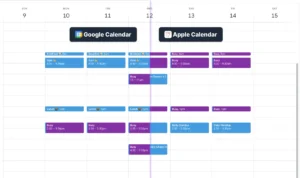
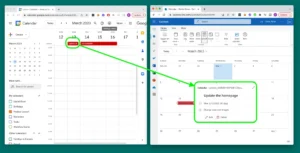

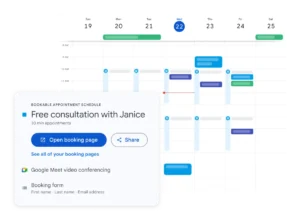
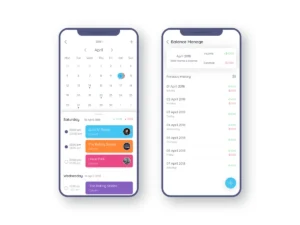


You’re staring at a calendar packed with conflicting meetings, and a virtual assistant to reschedule appointments is the fix you need. The overlap grows worse…

You’ve got a dentist appointment in two hours and a meeting that ran long. A virtual assistant to cancel appointments can save you from a noshow fee, but only…
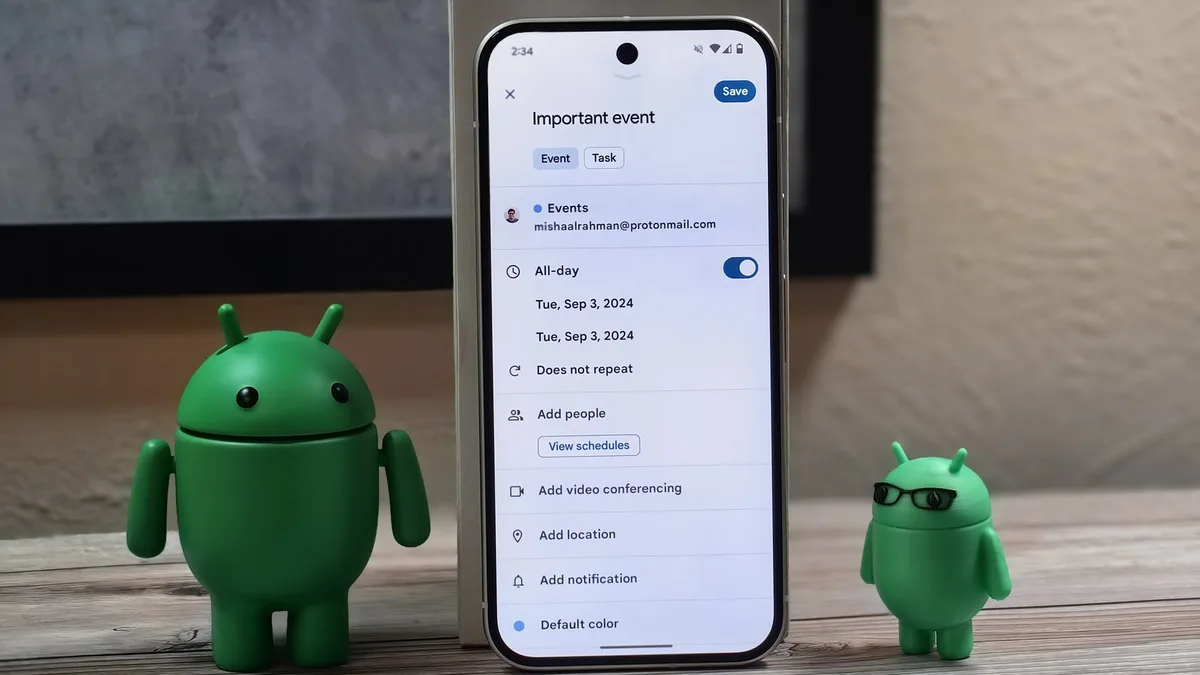
You’ve got meetings stacked on top of meetings, and a virtual assistant for Google Calendar sounds like the fix. The promise is simple: something keeps your…