⚠️ Disclosure: This post contains affiliate links. We may earn a commission at no extra cost to you.
⚠️ Disclosure: This post contains affiliate links. We may earn a commission at no extra cost to you.


Every founder who delegates work to a virtual assistant eventually hits the same wall: the tools that worked when you were a solo operator don't hold up when someone else needs to navigate your systems. Files go missing, context gets lost in long chat threads, and permissions become a tangled mess.
Choosing the right VA tools isn't about loading up on the most popular apps. It's about building a lean, secure, and genuinely usable stack that lets your assistant do their best work without you hovering over every step. This guide walks through a repeatable process for how to choose the best VA tools — from mapping what you actually need to running a low-risk pilot before you commit. You'll walk away with a practical framework, not a generic list of software names.
A mismatched tool costs more than its monthly subscription. It bleeds into your daily workflow, fragments data across platforms, and erodes trust between you and your assistant. In practice, I've watched teams cycle through three different project managers in a single year because they chose a tool based on a feature comparison chart rather than how their assistant actually works.
The right stack does three things consistently. It reduces the cognitive load of task handoffs. It keeps sensitive information compartmentalised without slowing down access. And it produces a clear audit trail so you can step back without losing visibility.
When the tools fit the tasks, delegation feels boring and predictable — exactly what you want. When they don't, you end up doing the work yourself just to avoid the friction.

A thoughtful workspace layout signals that the right systems are already in place before a single task begins.
Image source: mileseeytools.com
Before you open a single comparison page, write down exactly what you want a VA to handle. Vague requests like "manage my inbox" lead to vague tool choices. Specificity makes the decision almost mechanical.
Group your delegation list by function. Common categories include:
For each task, note three things: how often it recurs (daily, weekly, on-demand), roughly how long it takes, and what level of independent judgement is required. A task that happens three times a day with sensitive client data demands different security and collaboration features than a monthly bulk upload of blog drafts.
This map becomes your decision filter. When a tool looks impressive but doesn't serve any item on your list, you skip it. The groundwork you've done here directly shapes how to choose the best VA tools for your specific operation, rather than copying someone else's stack.

Visually grouping tasks by urgency and delegation potential clarifies which tools you need first.
Image source: ebay.com
Most people evaluate tools on a single axis: features. That's why teams end up with powerful software nobody enjoys using. A more reliable approach examines three layers in sequence.
If the interface feels heavy or confusing during a demo, it won't improve with time. Look for a clean layout, clear labelling, and a short path from login to completing a real task. A common mistake is assuming a VA will "figure it out" — instead, budget for onboarding time and test it with a sample task before buying.
Native integrations — where the tool connects directly to your existing calendar, email, CRM, or cloud storage without third-party middleware — are almost always more stable than workarounds. Check the integration directory before the feature list. If a tool promises API access for custom workflows, confirm whether that access is included at your pricing tier or locked behind an enterprise plan.
Even a solo VA setup benefits from basic guardrails. Role-based permissions let you share only what's necessary. Audit logs show who changed what and when. Simple time or activity reporting gives you a pulse check without micromanaging. These features matter more as you scale, but retrofitting them later is painful.

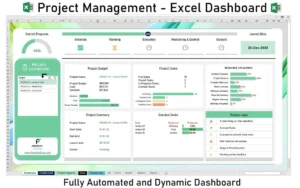
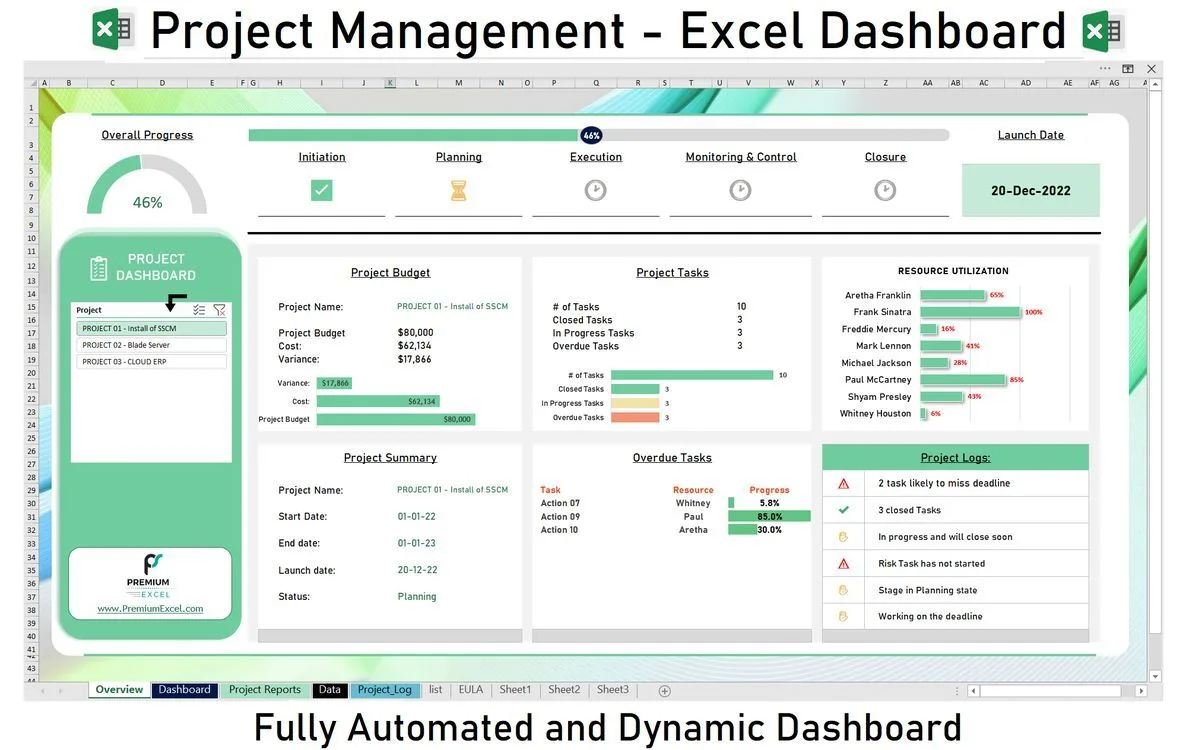
A dashboard that surfaces assignments and deadlines at a glance reduces the need for status-check messages.
Image source: thereistalent.com
Different workflows demand different tool categories. Understanding what each category is built for prevents the mistake of using a chat app to manage complex projects or a full CRM for a handful of contacts.
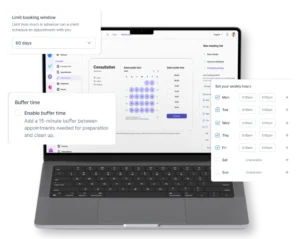
Use these when your VA primarily manages appointments, meeting prep, and availability conflicts. Look for buffer-time settings, automated reminders, and two-way sync with your primary calendar.
Real-time messaging and voice calls belong here. Choose a platform that organises conversations by topic or channel rather than one long thread. This keeps context searchable and reduces "did you see my message?" loops.
These suit multi-step workflows with dependencies, deadlines, and assigned owners. List-based tools work for simple to-do delegation. Board or timeline views help when your VA juggles several concurrent projects. For deeper insight into staying productive while managing others' work, maintaining steady output with remote support is worth reading alongside your tool evaluation.
Use when your VA handles lead follow-up, client correspondence, or relationship tracking. The key question is whether the tool logs activity automatically or requires manual entry. Automatic logging saves hours each week.
Best when VAs draft, schedule, or repurpose content across platforms. Prioritise tools with collaboration drafts and approval workflows so you can review before anything goes live.
These handle repetitive data movement — syncing form submissions to a spreadsheet, filing attachments, generating reports. Start with simple, template-based automations before building complex scripts. Over-automation early on creates brittle workflows that break with small changes.
Use when you need accountability, client billing, or capacity planning. Look for idle detection and project-level tagging so you can see where time actually goes.

Thinking of tools as modular building blocks helps you swap one out without rebuilding your entire system.
Image source: ebay.com
This section often gets skimmed. That's a risk. One permissions oversight can expose client data, and one non-compliant data storage location can create legal exposure.
When you're weighing options, how to choose the best VA tools often comes down to these invisible infrastructure factors rather than the user interface. A beautiful dashboard means little if the data behind it sits in an unencrypted bucket.

Security isn't a feature checkbox — it's the foundation that lets you delegate with confidence.
Image source: amazon.sa
Tool pricing is deceptive. The advertised monthly rate rarely reflects what you'll actually pay once you add necessary integrations, extra seats, or increased usage limits.
Start with the per-user cost at the tier that includes your required integrations. Then scan for these common hidden charges:
A tool that saves your VA two hours a week at a typical hourly rate often pays for itself within the first month. Calculate that number concretely: estimated time saved per task × hourly cost × tasks per month. Compare against the total tool cost including the hidden items above.
A practical habit is to read billing terms carefully before entering payment details. Cancellation windows, refund policies, and auto-renewal clauses differ widely. One business owner I know paid for twelve months of a tool they used for six weeks because they missed the cancellation notice buried in the terms.
For solo operators just starting to delegate, understanding why delegation itself matters often clarifies which tool investments deliver the fastest return.

Budgeting accurately means factoring in per-seat costs, integration fees, and expansion pricing from day one.
Image source: ebay.com
The gap between a demo environment and real daily work is where most tool decisions go wrong. A structured pilot closes that gap.
Pick one or two tools — not five — and use them for actual delegated work over a full month. Set clear pass/fail criteria upfront:
Write short standard operating procedures — a few bullet points per task, not a lengthy manual. These serve two purposes: they train your VA and they test whether the tool's workflow is logical enough to document simply. If a routine task requires a ten-step SOP, the tool might be the problem.
At the end of the pilot, you'll have real answers: task completion rates, time spent, error frequency, and the assistant's subjective comfort level. A common pattern is that the flashiest tool loses to the simpler one that caused zero support tickets.

Side-by-side testing during a pilot reveals which interface your assistant actually works faster in.
Image source: thereistalent.com
Even experienced operators fall into these traps. Recognising them early keeps your stack lean and your team productive.
Choosing by brand recognition. Market-leading tools have large marketing budgets, not necessarily the best fit for your specific task map. A lesser-known tool with the right integrations often outperforms a famous one that forces workflow compromises.
Over-automating judgement-based tasks. Not every workflow benefits from automation. Tasks that require context-switching, nuance, or relationship management become brittle when scripted. Use automation for data movement and reminders; leave human decisions to humans.
Ignoring onboarding costs. A tool that takes three weeks to learn isn't "free" just because it has a generous trial. Assign a dollar value to the time your VA spends in setup and training — it's a real cost that affects ROI.
Locking into a single ecosystem too early. All-in-one suites are appealing because they simplify billing, but they also make it expensive to swap out one underperforming component later. Evaluate whether the suite's weakest tool is still good enough for your needs.
Skipping the security review. In the rush to get started, it's tempting to gloss over permissions and data policies. That shortcut can become a liability. Spotting and addressing harmful link practices is a related discipline — just as toxic backlinks damage your site's standing, lax security practices damage your business's trustworthiness.

Choosing feature count over practical fit is the single most common error in tool selection.
Image source: ebay.com
Your needs six months from now will differ from today's. Building a stack that adapts requires thinking ahead without over-engineering.
If a tool makes it difficult to export your data in a standard format, treat that as a lock-in risk. Before committing, confirm you can bulk-export tasks, contacts, files, and logs as CSV, JSON, or a similarly portable format.
Revisit your initial task map every quarter. As you delegate more, new categories emerge. A tool that was perfect for email management might buckle when you add customer support workflows. Regular reviews prevent tech debt from accumulating silently.
As your team grows, so does the surface area for errors. Set up role templates early — even for a single VA — so that adding a second or third assistant doesn't require rebuilding your permission structure from scratch. This aligns with broader principles of maintaining a clean, well-structured site architecture, similar to how organised content and internal signals reinforce each other over time.

A curated, well-maintained tool set outlasts a cluttered drawer of impulse purchases every time.
Image source: pepetools.com
Use this checklist when you're close to a decision. Each item represents a gate that catches the most expensive mistakes.
Following this sequence turns software selection from a subjective debate into a repeatable, low-risk process. The goal isn't to find the perfect tool on the first try — it's to make an informed choice quickly, validate it with real work, and adjust without drama.
Start by mapping every task you plan to delegate, noting how often it occurs and what level of access or judgement it requires. This task map reveals which tool categories are essential and which are optional.
Critical. Native integrations reduce manual copy-paste work, prevent version conflicts, and keep data consistent across your calendar, CRM, and communication platforms without fragile third-party connectors.
It depends on your scale and tolerance for vendor lock-in. All-in-one suites simplify management and billing, while best-of-breed tools give you deeper functionality in each category and make it easier to swap one component later. For most small teams, starting with two or three focused tools is safer than adopting a heavy suite early.
A 30-day pilot is the minimum for surfacing real workflow issues. Complex or seasonal tasks may need a longer test window. The key is having clear pass/fail criteria so the decision isn't based on a vague feeling.
Yes, but only if the pricing scales down reasonably and the feature set isn't overwhelming. Many enterprise tools offer starter tiers. Evaluate whether the added security and reporting justify the higher per-seat cost for a team of one or two.
Calculate the hours saved per week across all delegated tasks, multiply by the effective hourly rate you pay for VA time, and compare that dollar figure against the tool's all-in monthly cost. A positive net figure within the first 60 days is a strong signal.
Absolutely. Even a single-assistant setup handles sensitive information. Access controls, encryption, audit logs, and enforced two-factor authentication aren't optional — they're baseline requirements that protect both your business and your clients.
Prioritise collaborative editing features, comment-based review, and direct scheduling integrations with your publishing platforms. The speed of the revision-approval loop matters more than the total number of editing features.
Create short SOPs — ideally one page per core task — run a live walkthrough on a screen share, and schedule brief check-ins during the first two weeks. Naming one person (even if it's you) as the go-to for tool questions prevents small frustrations from going unresolved. Developing these training habits benefits from some of the same approaches used in structured skill-building.
Review your stack every six months, or sooner if your delegation scope changes significantly. A standing calendar reminder to audit tools prevents the slow accumulation of unused subscriptions and workflow workarounds.
The gap between reading about tool selection and actually improving your setup is small. Start with one concrete move: write down your task map today, even if it's rough. Pick the single most time-consuming task you want to delegate and identify one tool category that directly supports it. Set a 30-minute block this week to test one tool in that category with a real task — not a demo task from the vendor's tutorial.
Share what you discover in the comments below. Specific questions about your task map or tool stack get specific answers. The businesses that delegate smoothly aren't the ones with the biggest software budgets — they're the ones that treat tool selection as a skill, not a shopping trip.

Sofia Grant is a business efficiency expert with over a decade of experience in digital strategy and affiliate marketing. She helps entrepreneurs scale through automation, smart tools, and data-driven growth tactics. At TaskVive, Sofia focuses on turning complex systems into simple, actionable insights that drive real results.
















You’ve probably read generic advice about hiring help, but managing a virtual assistant remotely isn’t onesizefitsall. The approach you choose depends entirely…
 Image source: Web (Bing) / blog.n8n.io (Web image (fairuse with…

 Image source: Bing (Web (fairuse with source credit))…