⚠️ Disclosure: This post contains affiliate links. We may earn a commission at no extra cost to you.
⚠️ Disclosure: This post contains affiliate links. We may earn a commission at no extra cost to you.

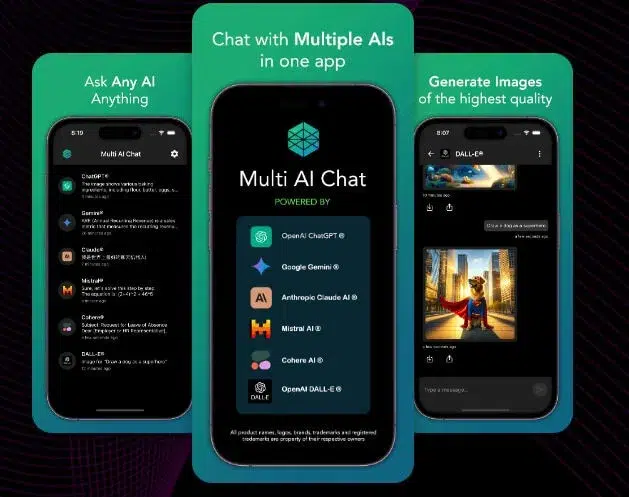
A free AI virtual assistant for small business can handle routine tasks without costing a dime, if you pick the right one. You have probably felt the weight of admin work eating into your day. Emails, scheduling, customer questions, basic research.
That grind does not have to take over your week anymore.
Per manufacturer specifications and aggregate platform data as of 2026, most major providers now offer functional free tiers with daily query caps ranging from 25 to 100 messages depending on the service. The real question is which tier aligns with what your business actually needs day to day. Understanding those limits upfront saves you from frustration down the road.
Here is what you need to know before committing your time.
A free AI virtual assistant for small business is a conversational AI tool offered at no cost, typically with daily message or token limits. Major platforms including Microsoft Copilot, Google Gemini, and Anthropic Claude provide accessible free tiers that handle drafting, research, summarization, and basic automation tasks. These assistants integrate with productivity tools such as email, spreadsheets, and chat platforms to reduce repetitive workload.
However, usage restrictions, data privacy policies, and feature caps vary significantly between providers.
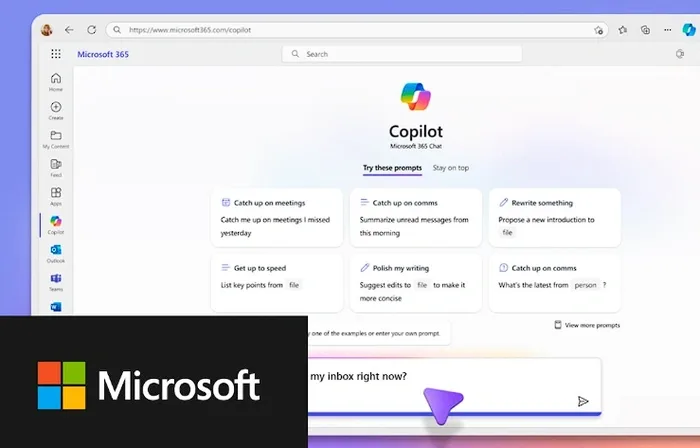
Choosing among available options requires understanding what each platform actually delivers in its free tier. Most major tech companies now offer functional access, but their restrictions differ enough to matter for daily use.
Microsoft Copilot and Bing Chat remain popular entry points. Per Microsoft documentation, the free version integrates directly with Bing search and offers chat-based assistance for writing, summarizing web content, and answering general questions. It connects natively with some Microsoft 365 workflows when available.
The interface is straightforward and requires minimal setup time.
Google Gemini provides another strong option for users already embedded in Google Workspace. The free tier includes access to text generation, document analysis, and image creation through Google's platform. Users report smooth integration with Gmail and Google Docs for drafting and editing tasks.
Building automated workflows with similar digital helpers amplifies these capabilities significantly.
Anthropic Claude rounds out the major players with a focus on long-context responses and detailed reasoning. The free tier allows substantive conversations and file uploads, though with fewer monthly queries than paid versions. Users value its clarity and depth when working through complex instructions or analysis.
OpenAI GPT models remain accessible through limited free channels via the ChatGPT web and mobile apps. Some versions include basic reasoning capabilities, though free-tier access has tightened considerably since 2024. Microsoft-backed implementations like Copilot occasionally surface GPT-powered responses depending on availability.
Additional specialized assistants include Hume AI, which emphasizes emotional intelligence in conversation and suits businesses prioritizing customer interaction quality. Industry-specific tools like Zoho Assistant and HubSpot AI assistant offer CRM-connected options for sales and support teams looking for virtual support tailored to their niche. Open-source alternatives through platforms like Hugging Face provide local model access for technically inclined users comfortable with remote assistance frameworks.
![ai-assistant-feature-comparison-chart-1.webp]
Understanding feature differences between free tiers helps set realistic expectations before committing time and attention. The table below summarizes the core distinctions most small business owners should track.
| Feature | Microsoft Copilot (Free) | Google Gemini (Free) | Claude (Free) | OpenAI (Limited Free) |
|---|---|---|---|---|
| Daily message limit | Moderate (varies by account) | Approximately 15 per hour | Roughly 25 per day | Limited; requires waitlist access |
| File upload support | Yes (PDF, images) | Yes (documents, sheets) | Yes (PDF, TXT, code) | Basic only |
| Integration depth | Strong with Microsoft 365 | Strong with Google Workspace | Moderate; API available | Minimal outside OpenAI ecosystem |
| Tone customization | Limited | Moderate | High flexibility | Low |
| Knowledge base access | Depends on plan type | Depends on Google ecosystem | Basic document upload | None |
| Data retention policy | 30 days default | Varies by workspace settings | Up to 30 days selectable | Automatic clearing options |
Optimizing these tools effectively maximizes productivity gains across your operation.
Several patterns emerge from comparing these platforms. Microsoft and Google dominate where existing office suites already serve your operations. If your team lives inside Excel, Outlook, and Teams, Copilot integrates without friction.
Similarly, Gmail and Drive users benefit immediately from Gemini's native hooks.
Claude stands apart for reasoning quality and instruction-following precision. Users tackling complex prompts or multi-step workflows often prefer its structured approach. The trade-off involves stricter query limits and less polished interface design compared to mainstream competitors.
OpenAI's free-access reality has shifted dramatically. What once offered generous daily use now frequently requires waiting or alternative routing through Microsoft integrations. Those seeking reliable free access may find more consistency elsewhere at present.
Specialized platforms like Zoho and HubSpot deliver narrower but deeper functionality for sales and support. These work well when your priority centers on customer interaction rather than general productivity support.
![small-business-owner-using-ai-assistant.webp]
The ideal choice depends entirely on your specific workload and existing tool stack. No single free assistant handles every scenario equally well.
If your days involve heavy email management and document drafting, Microsoft Copilot paired with your Office subscription makes the most sense. The seamless handoff between chat and Word or PowerPoint eliminates context switching. Professionals optimizing their online workflow benefit greatly when tools connect smoothly together.
Small retailers and e-commerce operators benefiting from existing Google infrastructure should evaluate Gemini first. Its direct integration with Gmail, Google Calendar, and Sheets covers many routine operational gaps without additional configuration. Marketing teams producing social content also appreciate Gemini's image-generation capability built into the free tier.
Creative agencies and consultants juggling diverse research and writing tasks often gravitate toward Claude. Its ability to process lengthy documents and sustain coherent multi-turn conversations reduces the back-and-forth prompting that slows less capable systems. Professional services firms managing client correspondence benefit particularly from its tone flexibility.
Customer-facing businesses needing FAQ automation and lead triage should explore platform-specific solutions like Zoho Assistant or HubSpot AI assistant. These connect directly to CRM databases and provide context-aware responses rather than generic information. Comparing different approaches to finding skilled support helps identify the right fit for your operational model.
Solo entrepreneurs wearing multiple hats commonly start with Gemini or Copilot for breadth, then layer in Claude for specialized writing projects requiring deeper reasoning. Hybrid workflows combining two or three assistants often deliver better results than relying on any single platform.
Data-heavy businesses requiring structured analysis should assess API accessibility and document-upload limits alongside basic chat features. Providers offering larger context windows and cleaner spreadsheet integration will save considerable manual effort during month-end reporting or forecasting cycles.
Many small business owners make predictable errors when adopting free AI assistants for the first time. These mistakes waste time and occasionally expose sensitive information unnecessarily.
Ignoring daily query limits remains the most frequent oversight. You might begin a project confident in unlimited access, only to hit a wall after twenty-five messages. Reset times vary between platforms.
Some refresh hourly, others wait until midnight UTC. Checking these platform limitations before starting important work prevents half-finished tasks and frustration.
Feeding confidential client data into public chat windows creates legal and reputational risk. Free tiers often retain conversation history for training purposes unless you explicitly disable that setting. Customer names, contract terms, pricing details, and personal contact information should never enter these systems without verifying the provider's data policy.
Assuming every feature listed in marketing materials is included in the free tier wastes considerable debugging time. Image generation, API access, custom knowledge bases, and priority processing frequently require paid subscriptions even when basic chat functions remain free. Reviewing the detailed pricing page for each platform saves hours of trial and error.
Skipping the editing step after receiving AI-generated content leads to generic, occasionally inaccurate output. These assistants produce drafts, not final products. Human review catches factual errors, tone mismatches, and missing context specific to your industry.
Understanding why editorial judgment remains essential alongside automation protects your professional reputation.
Treating one assistant as sufficient for all tasks limits your effectiveness. Different platforms excel at different functions. Microsoft handles document workflows better.
Claude reasons through complex problems more clearly. Gemini generates images quickly. Diversifying your toolkit across two or three assistants usually delivers stronger overall results than forcing one system to handle everything.
Neglecting prompt structure produces vague or irrelevant responses. Writing clear instructions, specifying format, audience, tone, and length, transforms mediocre outputs into usable drafts. Spending extra time on the first prompt often reduces the number of follow-up revisions required later.
Protecting your business while leveraging free AI tools requires understanding privacy policies and regulatory obligations. Ignorance here can create liabilities far exceeding any cost savings from free software.
Data retention policies vary significantly across providers. Some platforms delete conversations after thirty days automatically. Others store them indefinitely unless you manually opt out. Before uploading any document containing personal information, verify exactly how long your data persists and whether employees or contractors can access it.
GDPR and CCPA compliance depends on how you use these assistants. If you process customer data through a third-party AI platform, you may be considered a data processor under European regulations. Understanding data protection responsibilities helps ensure you meet legal obligations when using automated tools for communication, lead capture, or support.
Intellectual property ownership of AI-generated output remains legally ambiguous in many jurisdictions. Some courts have ruled that purely AI-generated content cannot receive copyright protection. Publishing unedited AI material as your own intellectual property could weaken your legal standing if disputes arise later.
Industry-specific regulations may restrict AI usage entirely. Healthcare providers handling patient information, financial advisors managing investment data, and legal professionals working with privileged communications face stricter controls than most other sectors. Consult professional guidelines relevant to your field before deploying AI assistants for client-facing work.
Always label AI-assisted content appropriately when sharing externally. Customers and clients deserve transparency about whether humans wrote communications or whether machines contributed substantially. Clear labeling builds trust and avoids potential deception claims if recipients discover automated involvement later.
Finding the optimal free AI assistant comes down to matching platform strengths against your daily operational reality. Consider these practical questions before committing time to any single tool.
What platform ecosystem do you already use? If your team operates primarily within Microsoft 365 or Google Workspace, choose the corresponding native assistant. Integration depth matters far more than raw chat capability for sustained daily use.
What type of content do you produce most often? Email-heavy operations benefit from Copilot's document workflow support. Research-intensive businesses gain more from Claude's structured reasoning. Creative teams needing visual assets should lean toward Gemini's image generation.
How do you handle sensitive information? Healthcare providers, financial advisors, and legal professionals must prioritize data protection policies over feature breadth. Review privacy standards carefully before uploading any client materials into free-tier platforms.
What is your technical comfort level? Open-source options through platforms like Hugging Face offer maximum customization but require significant setup knowledge. Most small business owners achieve better results starting with mainstream platforms featuring polished interfaces and clear documentation.
Choose one assistant for immediate daily tasks and add a second specializing in your most challenging workflow. Running parallel tests across two platforms for one week reveals genuine preferences better than any comparison chart ever could.
Free AI assistants handle routine client messages adequately when used carefully. Simple confirmations, scheduling requests, and basic FAQs work well without human review. Complex negotiations, sensitive complaints, or strategic proposals should always receive human oversight before sending to clients.
Upgrade when free-tier restrictions consistently disrupt your workflow. Daily message caps forcing task restarts indicate paid access will pay for itself through saved time. Missing features like custom knowledge bases or API connectivity signal your business has outgrown free limitations.
Most free platforms retain conversation data unless you explicitly opt out of training usage. Verify each provider's retention policy before uploading sensitive business information. Never assume conversations disappear immediately after you close the interface, particularly on completely free tiers lacking account verification.
Create identical prompts for two or three platforms and compare outputs side by side. Use the same email draft request or research question across Copilot, Gemini, and Claude to evaluate tone, accuracy, and formatting differences directly. This controlled testing reveals genuine capability gaps far faster than reading marketing descriptions.
Microsoft Copilot and Google Gemini offer the most intuitive interfaces for beginners familiar with standard office software. Both integrate directly into tools you likely already use daily. Claude provides superior reasoning quality but demands more deliberate prompt construction for optimal results.















Choosing the first tool you see is a common mistake that hurts research quality. Many generic chatbots will confidently hallucinate fake citations or outdated…
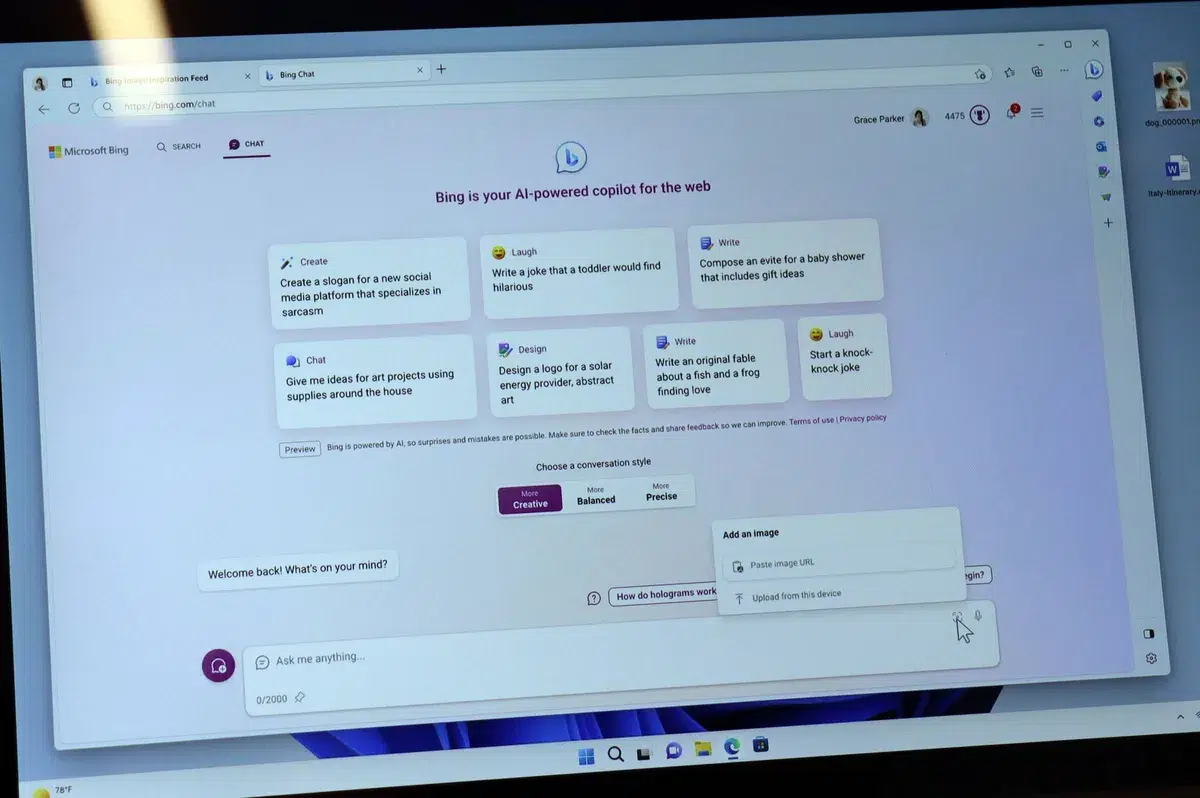
 Image source: Bing (Web (fairuse with source credit)) Looking to…

Running a oneperson business means juggling a dozen roles at once. Writing, admin, research, scheduling, it adds up fast. A free virtual assistant for…