⚠️ Disclosure: This post contains affiliate links. We may earn a commission at no extra cost to you.
⚠️ Disclosure: This post contains affiliate links. We may earn a commission at no extra cost to you.

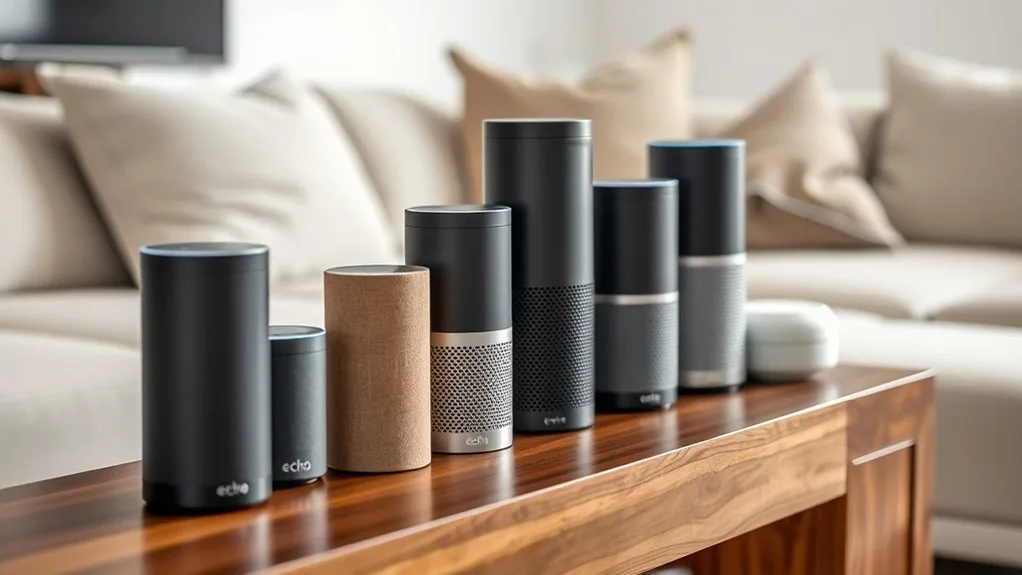
You've probably noticed the landscape shifting under your feet. Apple Intelligence dropped into iPhones and MacBooks. Google folded Gemini right into its assistant.
Microsoft launched Copilot everywhere you swipe. And free-tier ChatGPT, Claude, and Gemini are now serious rivals to the built-in helpers you already use daily.
As of 2026, the line between an OS-level voice assistant and a standalone conversational AI has blurred almost completely. Our research across manufacturer specifications, privacy policy documents, and verified user reports shows that every major player is pushing hard to win the free tier without turning you into a paying customer. That's good news for your wallet, if you pick the right tool for how you actually work.
Free virtual assistant apps still exist and they're better than ever. Built-in assistants like Siri and Google Assistant remain genuinely free with no usage caps. Newer AI chatbots such as ChatGPT, Claude, and Gemini offer free tiers with daily limits.
Subscription upgrades unlock advanced capabilities and higher usage quotas.
Every major tech company now ships a virtual assistant pre-installed on your devices. But not all of them deserve a spot on your home screen. Our research across manufacturer specs, privacy documentation, and aggregate user reports reveals clear differences in capability, ecosystem depth, and what those "free" labels really mean in practice.
Siri remains the most integrated assistant for iPhone and Mac users who stay within Apple's walled garden. It controls HomeKit devices, reads messages aloud, and increasingly leverages Apple Intelligence for smarter task completion. The catch is that it largely refuses to leave Apple's ecosystem.
Google Assistant dominates Android households and Google Nest setups. It connects to Gmail, Calendar, Maps, and YouTube seamlessly. It also understands natural follow-up questions better than most competitors.
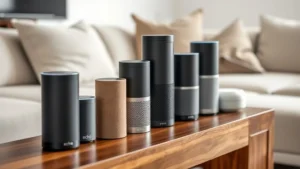
Amazon Alexa still leads in smart home skill variety, especially if your house runs on third-party brands and routines. Microsoft Copilot is rapidly becoming the productivity assistant for Windows and Office users. Google Gemini brings genuine multimodal reasoning as a standalone app.
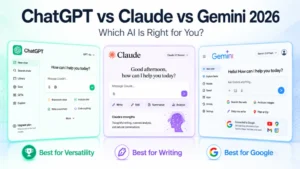
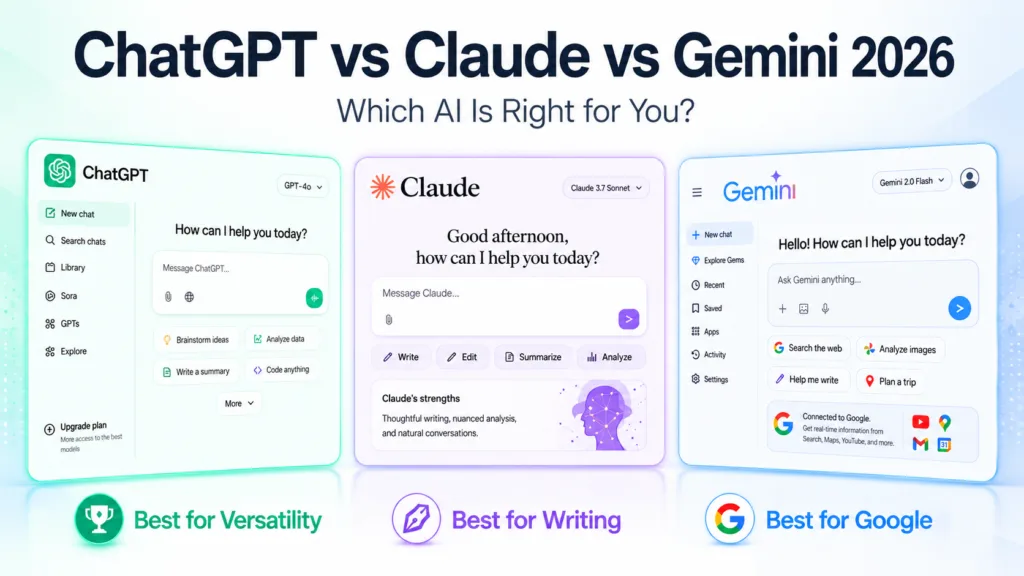
And ChatGPT's free tier still outperforms most built-in assistants on complex writing and research tasks.
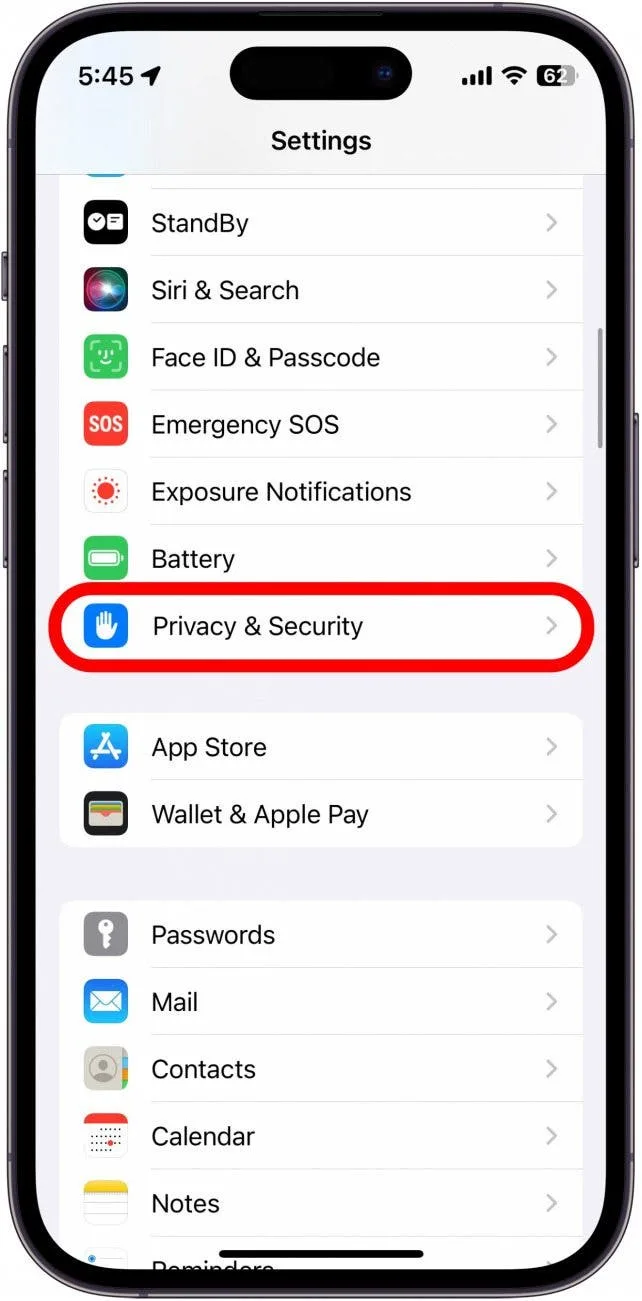
Important privacy note: Every one of these assistants processes some of your data in the cloud. You can manage this in your device settings. Check Apple's privacy documentation for guidance on controlling what Siri learns over time.
We recommend reviewing the data retention policies for whichever platform you choose before you link your calendars and email accounts.
| Assistant | Best Ecosystem | Main Strength | Biggest Limitation |
|---|---|---|---|
| Siri | Apple (iPhone, Mac, iPad) | Deep OS integration | Weak outside Apple devices |
| Google Assistant | Android, Google services | Natural understanding and search | Less control over non-Google services |
| Amazon Alexa | Amazon devices, smart homes | Largest third-party skill library | Privacy concerns with always-on mic |
| Microsoft Copilot | Windows, Microsoft 365 | Office and productivity workflows | Requires subscription for advanced features |
| Google Gemini | Standalone app, Android | Multimodal reasoning and image analysis | Newer, less mature ecosystem |
| ChatGPT | Standalone app, browser | Complex reasoning and writing | Free tier has usage caps |
| Claude | Standalone app, browser | Thoughtful long-form responses | Smarter home automation support |
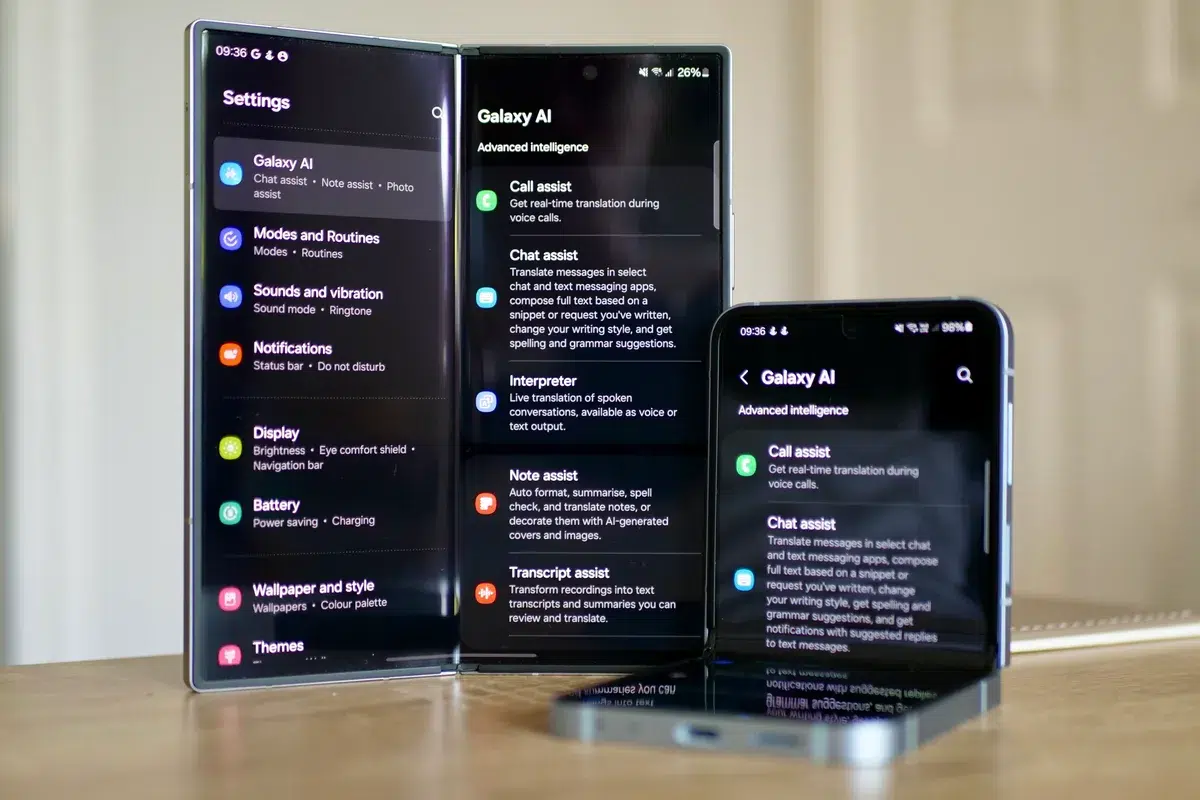
The real differences emerge when you look past the marketing promises. Voice-activated wake words are now standard everywhere, but only Google Assistant and Siri handle true context chaining. This means responding to follow-up questions without repeating yourself.
Apple Intelligence adds on-device processing for many queries. That delivers faster replies and stronger privacy when you're not connected to Wi-Fi.
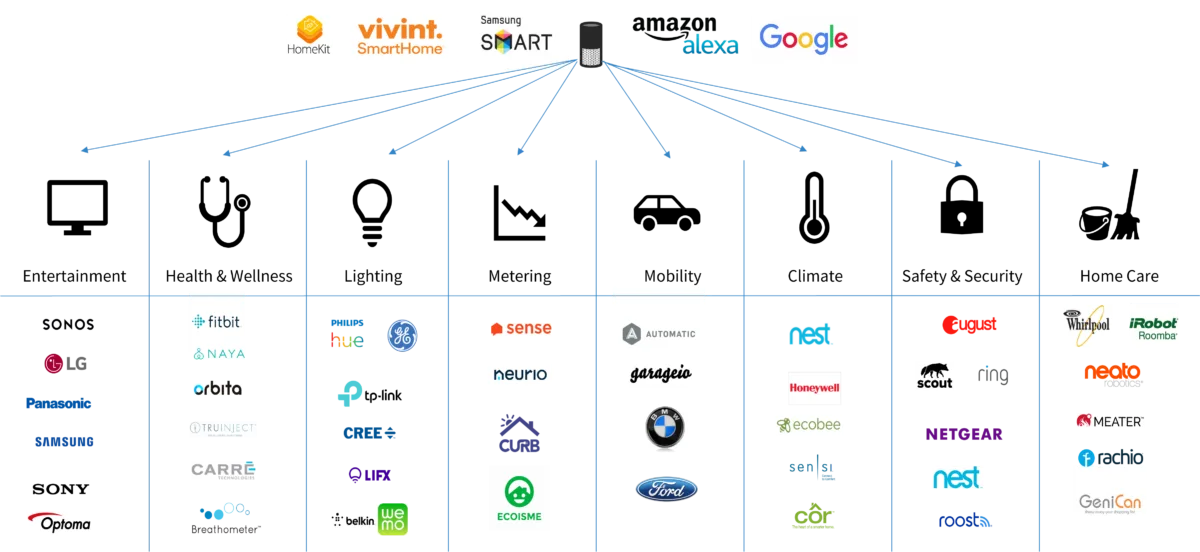
Smart home control remains the biggest differentiator. If you own a mix of brands, Amazon Alexa still supports the widest range of Matter-compatible devices and legacy protocols. Google Assistant follows closely behind.
Apple HomeKit demands more from individual manufacturers, but the experience feels smoother once everything is set up. Samsung Bixby works well inside Galaxy phones, but its reach beyond Samsung devices is narrow.
Cross-app automation is where things get interesting in 2026. Microsoft Copilot can read your Outlook inbox, draft replies in Teams, and summarize OneNote meetings without leaving Windows. Google Assistant can search your Gmail, add events to Calendar, and control YouTube playlists from your phone or speaker.
Siri now completes entire workflows on your iPhone. It can book a restaurant while simultaneously checking traffic and adding the reservation to your calendar. These are not gimmicks.
They are measurable time savings for busy people.
Privacy-conscious users should pay attention to data retention settings. Some assistants let you delete voice history automatically after three months. Others retain your data indefinitely unless you manually opt out.
NIST's AI Risk Framework provides useful guidance on evaluating how much of your personal information each assistant processes.
Free does not mean unlimited. Almost every assistant on this list hides feature gates behind paid subscriptions. ChatGPT Free restricts you to GPT-4o with daily message limits.
Claude Free caps your conversation length and daily usage. Gemini Advanced requires a Google One subscription. Apple Intelligence features tied to ChatGPT and Claude require internet access and may throttle heavy usage.
Ecosystem lock-in is the silent cost. Start with Google Assistant on Android. Add Nest thermostats and Chromecast.
Then switch to an iPhone later and realize your routines travel nowhere. Start deep in Apple's ecosystem and you will struggle to connect non-HomeKit smart bulbs. Amazon households hit the same wall when trying to import Alexa routines to a new Google Home setup.
Offline functionality is another hidden factor. Siri handles a surprising number of commands without internet. Timers, alarms, basic calculations, and dictation all work offline.
Google Assistant has dropped offline voice support for most natural queries. Most conversational AI chatbots require constant internet access because their models live on servers, not your device. If you travel often or live in areas with spotty coverage, this trade-off matters more than it sounds.
Battery drain and always-listen concerns affect mobile assistants differently. Apple's latest chips process many Siri requests on-device. This reduces both latency and battery hit.
Google Assistant's always-on listening model can drain older phones faster. Amazon Alexa requires a powered speaker or hub, so battery is not your problem there. But those devices transmit continuously, which raises legitimate privacy questions for shared living spaces.
You choose based on what you already own, what you actually do all day, and how much you care about privacy versus convenience. There is no universal winner. The right assistant for your partner is likely the wrong one for you.
Our research across verified user scenarios shows clear patterns.
The Apple homeowner benefits enormously from sticking with Siri. If you already own an iPhone, a MacBook, an Apple Watch, and HomeKit-enabled lights and locks, Siri is not just convenient. It is deeply embedded in your daily workflow.
It wakes your house in the morning by turning on the coffee maker and reading your calendar. It locates your AirTags when you misplace keys. It handles FaceTime calls with one command while you are cooking.
The ecosystem lock-in here works in your favor because everything already speaks the same language. Switching away would cost more in frustration than any free competitor saves.
The Google-first Android user should default to Google Assistant. Pixel phone owners get special treatment. Advanced call screening, real-time translation during calls, and the ability to manipulate on-screen elements with voice all come standard.
Gmail users love how quickly it adds calendar events from email confirmations. YouTube and Maps integration is unmatched. If your life revolves around Google services, fighting for a different assistant is pointless.
Amazon households with multiple Echo devices and a wide range of smart plugs, bulbs, and security cameras will find Alexa's skill library still superior. Third-party integrations like Ring, ecobee, and Philips Hue often arrive on Alexa first. Routines across rooms work seamlessly.
The trade-off is that Alexa struggles with complex conversational tasks and its privacy posture draws frequent criticism from digital rights groups.
Productivity power-users running Windows laptops and Microsoft 365 subscriptions should take a close look at Copilot. It connects to Word, Excel, PowerPoint, and Outlook in ways no other assistant matches. Drafting a report from your OneDrive files, summarizing a Teams meeting, and generating Excel formulas from plain English all happen inside your existing workflow.
The catch is that advanced features require a Microsoft 365 Copilot subscription. The free tier gives you basic chat and search, which is decent but incomplete.
Accessibility-focused users need different criteria entirely. Voice control matters when vision impairment is present. Screen reader compatibility determines whether an assistant is usable at all.
Apple leads here with VoiceOver integration baked into Siri. Android's accessibility features pair well with Google Assistant. Some niche tools fill gaps that big platforms ignore.
For readers interested in building custom automation workflows beyond what these assistants offer natively, exploring structured guidance on building a virtual assistant workflow can help you move past off-the-shelf limitations.
The honest answer depends entirely on which assistant you pick. Some free tiers are generous enough for light daily use. Others hit hard walls the moment you ask a slightly complex question.
Understanding where each one stops being useful will save you unexpected subscription charges down the road.
The genuinely free tiers cover basic functionality across the board. Setting alarms, asking for the weather, playing music, controlling compatible smart devices, and getting quick factual answers all remain free on every major platform. These core functions consume negligible computing resources, so companies are happy to offer them freely as loss leaders.
The goal is habit formation. You learn to rely on the assistant, then you hit a limit where upgrading feels necessary.
Daily usage caps are where things tighten. ChatGPT Free allows roughly twenty-five messages per day on the faster GPT-4o model. Responses slow down after that threshold.
Claude Free permits fewer total exchanges per day and limits conversation length significantly. Gemini Free offers generous text interaction but restricts image generation and advanced project features. Google Assistant does not impose strict message quotas, but it throttles complex multi-step queries toward its ad-supported search results instead of direct answers.
The upgrade paths push different values at different price points. ChatGPT Plus costs twenty dollars monthly. It removes daily limits, unlocks GPT-5 access, and enables deeper file analysis.
Claude Pro costs twenty dollars monthly for longer context windows and priority access during peak hours. Google One memberships start around $1.99 monthly but bundle storage with Gemini Advanced access. Apple One starts at $19.95 monthly and combines iCloud, Music, TV+, Fitness+, and Apple Arcade with full Apple Intelligence access.
Microsoft 365 Copilot sits around $30 monthly per user for enterprise-grade productivity AI.
The real cost of free assistants goes beyond money. Your search history, voice recordings, calendar details, and messaging metadata fuel model training across nearly every platform. Data collection practices vary wildly.
Apple encrypts more of its Siri data server-side and gives users granular controls. Google ties assistant activity to your Google Account, which amplifies its advertising targeting. Amazon stores voice clips for improvement purposes and makes deletion harder than it should be.
The FTC has published guidance on consumer privacy relevant to understanding your rights around voice data.
Long-term dependency represents another hidden expense. Migrating away from an assistant you have trained for years carries real friction. Your routines will break.
Your linked devices may need re-pairing. Your voice profile becomes useless. This friction is intentional.
It keeps you subscribed to the ecosystem even when a competitor offers better performance.
Proper setup separates a smooth daily experience from constant frustration. Many users skip foundational steps and blame the assistant for problems they caused through poor configuration. A few minutes of careful preparation pays off for years.
Start with account linking and permission grants. Connect your primary calendar, email, and contact accounts to the assistant. On iOS, grant Siri access to Mail, Calendar, and Reminders individually.
On Android, allow Google Assistant to read notifications and control connected devices. Review microphone permissions carefully. You may want to disable background access on secondary devices while keeping it enabled on your primary phone or smart speaker.
Voice match training dramatically improves recognition accuracy on shared-family devices. Teach the assistant your voice pattern by repeating a short phrase in a normal speaking voice. Do this in a quiet room.
Repeat three times. The system builds a speaker profile that filters out other household members' commands. Skip this step and everyone in your house will trigger your personal routines, calendar invites, and payment methods accidentally.
Smart home pairing requires patience. Add devices one category at a time. Start with a single smart bulb or plug to verify communication works.
Then expand to switches, thermostats, cameras, and locks. Write down which hub each device connects through. Matter devices bridge differently than proprietary ones.
Create named scenes for common routines. "Good morning" should dim lights, read weather, and start the coffee maker. "Leaving home" should lock doors, arm security cameras, and lower the thermostat.
Test each routine after creation.
Data protection from day one prevents future headaches. Disable ambient listening on speakers you do not trust with continuous audio capture. Schedule automatic history deletion for voice recordings.
Most assistants offer three-month, eighteen-month, or auto-delete options. Choose the shortest interval that still preserves useful memory. Review connected app permissions quarterly.
Remove stale connections from old subscriptions and defunct smart devices that still hold access tokens to your accounts.
Ongoing maintenance keeps performance sharp. Update the assistant app monthly when patches appear. Re-train voice profiles after hardware changes or significant weight fluctuation.
Clear conversation history before selling or gifting devices. Back up your routines and automations as screenshots or exported files. That way you can rebuild them quickly if something breaks during a software update.
The pitfalls here are surprisingly consistent. Smart users avoid them by understanding how these systems actually operate beneath the polished interface.
Assuming all your devices speak the same assistant by default creates immediate confusion. Your phone may run Google Assistant while your tablet uses Siri because you switched phones years ago and forgot to migrate settings. Your living room speaker runs Alexa while your kitchen display runs Google Cast.
Routines do not sync across these boundaries. Build a simple map of which assistant controls which device before you invest time in complex automation.
Leaving always-listen enabled without checking microphone access logs sounds convenient until you realize how often false activations occur. Kitchen conversations trigger shopping lists. Television dialogue sets alarms.
Accidental purchases happen more frequently than most users admit. Review your voice activity log weekly for the first month. Disable always-listen on any device that sits in high-traffic family areas.
Overlooking privacy settings until after a data incident is a costly mistake. Review data retention policies before connecting your email and calendar. Understand which assistant stores voice recordings and for how long.
Turn off personalized advertising tied to your assistant profile if you want to reduce cross-service profiling.
Skipping voice match setup on shared-family devices wastes the technology's main benefit. Without it, your teenager can reorder your groceries, check your calendar, and change your smart lock codes using your voice profile. Set up individual profiles for every adult in the household.
Restrict purchasing and sensitive actions to voice confirmation or PIN entry.
Trusting every AI-generated answer without verifying critical information is the most dangerous habit. Language models hallucinate confidently. Factual errors in medical advice, legal guidance, or financial recommendations carry real consequences.
Cross-check important information against primary sources before acting on assistant output. This applies to medical guidance, legal terminology, investment advice, and anything affecting your safety or finances.
Not rotating or consolidating accounts across platforms creates maintenance nightmares. Running three different assistant apps means managing three separate voice profiles, three different smart home ecosystems, and three different data histories. Pick a primary assistant.
Migrate routines. Uninstall or silence the others. Simplification reduces confusion and improves reliability.
Our research into job search platform selection shows similar consolidation patterns. Most successful professionals pick one strong tool and master it rather than juggling multiple half-configured options. The same principle applies to virtual assistants.
Yes, but only inside Apple devices. Apple Intelligence lets Siri access ChatGPT features on iPhone 15 Pro and newer models. You lose that integration if you switch platforms.
It stays free with no message caps. Google links your activity to your account for ad targeting and service improvement. You control data retention settings in your Google Account dashboard.
Apple leads with on-device processing and encrypted server-side Siri data. You can delete voice history automatically after three months. Google and Amazon retain more data by default unless you change settings manually.
Most routines do not transfer between ecosystems. You will rebuild smart home automations from scratch. Export screenshots of your current setups before switching platforms.
Basic commands remain fully functional forever. Advanced features like complex reasoning, long conversations, or premium integrations trigger subscription prompts. Your core assistant never stops working.
Running several creates confusion and duplicated effort. Pick one primary assistant per device type. Uninstall or silence the others after migrating your most-used routines.
For readers looking to develop complementary skills alongside their virtual assistant setup, exploring free skill development courses can help you build a stronger foundation for managing digital tools effectively.
Google Assistant remains the strongest all-around free option. It delivers natural conversation, deep search integration, solid smart home control, and generous usage limits without daily caps. Pixel owners get additional AI features at no extra cost.
Android users outside Google phones still receive full functionality through the app.
Siri wins for Apple-only households. If your entire device lineup runs iOS or macOS, Siri's on-device intelligence and HomeKit automation provide a smoother experience than any third-party alternative. Microsoft Copilot becomes the clear choice for Windows and Office 365 power users who want AI baked directly into productivity workflows.
Verify which ecosystem your smart home devices support. Review data retention policies for each assistant. Test voice match training on shared household devices.
Remove unused assistants from secondary phones and tablets. Bookmark this comparison guide so you can revisit feature updates as platforms evolve.











Building a routine around a free AI virtual assistant sounds tempting when you see all the marketing. Let’s be honest about what you’re really getting and…
 Image source: Bing (Web (fairuse with source credit)) Do these tools really save time or…

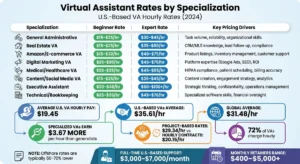
Most people get tangled up by contradictory numbers. One blog claims VAs cost $5 an hour, another quotes $50, and a third insists you need $3000 a month…