⚠️ Disclosure: This post contains affiliate links. We may earn a commission at no extra cost to you.
⚠️ Disclosure: This post contains affiliate links. We may earn a commission at no extra cost to you.

Running a one-person business means juggling a dozen roles at once. Writing, admin, research, scheduling, it adds up fast. A free virtual assistant for freelancers can take over many of those repetitive tasks without costing a dime.
You get help brainstorming, drafting, organizing, and even coding while staying within your budget.
Research shows most top AI assistants offer usable free tiers that handle everyday freelance work. Platforms like Claude, ChatGPT, Gemini, and Perplexity give you solid capabilities right out of the box. The trick is picking the right tool for your specific workflow instead of jumping between half-set-up solutions.
A free virtual assistant for freelancers is an AI-powered tool that helps with writing, research, scheduling, coding, and organization at no monthly cost. Popular options include Claude, ChatGPT, Google Gemini, Microsoft Copilot, and DeepSeek as of 2026. Each platform offers different limits on messages or tokens per day.
Writers often prefer Claude or Perplexity while developers lean toward GitHub Copilot's free tier. Start by matching your main task type to the tool built for it.
Most freelancers start solo because they value independence. That independence quickly turns into exhaustion when you're responsible for everything. Client outreach happens at midnight.
Invoice chasing eats into creative time. Research for one project bleeds into three others.
The average freelancer spends roughly 40% of their week on non-billable tasks. That's administrative clutter, email triage, basic research, and content formatting. None of that requires your unique expertise.
Yet you're doing it because no one else is there to share the load.
A free virtual assistant gives you a consistent helper without hourly rates or long-term contracts. Think of it like having a smart intern who never sleeps and responds instantly. You direct the work.
The AI handles the execution. Your actual billable hours climb while your stress drops.
This is exactly why building a virtual assistant workflow in 7 simple steps can transform how you operate. Once you map your repetitive tasks to AI capabilities, you stop reinventing the wheel daily.
Free AI assistants cover a wide range of freelance work. They draft emails, summarize articles, generate blog outlines, and rewrite clumsy sentences. Some tools create images, edit video clips, or debug code snippets.
Others organize your calendar, set reminders, or format spreadsheets automatically.
The core value comes from speed and consistency. Where you'd spend twenty minutes researching competitor pricing, an AI does it in seconds. Where you'd stare at a blank page trying to find the right hook, it gives you five viable openings immediately.
You're not replacing human judgment. You're removing friction from tasks that don't need your full attention. That distinction matters enormously when you're managing client expectations alongside your own workload.
Building reliable systems means focusing on work that only you can do well.
Your profession determines which AI tool fits best. Writers and content creators benefit most from language-heavy models like Claude and ChatGPT. These platforms excel at tone variation, structural planning, and editing suggestions.
Designers and visual artists often prefer tools with image generation built in. Canva AI, Gemini, and Adobe Firefly handle that role naturally.
Developers and technical freelancers should look toward GitHub Copilot or deep code-focused models. These assistants understand syntax, suggest fixes, and explain complex logic in plain terms. Social media managers gain the most from platforms that combine copywriting with visual creation in one flow.
Project managers and schedulers often find Microsoft Copilot or Notion AI most intuitive.
Match your primary output type to the tool's strongest capability. Using a generalist chatbot for image generation wastes time. Expecting a design-first AI to write nuanced legal summaries sets you up for disappointment.
Understanding your trade first makes the choice obvious.
Your weekly time commitment shapes which assistant level you actually need. If you require daily support for multiple projects, message limits become a real constraint. Free tiers typically allow anywhere from fifty to one hundred messages per day across platforms.
Heavy users hit those caps fast during busy weeks.
Light users who need occasional brainstorming or quick fact-checking stay well within free limits. Medium users who delegate drafting and formatting see the sweet spot. Daily power users might test whether a tool's free tier scales reasonably before committing fully.
Track your usage for one typical week. Note how many prompts you send and which tasks consume the most interactions. That data reveals whether a free plan suffices or whether you'll regularly bump into walls.
Planning ahead prevents awkward mid-project shutdowns.
Confidentiality concerns are real and should shape your tool choice immediately. Many free AI services store conversations to improve their models. That means sensitive client details, unreleased product info, and private financial records could enter a shared training pool.
Reputable platforms clearly state their data policies in their terms of service.
If your work involves contracts, client identities, or proprietary processes, avoid pasting raw material into public chat interfaces. Instead, use anonymized placeholders or request summaries without identifiers. Check whether your chosen platform offers enterprise privacy features, even if they sit behind a paid wall.
Sometimes paying monthly for confidentiality beats risking a breach.
Understanding how to protect client information when using AI tools keeps your reputation intact. Trust is hard to earn and trivial to lose once data leaks.
Tech comfort changes how smoothly you adopt any new assistant. Beginners benefit from clean interfaces and guided prompts. ChatGPT and Google Gemini offer straightforward chat windows that feel familiar.
Claude provides a minimalistic layout that reduces decision fatigue. Tools like Lovable.ai or Bolt.new simplify building functional apps without code knowledge.
Users comfortable with technical setups often prefer self-hosted open-source models like LLaMA or Mistral. These let you run assistants locally through platforms like Ollama. Local hosting means zero message limits and complete privacy.
It also demands more technical setup and ongoing maintenance on your part.
Choose based on your patience for tinkering versus desire for plug-and-play simplicity. Neither approach is wrong. They just serve different working styles.
Your biggest pain points reveal your highest-return AI investment. If email overwhelm consumes your mornings, a writing-capable assistant saves immediate relief. If research feels endless, a browsing-enabled tool like Perplexity becomes essential.
When formatting documents eats your afternoon, template generators restore hours.
Identify the single task you dread most each week. Run one prompt through three different free assistants. Compare which delivers the most useful result with the fewest revisions.
That winner earns its place in your daily routine.
Over time, layer in additional tools for other draining tasks. Don't try to replace every manual process overnight. Gradual adoption builds confidence and reveals what actually fits your workflow.
Sustainable change sticks better than disruptive overhauls.
Writers get the strongest free options available today. Claude consistently ranks high for natural phrasing, nuanced tone control, and structured outlining. ChatGPT offers broad creativity with strong editing capabilities and multilingual support.
Perplexity excels at research-backed answers with source citations built right in.
Perplexity pulls from live web results instead of relying purely on trained memory. That makes it invaluable for fact-based writing where accuracy matters. Gemini provides solid drafting tools integrated directly into Google Docs for seamless handoff.
| Platform | Best For | Key Strength | Limit |
|---|---|---|---|
| Claude | Long-form writing | Natural tone control | 50-100 messages/day |
| ChatGPT | Brainstorming & editing | Creative flexibility | Rate-limited during高峰 periods |
| Perplexity | Research-driven pieces | Live citations | Search caps vary |
| Gemini | Google Workspace users | Doc integration | Some features gated |
ChatGPT Claude Perplexity AI assistant comparison
Image source: Bing (Web (fair-use with source credit))
All four platforms support free tiers suitable for serious freelance work. Test each with identical prompts to hear which voice matches your brand best. Consistency matters more than chasing novelty.
Visual creators benefit from AI that generates imagery or enhances existing assets. Canva's Magic Write crafts captions and layout suggestions alongside image tools. Gemini creates visuals directly inside chat.
Adobe Firefly offers commercial-safe generation with style references.
Midjourney requires payment but often appears in free trials through community channels. Stable Diffusion remains fully free if you run it locally. Those options suit designers who already maintain software environments.
Designers should prioritize tools that respect copyright boundaries. Commercial-safe generation matters when selling final artwork or marketing materials. Always verify usage rights before delivering client work derived from AI assistance.
Developers rely on code-aware assistants that reduce boilerplate and catch bugs early. GitHub Copilot's free tier supports individuals with limited completions and chat access. ChatGPT and DeepSeek both handle explanation, debugging, and script generation effectively.
These tools shine when you need rapid prototyping or documentation writing. They struggle with highly specialized frameworks lacking broad training coverage. Verify every generated snippet against your project standards before deploying.
The top skills for making money online in 2026 increasingly include AI-augmented development workflows. Developers who partner well with assistants command higher rates and deliver faster.
Organizational freelancers gain from AI that structures tasks, drafts agendas, and tracks deadlines. Microsoft Copilot integrates directly into Outlook, Teams, and Excel. ClickUp AI and Notion AI bring automation into familiar project boards.
These tools learn your routines and suggest next actions proactively.
Schedule optimization works best when combined with human review. AI can propose timelines. You decide what fits reality.
Calendar clashes, team availability, and scope changes always require your judgment call.
Social media professionals juggle content calendars, engagement responses, and trend monitoring. Meta AI, Canva, and CapCut AI handle caption drafting, graphic design, and short video editing in unified spaces. Perplexity surfaces trending topics and competitor activity with current sources.
Cross-posting workflows accelerate when AI formats messaging for each platform's norms. LinkedIn needs professional tone. Instagram thrives on casual energy.
TikTok rewards raw authenticity. Your assistant should adapt accordingly.
Free tiers impose hard ceilings designed to manage server costs. Hitting those caps mid-task kills momentum. You might finish drafting an entire article only to discover you cannot refine it further until tomorrow.
Some platforms throttle speeds during peak hours regardless of daily quotas.
Work around this by splitting large projects into smaller batches. Complete research and outlining before attempting final polish. Keep backup prompts ready so you can shift focus when locked out.
Schedule heavy lifting during off-peak windows whenever possible.
AI defaults toward safe, average-sounding language. Repetitive prompting without personal input produces sterile content. Readers notice when every sentence sounds identically polished yet completely soulless.
Your unique perspective separates good freelance work from forgettable filler.
Use AI as a starting point, not a finishing line. Add your voice after the draft lands. Edit aggressively for personality, specificity, and lived experience.
No algorithm knows your clients like you do.
Free services often retain conversational data unless you opt out explicitly. Uploading client contracts or financial projections into public platforms risks exposure. Even anonymized data can sometimes be reverse-engineered by determined actors.
Always read the privacy policy before pasting confidential material. When in doubt, replace names and figures with placeholders. For truly sensitive documents, stick to local or self-hosted solutions.
Getting useful outputs requires clear instructions. Vague requests produce vague results. Crafting effective prompts takes practice and iteration.
Many freelancers abandon AI too early because initial attempts disappoint them.
Invest time learning prompt structures that work for your specific tasks. Save successful templates in a personal library. Treat prompt writing as a skill worth developing alongside your core craft.
Platform policies shift frequently. Generous free tiers contract when costs rise. Features disappear overnight without warning.
Relying entirely on one tool leaves you vulnerable to sudden limitations.
Maintain at least two backup assistants for critical tasks. Diversification protects your workflow when any single provider changes terms. Stay informed about policy updates so you adapt rather than panic.
Pick one assistant as your main workhorse. Choose a second option for overflow or fallback situations. Testing both simultaneously for a week reveals which handles your actual tasks better.
Don't commit permanently until you've compared real-world performance side by side.
Write down criteria that matter to you: tone accuracy, speed, citation quality, interface clarity. Score each platform against those metrics. Numbers remove emotion from the decision.
A curated prompt collection saves enormous time. Save templates for recurring tasks like email replies, blog outlines, social captions, and meeting summaries. Organize them by category and tag each with the platform they work best on.
Update regularly as you discover better phrasings.
prompt library organization freelancer
Image source: Bing (Web (fair-use with source credit))
Start small. Ten well-refined prompts beat a hundred mediocre ones. Quality over quantity builds habits that last.
AI errors range from subtle inaccuracies to outright hallucinations. Fact-check every stat, name, date, and claim before sharing anything externally. Cross-reference with primary sources whenever possible.
ai hallucination fact-checking freelancer
Image source: Bing (Web (fair-use with source credit))
Treat AI output as a first draft requiring human verification. This habit protects your credibility and builds client trust over time. The NIST AI Risk Management Framework emphasizes verifying automated outputs against original sources as a core safety practice.
Connect your assistant to your workflow rather than working around it. Use browser extensions for Gmail, Slack bots for team communication, or Zapier automations to bridge gaps. Each integration reduces manual copy-pasting and keeps context intact.
Limit integrations to tools you actually use daily. Adding complexity without purpose creates more friction than it removes. Streamline first, then expand.
Monitor usage dashboards regularly. Some platforms show remaining credits or approaching caps clearly. Set calendar reminders to track weekly consumption patterns.
Adjust your habits before hitting hard walls.
Batch similar requests together when possible. Combine related questions into single prompts instead of firing off dozens of tiny ones. Efficiency compounds quickly.
Never upload signed contracts, bank statements, tax documents, or personally identifiable information into free public AI platforms. Those services may store, review, or share that data depending on their terms. Even anonymized records sometimes contain enough context for identification.
When handling sensitive materials, use encrypted local tools or pay for enterprise-grade privacy plans. Your client's trust depends on discretion. Protect it fiercely.
Most free AI providers analyze interactions to improve model performance. Some let you opt out during account setup. Others require paid subscriptions for true privacy guarantees.
Read fine print carefully. Assume anything typed enters a shared pool unless stated otherwise.
Regularly review your conversation history and delete entries containing proprietary information. Clean house periodically to minimize exposure risk.
Generated content generally belongs to you, but training data ambiguity exists in several jurisdictions. Avoid submitting your own unpublished work for modification through free channels. Keep source files separate from AI-enhanced drafts until final approval.
Register copyrights for substantial creative outputs when appropriate. Understanding how to get clients as a virtual assistant in 2026 includes knowing which workflows attract discerning customers who value IP protection.
Legal documents, medical advice, financial recommendations, and compliance reporting demand professional verification. AI can draft these sections efficiently. Humans must validate accuracy, relevance, and regulatory alignment before delivery.
Never present unreviewed AI output as final professional advice. Disclaimers help, but they don't shield you from liability when errors cause real harm. Professional responsibility extends beyond convenience.
Yes, free tiers handle most everyday freelance tasks reliably. They excel at drafting, summarizing, brainstorming, and formatting. Expect higher accuracy and fewer limits if you upgrade later.
Start free, scale strategically.
Generally yes, unless your contract specifies otherwise. Some industries require disclosure. Always prioritize transparency when unsure.
Building honest relationships matters more than hiding tools.
Claude and ChatGPT offer the most intuitive interfaces for newcomers. Gemini suits Google Workspace users well. Pick one, master its basics, then explore others as needed.
Simplicity beats feature overload initially.
Batch related requests together and split large projects into phases. Use peak hours strategically and keep backup tools ready. Monitor usage dashboards weekly to adjust habits proactively.
Prompt crafting is genuinely valuable but doesn't require certification. Basic structure understanding yields immediate improvements. Invest modest time now.
The returns compound daily.
Always fact-check critical claims against primary sources. Hallucinations occur occasionally across all platforms. Verification protects your reputation and ensures quality delivery to clients consistently.
Pick Claude if writing long-form content is your main challenge. Choose Perplexity when research accuracy matters most. Go with GitHub Copilot if code makes up your daily workload.
Start with ChatGPT or Gemini for general tasks across multiple projects.
Begin with one platform handling your biggest pain point. Build three solid prompts you use weekly. Add a second tool only after the first feels routine.
Don't chase every new release. Mastery beats collection every time.
Upgrade when free limits consistently block client deadlines. Switch when privacy requirements demand enterprise guarantees. Move to paid tiers once AI becomes essential to your revenue stream rather than optional experimentation.
Protect your income first, then invest in tools that scale with it.








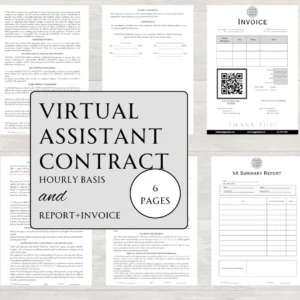

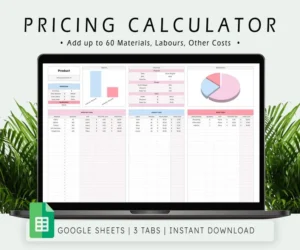



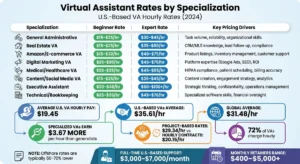
Confusing rate sheets and hidden overheads often make virtual assistant service pricing feel like a guessing game. You might find a freelancer at $15/hour and…
Hiring help is expensive and slow. Getting virtual assistant package pricing wrong is worse. The right price hinges on how many hours you truly need, what…
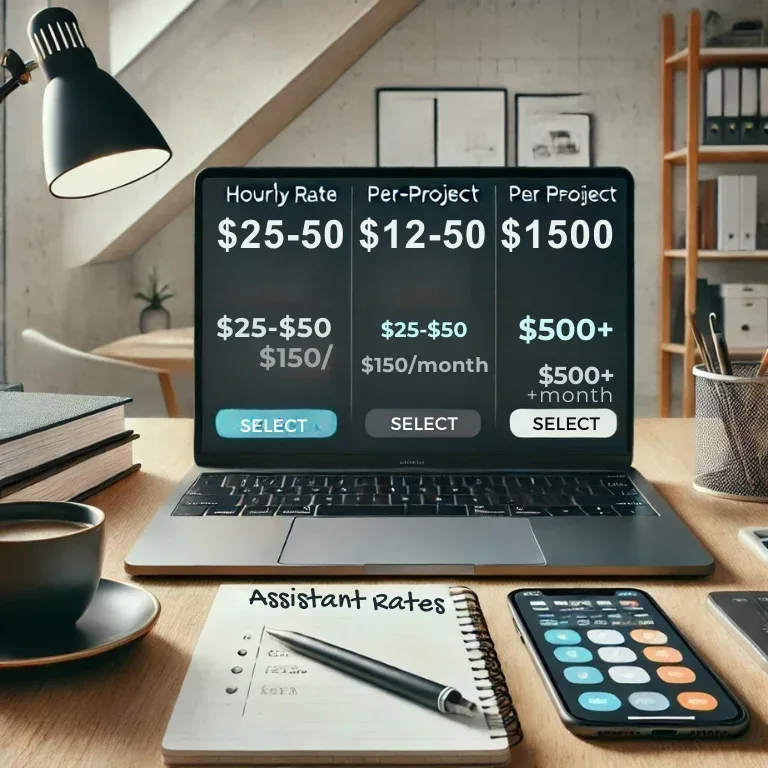
If you’re asking what virtual assistant rates for small business really look like, the honest answer is that the numbers span a huge range. A general admin VA…


