⚠️ Disclosure: This post contains affiliate links. We may earn a commission at no extra cost to you.
⚠️ Disclosure: This post contains affiliate links. We may earn a commission at no extra cost to you.


The way businesses handle repetitive work, customer interactions, and back-office processes is changing fast. More teams now rely on virtual assistants—a blend of remote human talent, AI chatbots, voice interfaces, and task-specific automation—to reclaim hours, scale without bloated payrolls, and improve service quality. When done right, virtual assistants don’t just cut costs; they act as force multipliers that let your people focus on strategy, creative problem-solving, and revenue-generating activities.
In practice, the most successful implementations start small, target clear bottlenecks, and grow as trust in the system builds. This guide covers how businesses use virtual assistants to boost efficiency, from choosing the right model to measuring real return on investment. You’ll find concrete frameworks, departmental use cases, common missteps, and forward-looking trends—all grounded in what actually works on the ground.
At the core, virtual assistants eliminate the friction of low-value, rule-driven work. When you remove those tasks from your team’s plate, you unlock deeper capacity. According to the U.S. Small Business Administration, delegating routine administrative duties can dramatically improve a small team’s output. That same principle scales up in mid-sized and enterprise environments.
The pressure to do more with less isn’t going away. Whether you’re a startup founder handling five roles or a department head looking to shorten response times, virtual assistants offer a flexible lever. They can be ramped up during seasonal spikes or product launches and dialed back later—something you simply can’t do with a full-time hire.
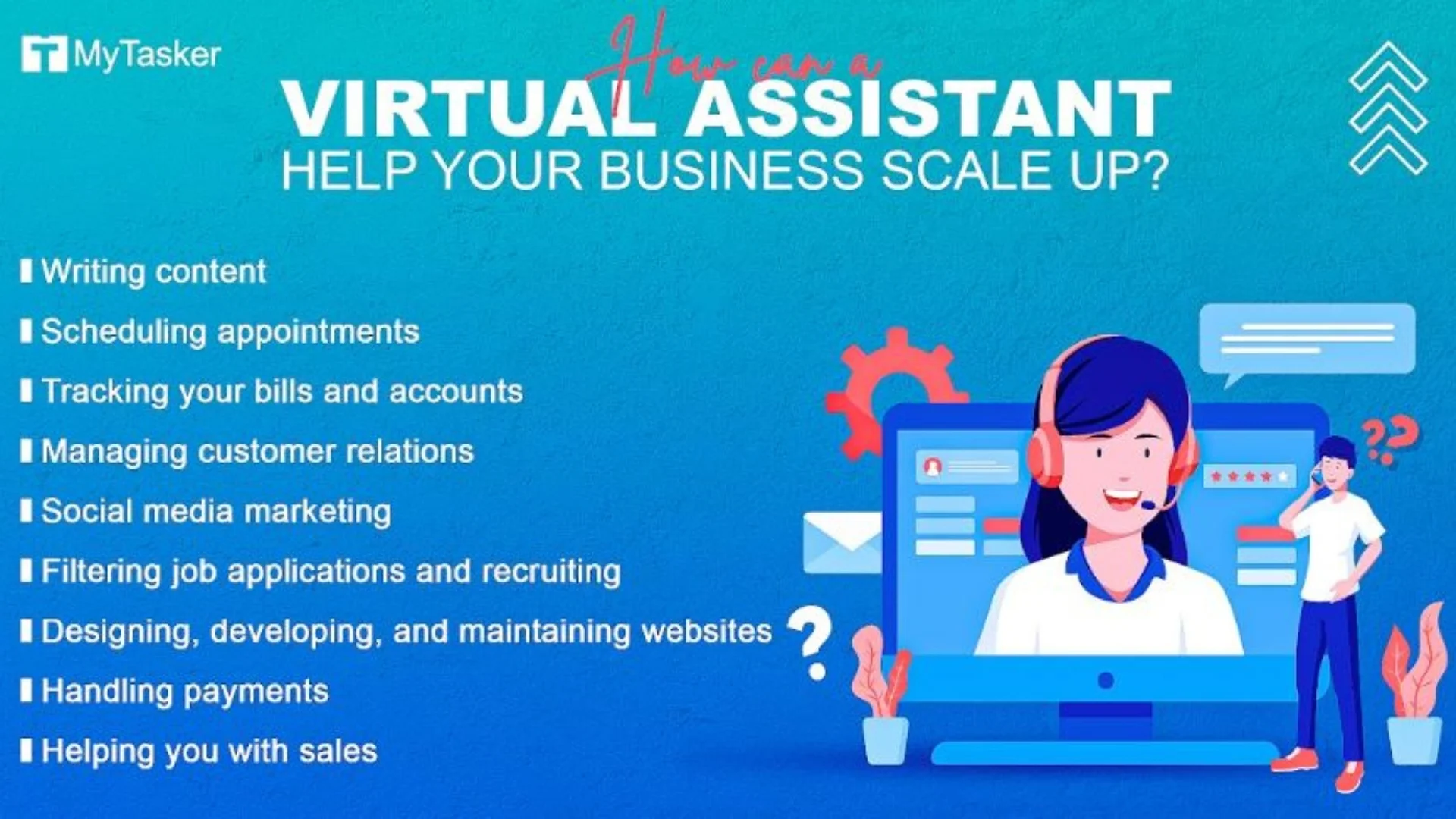 Image source: mytasker.com
For a more detailed look at integrating remote support into daily operations, explore our breakdown of the fundamental reasons behind this shift.
Not all virtual assistants look the same. Understanding the landscape helps you match the tool to the task—and avoid the expensive mistake of over-automating something that needs a human touch.
 Image source: myoutdesk.com
Skilled remote professionals handle administrative scheduling, inbox management, research, data cleaning, and customer outreach. They excel at nuanced communication and adapt to shifting priorities. The trade-off: human assistants cost more per hour than an AI, but for tasks that require judgement or empathy, they’re irreplaceable.
These rule-based or machine-learning-driven systems respond to common questions on websites, messaging platforms, and apps. Modern chatbots understand intent, pull data from your knowledge base, and can perform actions like order status lookups or appointment booking. They’re best for high-volume, low-complexity queries.
Voice-driven tools—think hands-free scheduling, quick order capture, or interactive voice response systems—speed up phone-based workflows. They’re especially useful in field sales, logistics, and service dispatch where typing isn’t practical.
Purpose-built automation handles narrowly defined jobs: invoice processing, data syncing between CRMs and accounting software, or sending personalised follow-up sequences. These bots run silently in the background and rarely need human intervention once configured.
In frontline customer roles, a hybrid model often delivers the best balance. The AI handles routine tier-one queries instantly, and when the conversation becomes emotional or complex, it seamlessly hands off to a human agent with full context. In practice, this approach cuts average handle time while preserving customer loyalty. It also lets you hire fewer human assistants and direct their expertise where it counts.
Before you commit, it’s worth identifying the specific competencies to prioritize when hiring an external assistant, whether the role is human or hybrid.
Jumping straight to a tool without a clear assessment of your workflow often leads to wasted budget and frustrated users. Instead, use a simple qualification framework.
A common mistake is defaulting to full automation for tasks that still require human judgement. Start by documenting a decision tree for a single high-volume workflow, then see where automation can take over and where a live person must step in. That simple exercise prevents confusion and preserves customer trust.
Successful businesses don’t throw a new assistant at a messy, undocumented process. They follow a structured rollout.
 Image source: meetatroam.com
Narrow your focus: “reduce new-lead response time from 8 hours to 15 minutes” or “save 20 hours of admin scheduling per week.” Vague goals make it impossible to measure success.
Pick one repetitive, high-volume task. Document every step, decision point, and exception. If the process is tangled, clean it up before automating—otherwise, you’ll just scale confusion.
Use the qualification framework from the previous section. For many teams, starting with a trained human assistant on a platform that provides oversight tools gives quick wins. You can later layer AI on top of that foundation.
Run a 30- to 60-day trial with a small subset of users or customers. Track key metrics daily: task completion rate, time to resolution, customer satisfaction score, and escalation frequency.
Give your assistant—human or AI—clear response templates, FAQs, and precise criteria for when to hand off to an internal team member. The more explicit you are, the fewer awkward failures you’ll encounter.
During the pilot, review a sample of interactions every week. Adjust scripts, refine routing logic, and retrain as needed. Once the pilot meets your benchmarks, expand to the next process.
Effective oversight and delegation are essential; otherwise, the assistant drifts without direction. The businesses that see the biggest gains treat the assistant like a new team member requiring onboarding, not a magic switch.
The right platform can simplify everything from hiring to analytics. Concentrate on tools that integrate with your existing CRM, helpdesk, and calendar.
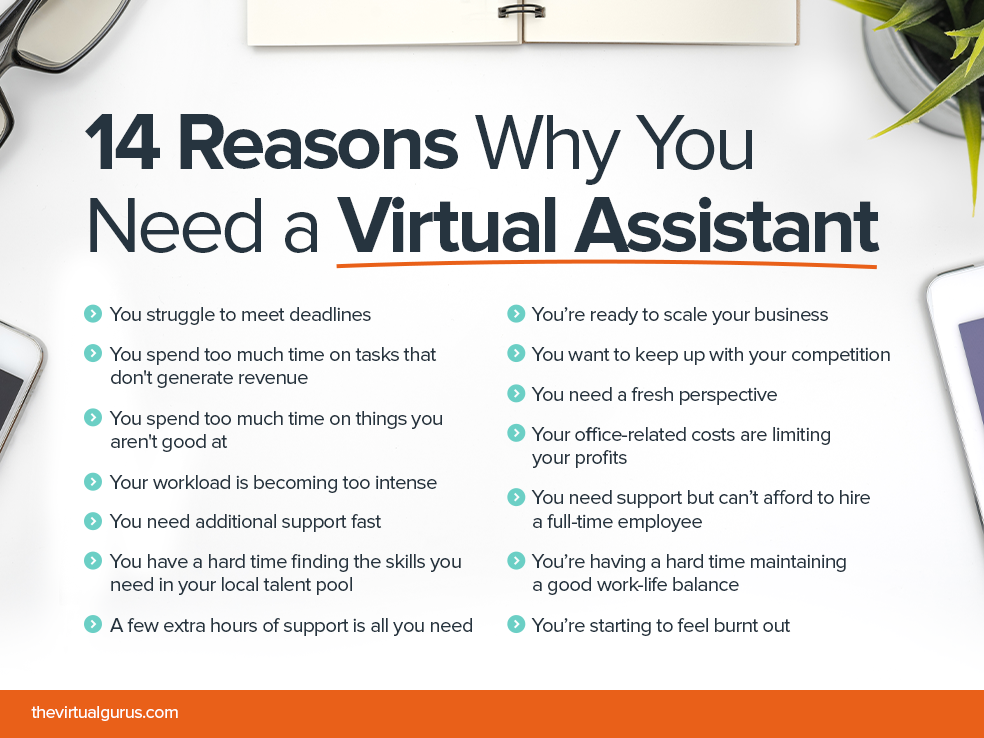 Image source: thevirtualgurus.com
When evaluating any tool, prioritise those that let you export raw interaction logs. You’ll need that data to audit quality and to fine-tune both AI and human training over time.
The financial case becomes clear when you break down both visible and hidden expenses.
 Image source: analytix.com
Most small-scale pilots show a clear return within 60 to 90 days if they target a genuine bottleneck. Broader rollouts typically recoup investment inside six to twelve months. To accelerate that timeline, consider upskilling your remote team with industry-backed credentials so they can handle more complex work and reduce your reliance on expensive internal specialists.
Even a well-chosen assistant can underperform if the surrounding process is weak. The difference between a frustrating rollout and a smooth one often comes down to these habits.
 Image source: daytranslations.com
 Image source: howtostartanllc.com
Different teams harness virtual assistants in distinct ways. Here’s how the concept plays out on the ground.
A human virtual assistant qualifies inbound leads by engaging via email or chat, asking pre-defined qualification questions, and scheduling meetings for closers. Meanwhile, an AI tool can enrich contact records automatically and push hot prospects to the top of the call list. Overlap that with a post-meeting follow-up sequence bot, and the sales cycle accelerates without hiring more reps.
Hybrid setups are the standard here. An AI chatbot handles order tracking, return status, and password resets 24/7. It seamlessly escalates complex billing disputes or sensitive complaints to a specialist who already sees the conversation history. The result: first-response time drops, and the support team spends its day on problems that truly need human insight.
Virtual assistants schedule social media posts, compile weekly performance snapshots, and manage contest entries. A human assistant can handle influencer outreach coordination and basic content formatting, while a bot monitors campaign comments for urgent negative sentiment and flags them immediately.
Scheduling interviews, sending onboarding paperwork, and answering repetitive policy questions all lend themselves well to a mix of human assistants and chatbots. An operations team might use a task-specific bot to sync inventory updates from an eCommerce platform to the accounting system, removing data entry errors.
Founders and executives often pair with a dedicated human assistant who manages their calendar, filters email, books travel, and compiles meeting briefs. Adding AI for transcription and action-item tracking from calls further multiplies the assistant’s value.
Across all these use cases, building core capabilities—both in the assistant and in your internal team—ensures these handoffs work smoothly over time.
Businesses that skip this step risk trust erosion and real legal exposure. Whether you’re using a human assistant or an AI bot, treat data protection as a foundational requirement, not an afterthought.
Taking these steps not only protects your business but also reassures customers and regulators that you handle information responsibly.
The landscape continues to evolve rapidly. Staying ahead of these shifts helps you build flexible systems that won’t require a tear-down in 12 months.
 Image source: syntacticsinc.com
Plan for modularity. Choose tools that allow you to swap out the AI engine or connect to new channels without rebuilding the entire customer experience layer. That approach will save you from expensive replatforming when your needs shift.
 Image source: c-metric.com
What types of tasks can virtual assistants handle? They excel at scheduling, lead qualification, customer support triage, data entry, basic research, and outbound follow-up. In general, any repetitive task with a clear set of rules is a candidate for automation, while complex judgement calls may require a human touch.
How much does a virtual assistant cost? Cost varies dramatically. A simple AI chatbot might have a low monthly subscription fee, while a dedicated human assistant through a reputable service typically costs an hourly rate or fixed monthly retainer. Hybrid models sit between those extremes. Always factor in setup time and ongoing management.
Will virtual assistants replace human jobs? In practice, they shift the nature of work rather than eliminate roles. They absorb repetitive, low-satisfaction tasks and allow existing staff to concentrate on strategic, creative, and relationship-building work that drives growth. Many teams find that offloading routine chores actually improves job satisfaction.
How do I measure the success of a virtual assistant? Focus on a handful of clear metrics: time saved, task completion rate, customer satisfaction scores, conversion lift, and cost per interaction. Compare baseline data before the pilot to results after 30, 60, and 90 days.
Are virtual assistants secure for sensitive data? Yes, when configured properly. Implement least-privilege access controls, encrypt data, require vendor compliance certifications, and conduct regular audits. Both human assistants and AI tools can be governed by clear data protection policies.
Virtual assistants offer a direct way to boost efficiency without overhauling your entire organisation. The businesses that succeed treat the transition as a gradual refinement, not a one-time flip of a switch.
Start by picking one process that drains your team’s time and map it end to end. Document the rules, choose an assistant type that matches the complexity, and run a tight pilot with measurable goals. Within weeks, you’ll have the proof points to justify expanding—and the operational insights to do it confidently.
For more actionable guides on building a lean, high-performing operation, visit our resource hub. If you’re ready to take the next step, subscribe for updates and join a community of business owners who are rethinking how work gets done every day.

Sofia Grant is a business efficiency expert with over a decade of experience in digital strategy and affiliate marketing. She helps entrepreneurs scale through automation, smart tools, and data-driven growth tactics. At TaskVive, Sofia focuses on turning complex systems into simple, actionable insights that drive real results.


















Personal growth doesn’t happen by accident — it requires accessible tools, structured learning, and a mindset of continuous improvement. Alison, one…

The remote work landscape has matured, and virtual assistant roles are no longer entry-level afterthoughts. Zirtual has carved out a reputation as one…

The virtual assistant industry continues to expand rapidly, and the Alison Virtual Assistant course remains one of the most accessible on‑ramps…