
Businesses use virtual assistants to automate tasks, serve customers, and scale operations quickly.
I’ve spent years helping teams adopt new tools and workflows, and I know how powerful virtual assistants can be when used right. This article explains how businesses use virtual assistants, from small startups outsourcing admin work to enterprises automating customer service. You’ll get practical steps, real-life tips, common pitfalls, and clear examples to help you decide if virtual assistants fit your business goals.
Benefits of virtual assistants for businesses
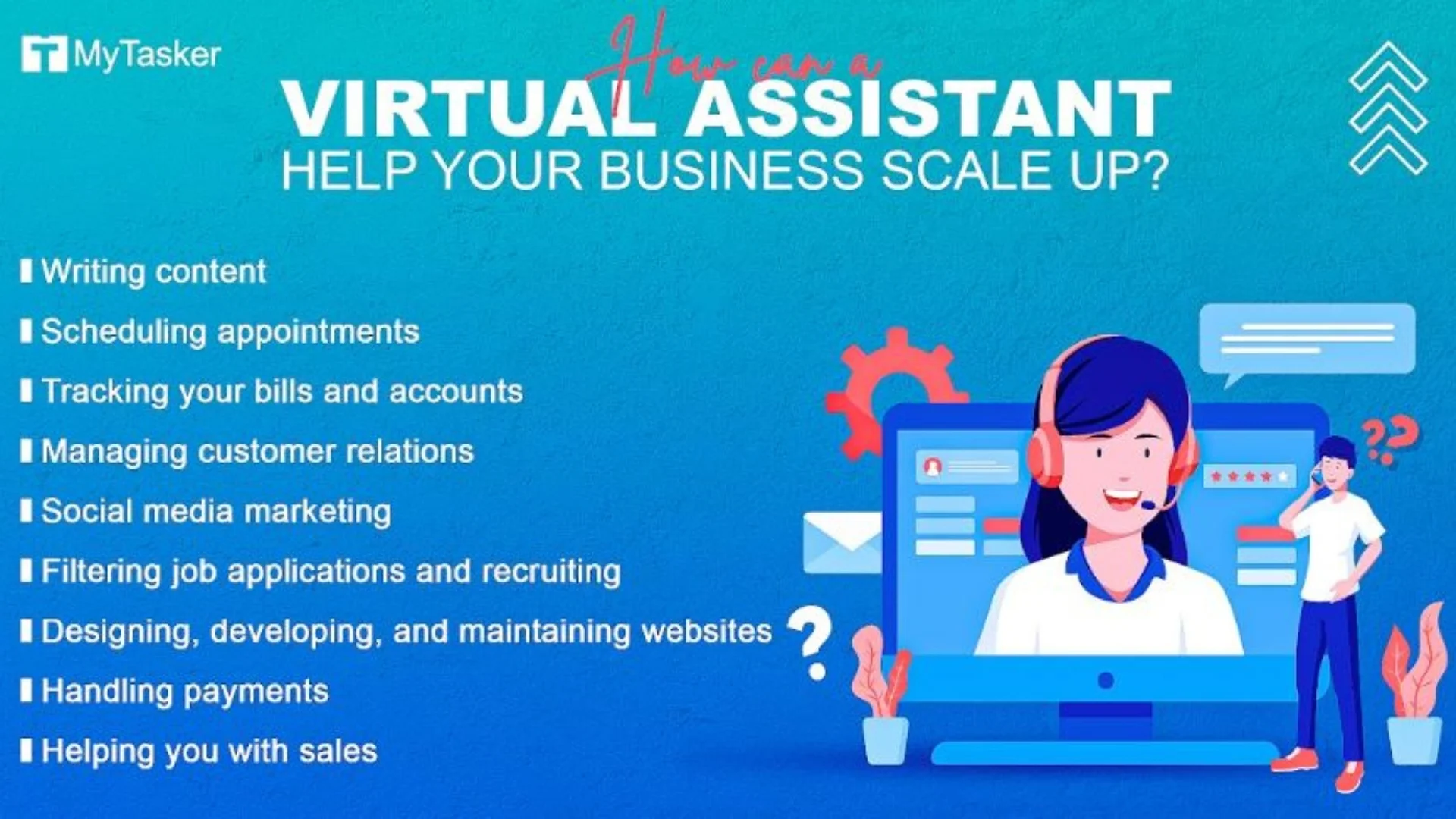
Virtual assistants help teams work smarter. They cut routine work and free people to focus on strategy and growth. Here are core benefits businesses gain when they use virtual assistants.
- Increased productivity: Virtual assistants handle repetitive tasks so employees can focus on higher-value work.
- Cost savings: Hiring a virtual assistant often costs less than hiring a full-time employee.
- Better customer support: Virtual assistants respond fast and consistently, improving customer satisfaction.
- Scalability: Businesses can ramp up or down quickly when they use virtual assistants.
- Data and insights: Many virtual assistants track interactions and produce usable analytics.
I’ve seen a marketing team reclaim hours each week by routing lead qualification to a virtual assistant. That simple change boosted campaign follow-up and closed more deals. When thinking about how businesses use virtual assistants, think of them as multipliers for staff time and capability.

Types of virtual assistants businesses use
Virtual assistants come in many forms. Each type serves different business needs. Knowing the options helps you pick the right fit.
- Human virtual assistants: Remote people who handle admin, scheduling, research, and calls.
- AI chatbots: Automated chat systems that answer FAQs and route leads.
- Voice assistants: Voice-driven tools for hands-free tasks and quick queries.
- Task-specific bots: Automation focused on booking, billing, or data entry.
- Hybrid models: Human agents supported by AI to combine empathy and speed.
In my experience, hybrid models work best for customer-facing roles. The AI handles routine queries, and humans step in for complex issues. That balance reduces wait times and preserves quality.

How businesses implement virtual assistants
A clear plan makes adoption smooth. Here are steps I recommend when deciding how businesses use virtual assistants.
- Define goals
- List what you want to save or improve. Examples: reduce response time, cut admin hours, or increase lead conversion.
- Map tasks
- Identify repetitive tasks that follow clear rules. Those are prime for virtual assistants.
- Choose a model
- Pick human, AI, or hybrid based on task complexity and brand voice.
- Pilot small
- Start with one team or process. Measure outcomes and iterate.
- Train and document
- Provide templates, scripts, and escalation rules for consistent results.
- Measure ROI
- Track time saved, cost per task, customer satisfaction, and revenue impact.
I once helped a small sales team implement an AI assistant to qualify leads. We ran a 30-day pilot, measured qualified leads and handoff quality, and improved the bot’s script twice. The team doubled qualified leads without extra headcount.
Tools and platforms commonly used
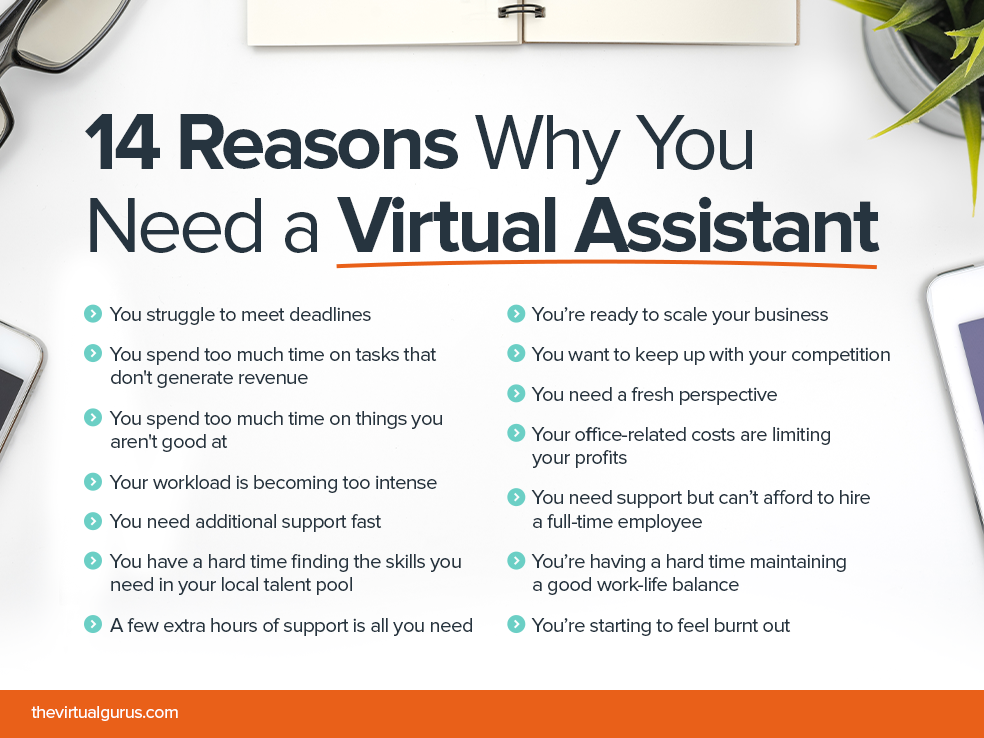
There are many tools for businesses that use virtual assistants. Pick tools that integrate with your systems and fit your budget.
- Communication and scheduling: Tools that sync calendars and handle booking.
- Customer chat tools: Platforms that run chatbots on websites and messaging apps.
- Voice platforms: Systems for voice commands and IVR support.
- Automation platforms: Low-code tools that connect apps and automate workflows.
- Virtual assistant marketplaces: Services to hire trained human assistants by the hour or task.
When choosing a tool, test integrations with your CRM and helpdesk. I recommend prioritizing platforms that let you export data easily for measurement and training.

Costs, ROI, and budgeting
Understanding costs helps justify the change. Here’s how to think about expenses and returns when businesses use virtual assistants.
- Costs to consider
- Platform subscription fees, setup and training time, human labor costs, and ongoing monitoring.
- Ways to measure ROI
- Hours saved, decrease in full-time hires, improved conversion rates, and higher customer retention.
- Typical payoff timeline
- Small pilots may show results in 30–90 days. Wider rollouts often pay off within 6–12 months.
From my work, projects that target clear bottlenecks deliver the fastest ROI. If you automate a task that blocks sales or customer success, the payoff is often rapid.

Best practices for success
Successful adoption depends on process and people. Follow these best practices when setting up how businesses use virtual assistants.
- Start with clear KPIs and a small pilot.
- Keep tasks simple and well documented.
- Use templates and scripts for predictable responses.
- Monitor performance and collect user feedback.
- Provide escalation paths to human agents.
- Train continuously and update scripts with new data.
A team I advised documented edge cases early. That saved time and prevented customer confusion. Good documentation is one of the most undervalued steps.

Common mistakes and how to avoid them
Avoiding common pitfalls speeds success. These mistakes are easy to make when businesses use virtual assistants.
- Mistake: Automating unclear tasks
- Fix: Map the process and confirm rules before automating.
- Mistake: Skipping user training
- Fix: Train staff and explain workflow changes.
- Mistake: Ignoring data privacy
- Fix: Set clear data-handling policies and limit access.
- Mistake: No escalation path
- Fix: Define when and how a human should take over.
- Mistake: Over-relying on automation
- Fix: Keep human oversight for quality control.
Early on, I pushed a bot live without clear escalation rules. We had frustrated customers. Adding a simple “talk to a human” option fixed the issue quickly.

Future trends and what to watch
The landscape changes fast. Here are trends to watch as more businesses use virtual assistants.
- Smarter natural language understanding for better conversations.
- Greater use of multimodal assistants that combine text, voice, and visuals.
- More hybrid roles mixing AI and human work.
- Improved analytics to measure assistant impact.
- Stronger regulation around data privacy and transparency.
Plan for change. Build flexible systems so you can upgrade assistants as capabilities improve. That approach saved one client from costly retooling when needs changed.

Frequently Asked Questions of How businesses use virtual assistants
What types of tasks can virtual assistants handle?
Virtual assistants can handle scheduling, customer support, lead qualification, data entry, and basic research. They are best at repetitive tasks with clear rules.
How much does a virtual assistant cost?
Costs vary widely by model. Simple AI chatbots have low monthly fees, while human assistants or hybrid services cost more but offer higher touch. Expect pilot costs within a small budget range.
Will virtual assistants replace human jobs?
Virtual assistants change the nature of work rather than just replace it. They remove routine tasks and free humans for higher-value work like strategy and relationship building.
How do I measure the success of a virtual assistant?
Track KPIs such as time saved, task completion rate, customer satisfaction, and conversion lift. Start small and compare results before and after deployment.
Are virtual assistants secure for sensitive data?
They can be secure if you set clear access controls, data retention rules, and encryption. Always verify vendor compliance and define internal policies before sharing sensitive data.
Conclusion
Virtual assistants offer a practical way to save time, cut costs, and scale operations. Use a clear plan: define goals, pilot small, measure outcomes, and iterate. Start with simple tasks and build trust by monitoring quality. If you want to boost productivity and customer experience, try a focused pilot this quarter and track the results. Share your experience, subscribe for updates, or leave a comment about how you plan to use virtual assistants.

Sofia Grant is a business efficiency expert with over a decade of experience in digital strategy and affiliate marketing. She helps entrepreneurs scale through automation, smart tools, and data-driven growth tactics. At TaskVive, Sofia focuses on turning complex systems into simple, actionable insights that drive real results.