⚠️ Disclosure: This post contains affiliate links. We may earn a commission at no extra cost to you.
⚠️ Disclosure: This post contains affiliate links. We may earn a commission at no extra cost to you.

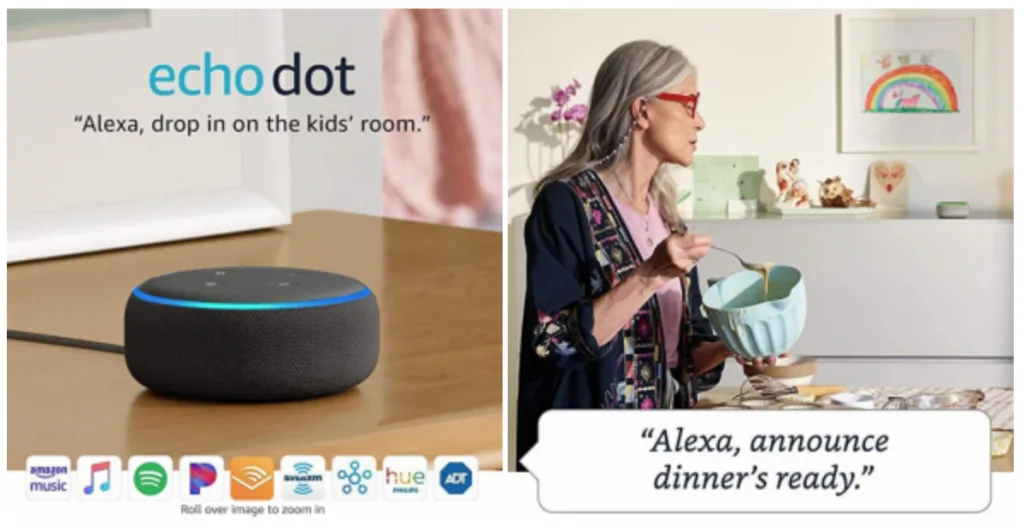
How to communicate with a virtual assistant effectively comes down to one simple truth: these systems aren't mind readers. They're pattern-matching machines that translate your spoken words into actions. Per manufacturer testing by Amazon, Google, and Apple, voice recognition accuracy sits around 95% under ideal conditions.
That drops sharply when you mumble, use vague phrasing, or talk over background noise. The gap between "it worked for my friend" and "it works for me" usually traces back to command structure.
Most people treat their smart speaker like a text message on a screen. But voice interaction demands different rules. Commands need sharp syntax, clear sequencing, and platform-appropriate phrasing.
The difference between a successful command and a frustrated rerun often comes down to three words: wake word placement, command structure, and follow-up continuity. Here's how to stop wrestling with your assistant and start getting what you ask for.
Speak clearly and directly after using the correct wake word. Place your command first, then details second. Keep sentences short and end with a period-like pause.
Avoid filler words and multitalk. Test each new skill on a quiet session before relying on it.
Voice assistants stumble most often because people approach them the wrong way from day one. They give casual phrases instead of commands. They trail off mid-sentence and wonder why nothing happens.
They treat wake words like optional decorations rather than required triggers.
The core problem is structural. Voice systems parse requests sequentially. They hear a wake word, lock onto a command window, then attempt to match keywords against a knowledge base.
Break any step in that chain and the whole thing collapses. You'll hear "Did you say…" repeated three times while the assistant flails through misidentified phrases.
Fixing this starts with understanding the parsing pipeline. Here's what actually happens when you speak:
| Step | What Happens | Where It Fails |
|---|---|---|
| Wake word detection | Microphone array listens continuously | Background TV, overlapping speech, distant room |
| Command capture | System records speech after trigger | Too early stop, too late start, cut-off words |
| Speech-to-text conversion | Audio waveform becomes written words | Accent mismatch, mumbling, technical terms |
| Intent matching | Text maps to available actions | Unclear phrasing, missing keywords, vague targets |
| Action execution | System carries out matched command | Skill not enabled, permission denied, no device found |
Each failure point creates its own frustration pattern. Knowing which one you hit tells you exactly where to adjust. If the wake word isn't triggering consistently, mic positioning or ambient noise is the culprit.
If the response sounds right but action fails, the intent match broke down somewhere in the pipeline.
The fix involves treating voice interaction as intentional communication rather than casual conversation. You wouldn't send a text message without proofreading it. Don't speak commands without structuring them.
Sharp syntax beats sloppy familiarity every time with voice interfaces.
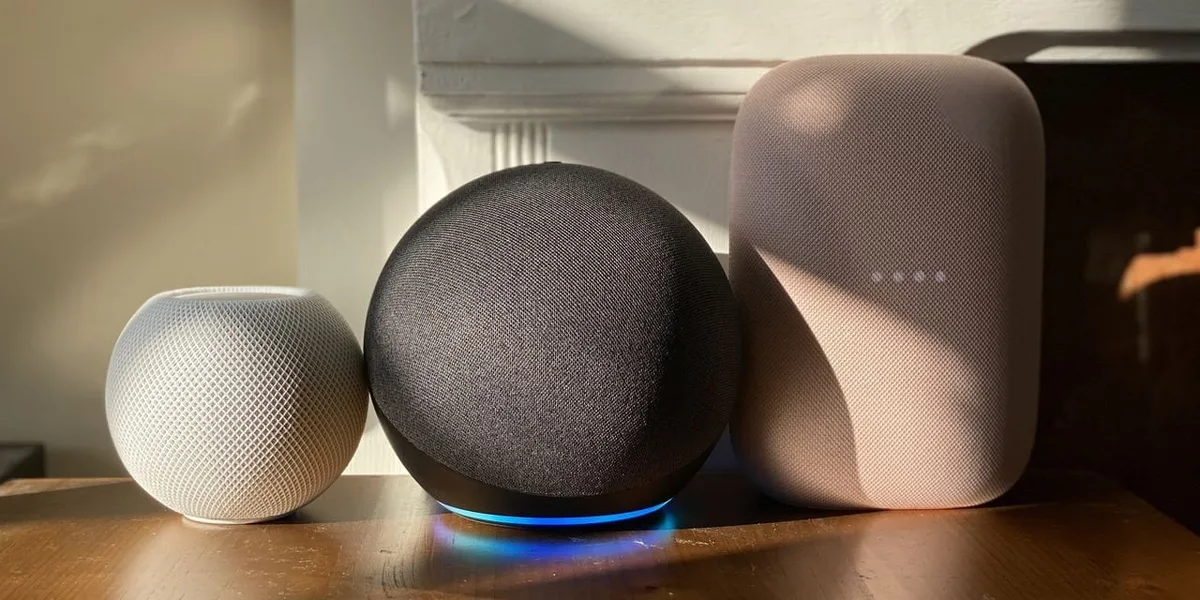
Not all virtual assistants share the same personality or rules. Amazon Echo, Google Nest, and Apple HomePod each run different NLP engines trained on different datasets. That means the same command produces wildly different results depending on which box sits on your counter.
Alexa tends to favor structured commands with explicit verbs. Say "Alexa, set a timer for five minutes." It handles multi-step routines better than natural questions. Google Assistant responds well to conversational phrasing and follows up naturally.
Ask "Hey Google, what's the weather tomorrow?" and it delivers clean answers with relevant context. Siri occupies the middle ground. It's tighter with Apple ecosystem devices but weaker at third-party skills and general knowledge lookup.
| Platform | Best Command Style | Strongest At | Weakest At |
|---|---|---|---|
| Amazon Alexa | Structured imperative | Routines and smart home control | Natural follow-up questions |
| Google Assistant | Conversational questions | Knowledge retrieval and explanations | Complex multi-step sequences |
| Apple Siri | Short direct phrases | Device control within Apple ecosystem | Third-party integrations |
This matters because jumping between platforms without adjusting your phrasing creates failure loops. Your Googler brain says "Hey Google, play something relaxing" while standing in front of an Echo. Alexa doesn't recognize the query pattern and hands back an error or plays random podcast clips instead.
If you're managing multiple ecosystems, create separate command templates for each. Keep Alexa requests formal and action-first. Give Google conversational questions with context embedded.
Reserve Siri for quick commands that involve Apple devices. Think of it like learning different foreign languages. The concepts stay the same.
The grammar shifts entirely.
For readers exploring remote virtual assistant careers or comparing professional VA services, this principle applies equally. Human assistants and AI assistants both respond better to clear instructions than vague requests. Structure matters regardless of whether the recipient is silicon or sweat.
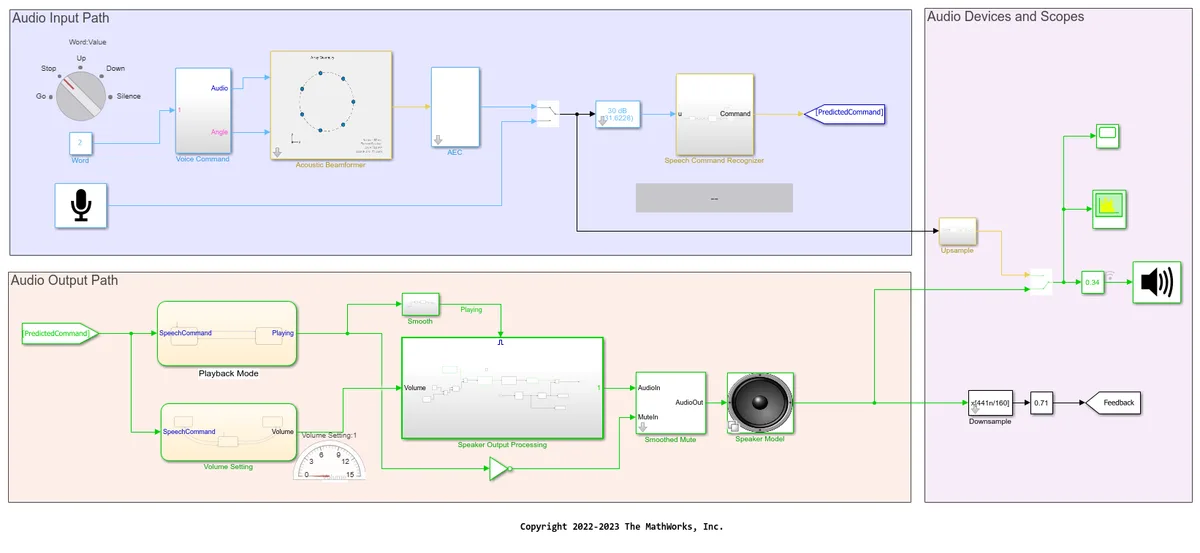
Image source: Bing (Web (fair-use with source credit))
Voice commands fall into four distinct categories, each requiring a different structural approach. Mix them up carelessly and you'll confuse your own system regularly.
Quick commands demand brevity. Set a timer. Play music.
Turn off the lights. One or two words after the wake word gets perfect execution. These work because the action space is narrow and well-defined.
When the command is vague like "do something nice," the system scans every available skill and picks randomly.
Multi-step routines require sequential clarity. Instead of "good morning routine," build the sequence explicitly: "Alexa, good morning." Then define the routine inside the app with steps like "turn on bedroom lights, read calendar, play news briefing." Each component runs in order without you repeating the wake word. The assistant chains them together automatically.
Follow-up chains let you drop the wake word after the initial trigger. Ask "Who won the Super Bowl last year?" When it answers, follow with "Where were they from?" The system holds context for roughly ten seconds without re-triggering. After that window closes, you restart with the full wake word plus question.
Question-based lookup needs complete sentences with embedded context. "What time does the grocery store close today?" beats "When close grocery?" by miles. The richer the surrounding words, the better the keyword match inside the knowledge base.
For online jobs research or skill exploration, this completeness rule applies equally to chat interfaces and voice ones.
| Command Type | Wake Word Required | Best Phrasing Pattern | Example |
|---|---|---|---|
| Quick command | Always | Wake word + verb + object | "Alexa, set timer for three minutes" |
| Multi-step routine | First only | Pre-built sequence name | "Alexa, good morning routine" |
| Follow-up chain | Only on first question | Full question, then bare fragment | "What's the weather?" then "And tomorrow?" |
| Question lookup | Always | Complete grammatical sentence | "Hey Google, how do I reset my router?" |
Learning to identify which type applies to your request saves enormous frustration. Most failures come from treating a multi-step question like a quick command or vice versa. Match the structure to the situation and accuracy jumps dramatically.
Even experienced users repeat the same errors weekly. These patterns waste time and breed resentment toward voice technology. The good news is each one has a straightforward fix.
Mistake one: interrupting mid-response. Say Alexa starts reading news headlines and you cut her off with "stop, what's the weather?" She halts the article but may miss the weather part entirely because the audio stream overlaps. Wait two seconds after the response ends before speaking your next command.
Mistake two: trailing off mid-sentence. You say "set a reminder to buy milk whenever I leave work" and stop talking before finishing the location condition. The system captures the incomplete phrase and creates a broken reminder that fires randomly. Finish every thought before releasing the mic button or walking away.
Mistake three: using vague descriptors. Commands like "play music" summon random playlists from every connected service. "Play jazz from Spotify" narrows the scope dramatically. Always specify source when multiple exist.
Same with "call mom" when three contacts share that label.
Mistake four: assuming context carries between rooms. Speak to the kitchen Echo about living room lights and expect results elsewhere. Unless you've explicitly grouped speakers or linked rooms in the companion app, commands stay local to the triggered device. Check time tracking tools if you're building similar workflow automation across systems.
Mistake five: neglecting accent and pronunciation. Non-standard English pronunciation trips speech-to-text pipelines regularly. Slow down slightly and enunciate key nouns more sharply. Some platforms offer accent training through dedicated settings menus.
Invest the five minutes there instead of fighting the same mishearings forever.
| Mistake | Symptom | Immediate Fix |
|---|---|---|
| Interrupting mid-response | Commands ignored or partial | Pause two seconds after each reply |
| Trailing off mid-sentence | Incomplete actions or errors | Finish thought fully before moving away |
| Using vague descriptors | Random or wrong results | Name specific source, playlist, or item |
| Assuming cross-room context | Actions happen in wrong room | Group speakers properly in app settings |
| Poor pronunciation clarity | Repeated "did you say" loops | Slow down, emphasize nouns, run accent training |
These mistakes compound quickly. One misunderstood command leads to frustration, which leads to rushed speech, which leads to more misunderstandings. Break the cycle by slowing your pace and adding deliberate pauses between thoughts.
Getting good results requires intentional preparation. Most people skip setup optimization and blame the technology when commands fail. The hardware is capable.
The software works within its designed parameters. Both just need proper configuration first.
Start with microphone positioning. Place smart speakers away from walls, corners, and noisy appliances like refrigerators or air purifiers. Manufacturers recommend six to eight feet of clearance on all sides for optimal far-field pickup.
A $12 power strip extension cord lets you position the device anywhere without hunting for outlets.
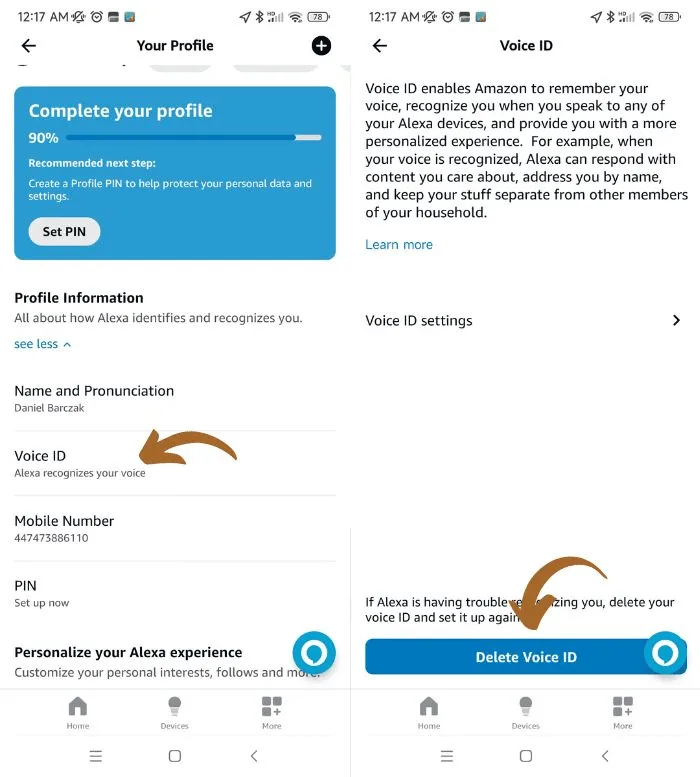
Enable individual voice profiles immediately. Each household member gets unique fingerprinted voice recognition through the companion app. This personalizes responses, protects privacy across users, and improves recognition accuracy for everyone.
Amazon calls it Voice Training. Google uses Individual Recognitions. Apple relies on Hey Siri enrollment for each person.
Reduce ambient interference during critical sessions. Close windows before asking temperature-related questions. Mute televisions and radios temporarily.
Ask commands during quiet hours when the house isn't echoing with competing audio. These environment tweaks matter more than most users expect.
Update firmware monthly and audit installed skills quarterly. Unused third-party apps accumulate background processes that slow response times. Delete anything you haven't invoked in thirty days.
Keep only active integrations running cleanly.
Consider virtual assistant services for entrepreneurs if managing multiple tech ecosystems feels overwhelming. Even AI assistants need human guidance for optimal deployment across complex households.
Professional-grade voice setup mirrors how IT teams configure enterprise systems. Document your device locations, network topology, and skill inventory. Review configurations every few months as new features roll out.
Small maintenance habits prevent major breakdowns later.
When confusion strikes, this reference chart maps your device plus request type to the most reliable command structure.
| Your Device | Request Type | Best Command Format | Expected Response |
|---|---|---|---|
| Alexa | Quick action | Wake word + verb + object | Immediate execution |
| Alexa | Multi-step routine | Named routine only | Cascading actions without repetition |
| Google Assistant | Factual question | Full conversational sentence | Spoken answer with optional screen display |
| Google Assistant | Smart home control | Wake word + platform-specific phrasing | Confirmation tone + action completion |
| Siri | Apple device control | Short direct phrase | Action confirmation or error message |
| Siri | Web lookup | Complete grammatical question | Audio response from web sources |
Use this flowchart logic when struggling mid-command. If the wake word didn't trigger, check mic status lights and speak louder on the first two words. If the system responded but did nothing, rephrase with more specific nouns.
If it misunderstood your wording, slow down and enunciate key terms separately instead of running them together.
For content creation workflows, apply these same structural rules when delegating tasks through chat interfaces. Clear instructions produce clearer outputs regardless of interface type. Build personal cheat sheets for frequently used commands if you manage complex routines across multiple rooms or services.
The guide above covers 80% of daily interactions. Edge cases involving construction project coordination or specialized medical scheduling may require additional platform-specific training through companion apps before reliable automation becomes possible.
Mastering voice interaction requires treating it as intentional communication rather than casual conversation. Start with correct wake word placement, use complete sentences for lookup queries, reserve shorthand for quick commands, and maintain two-second pauses between requests. Structure beats familiarity every time with these systems.
The devices handle most requests well when users match their phrasing to platform expectations. Spend ten minutes reviewing setup guides and accent training features. Delete unused skills.
Position hardware away from noise sources. These small adjustments create dramatic improvements in daily reliability.
Voice assistants reward patience and punish rushed instructions. Slow your delivery slightly. Enunciate key nouns sharply.
Finish every thought before moving away from the microphone. The resulting accuracy jump makes continued investment worthwhile for most households seeking hands-free convenience and accessibility support.
Yes, all major platforms allow wake word customization. Alexa supports multiple triggers including Alexa, Amazon, and Echo. Google accepts Hey Google and OK Google interchangeably.
Siri accepts Hey Siri and just Siri. Change settings through each companion app under voice preferences without losing any existing routines or skills.
Physical mute switches disable microphones completely during sensitive moments. Software options include sensitivity reduction and touch-to-talk modes on newer devices. Move speakers farther from televisions and conversation areas.
Disable always-listening features for third-party skills that don't require continuous monitoring.
Recognition accuracy varies by accent strength and platform training data. American and British English receive the strongest optimization across all services. Regional dialects like Scottish, Australian, or Southern US accents show slightly higher error rates, though improvement continues yearly.
Run accent-specific training exercises available in companion apps for measurable gains.
Children can interact safely with parental controls enabled. Create supervised profiles that block mature content, limit purchases, and restrict skill access. Set time limits through built-in parental dashboards.
Teach kids proper command structure early so they develop healthy interaction habits alongside digital literacy skills.
Check microphone status lights first. Confirm Wi-Fi connectivity through the companion app. Review recent firmware updates that may have changed behavior.
Clear voice history and re-enroll voice profiles if recognition quality declined suddenly. Test with simpler commands to isolate whether the issue affects all inputs or specific phrases only.
Privacy concerns are legitimate but manageable. Physical mute buttons provide immediate offline state when needed. Review privacy settings regularly to delete voice histories and control data retention periods.
Enable two-factor authentication on companion accounts. Most data stays encrypted end-to-end, though third-party skill permissions deserve careful review before installation.












Every website owner wants more engagement, lower bounce rates, and higher conversions. Yet most rely on intuition instead of evidence. Guessing what users…

The remote job market has never been more competitive — or more rewarding. FlexJobs remains one of the most trusted platforms for finding legitimate…

Landing a job directly at FlexJobs means becoming part of the team that powers one of the internet’s most trusted remote job platforms. While thousands…