⚠️ Disclosure: This post contains affiliate links. We may earn a commission at no extra cost to you.
⚠️ Disclosure: This post contains affiliate links. We may earn a commission at no extra cost to you.

A Coursera certificate can sharpen your resume, validate new skills, and open doors to better career opportunities. But the path from choosing a course to proudly sharing your certificate isn’t always obvious. This guide walks you through each stage, from picking the right program to dealing with financial aid, so you can earn your credential with confidence.
Coursera partners with over 350 universities and companies, including Yale, Stanford, Google, and IBM. When you complete an eligible course, specialization, or professional certificate, you receive a digital certificate that verifies your mastery of the subject. Many learners use these certificates to demonstrate continuous learning, switch industries, or negotiate a pay increase.
The real worth of a Coursera certificate lies in the skills you gain, not just the paper. Recruiters recognize top-tier names like the Google Project Management Certificate or the IBM Data Science Professional Certificate as signals of practical, job-ready ability. While no online certificate guarantees a job on its own, adding one to a well-rounded profile can make a difference.
Before enrolling, understand exactly what kind of credential you’ll earn.
Course Certificate
Awarded after completing a single course. These are the most common and typically cost $29–$99 if you want the certificate.
Specialization Certificate
A series of related courses that build deeper expertise. You pay a monthly subscription (usually $39–$79) until you finish. Once you complete every course and the hands-on project, you earn the specialization certificate.
Professional Certificate
Designed to prepare you for a specific career, often created by companies like Google, Meta, or IBM. These programs cover real-world projects and cost $39–$99 per month. Many align with industry-recognized skills.
Degree Program
Coursera also hosts full bachelor’s and master’s degrees from accredited universities. Costs vary widely (often $15,000–$40,000), and you’ll complete an application process beyond standard enrollment.
Knowing which type matches your goal saves time and money. If you’re exploring the world of skill building before committing, understanding the fundamentals of how skills develop helps you choose a path that sticks.
With over 10,000 courses available, a focused search prevents overwhelm.
Ask yourself what you need the certificate to do. Are you filling a gap for a current role, pivoting to a new field, or strengthening your freelance profile? Write down two or three concrete objectives. For example: “I want to move from administrative work into project coordination” or “I need SQL skills to qualify for a data analyst role.”
Once your goal is clear, use Coursera’s search and filters. Examine each course’s syllabus, skill tags, and enrollment options. Look for:
If you’re interested in remote income, focusing on in-demand digital competencies can fast-track your earning potential.
Pay attention to the effort required (hours per week), language availability, and whether the certificate includes a verifiable link. In practice, the most respected certificates have a verified mode that uses your ID and webcam to confirm your identity.
Enrolling is straightforward, but small details matter for a smooth experience.
Go to Coursera and sign up with your email or a Google/Apple account. Choose a strong password and fill in your name exactly as you want it to appear on your certificate—changing it later can be cumbersome.
Use the search bar or browse categories like Data Science, Business, or Information Technology. When a course catches your eye, click it to see the full description. On slow connections, the course page may load a bit longer; remaining patient is worth it.
Once you’ve decided, you’ll see an Enroll button. Coursera gives you two main paths:
If your goal is the certificate, avoid the audit option—you’ll need to upgrade later anyway.
IBM Professional Certificate programs combine multiple courses and a hands-on capstone.
Earning the certificate isn’t just about watching videos. Active engagement and meeting deadlines are essential.
Treat the lectures as active study sessions. Pause, take notes, and download transcripts if available. Coursera’s mobile app lets you download content for offline viewing—great for commuting. The practice quizzes embedded in many videos help you catch misunderstandings early.
Instructors and mentors often monitor forums. Post thoughtful questions and answer peers when you can. This not only solidifies your learning but sometimes reveals grading clarifications. A common mistake is ignoring the “Mentors” or “Course Help” threads where staff post updates about due dates or known issues.
Graded assignments range from multiple-choice quizzes to code notebooks and peer-reviewed essays.
Many certificate courses require identity verification before you can receive the credential. You’ll need a government-issued ID and a webcam. Complete this step early—waiting until the last day can delay your certificate. Coursera uses a third-party service, and the process takes only a few minutes.
Final assessments test your overall understanding. Approach them as you would an important certification exam.
Review all module summaries and re-take practice quizzes. Some courses offer a practice final that simulates the real format. If the course includes a capstone project, read the rubric carefully; grading often focuses on specific criteria like clarity, reproducibility, or use of particular methods.
Most finals are open-book and timed. Before you start, gather your notes, close unnecessary tabs, and ensure a stable internet connection. Read each question twice. If you get stuck, flag it and return later—don’t burn time on one problem.
A lesser-known tip: check the course’s “Grading Policy” link. Some courses require an overall passing grade of 80%, while others set different thresholds per module. Knowing this helps you allocate effort.
In practice, many courses let you retake the final after a waiting period, sometimes with a limit on total attempts. If you exhaust your attempts, you may need to re-enroll in a future session. Don’t despair—use the feedback to strengthen weak areas before trying again.
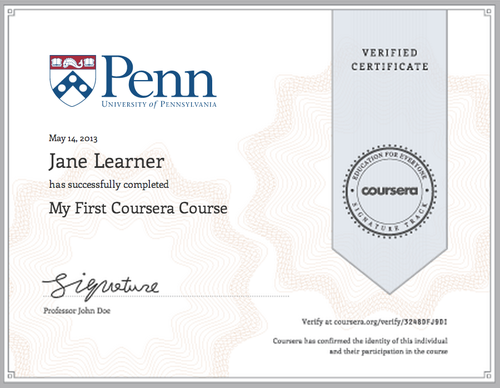
Each certificate carries a unique URL you can share with employers.
Once you’ve met all requirements, your certificate will appear on your Accomplishments page within a few days.
Log into your Coursera account, navigate to Accomplishments, and click the course name. You’ll see a “View Certificate” button. From there you can download a PDF or grab the unique verification link. Keep that link handy—it’s what employers use to confirm your credential is real.
Under your LinkedIn profile’s “Licenses & Certifications” section, click Add and enter the certificate title, issuing organization (Coursera and the partner institution), and the credential URL. The verification link turns the entry into a clickable badge that boosts your profile’s credibility.
Include the certificate in your resume, email signature, or personal website. If you blog about your learning journey, even an informal post can demonstrate expertise.
Watch this step-by-step visual guide for enrolling and earning your certificate: YouTube video.
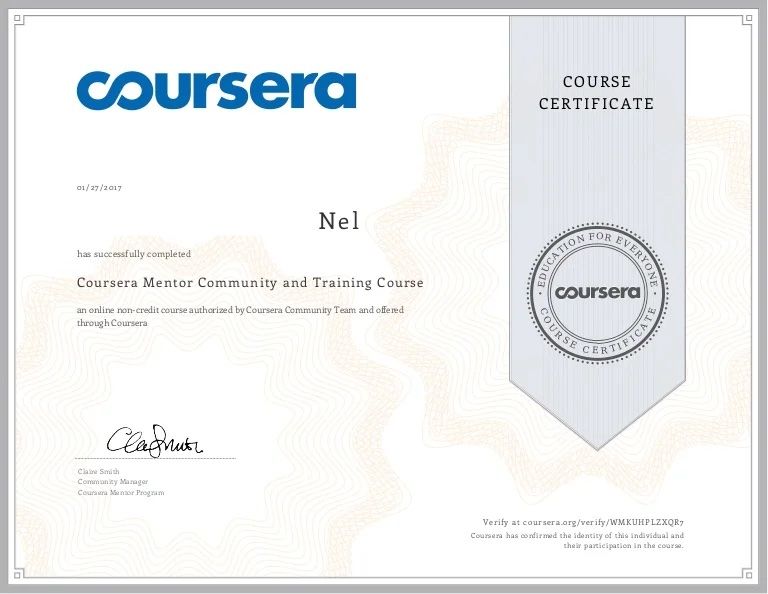
Share your certificate digitally to reach recruiters on platforms like LinkedIn.
Understanding the pricing structure helps you avoid surprises.
| Certificate Type | Typical Cost |
|---|---|
| Course Certificate | $29–$99 one-time |
| Specialization | $39–$79 per month |
| Professional Certificate | $39–$99 per month |
| Degree | $15,000–$40,000 total |
Subscriptions for specializations and professional certificates grant full access, including graded items. You can pause payments if you need a break, but your progress remains saved.
Financial aid is available for many individual courses and specializations. The application asks about your financial situation, educational background, and how the course will advance your career. Be detailed and specific—generic answers are often declined. Approval takes up to 15 days. If accepted, you get full access and the certificate at no cost.
To apply:
If you’re exploring multiple certificate providers, a curated list of high-impact programs can give you a broader perspective before you commit.
Auditing a course is risk-free for trying content, but no certificate is awarded. If you later choose to upgrade, you’ll need to pay the full fee, and any graded work completed during the audit may not carry over. In practice, if you’re sure you want the credential, enroll in the paid track from the start.
No credential is perfect. Weighing the benefits and trade-offs helps you decide if it’s right for you.
Advantages
Potential Drawbacks
In the end, a certificate’s real power comes from the demonstrable skill you acquire, not just the piece of digital paper. Pairing a certificate with a portfolio project is often more persuasive than the certificate alone.
Small habits can make a big difference throughout your learning journey.
Block fixed study sessions on your calendar—even 20 minutes daily is better than cramming on weekends. Use the Coursera app to set reminders, and download lecture videos to your phone so you can learn during commute or exercise.
Connect your coursework to a tangible outcome. Pin a sticky note with your goal near your workspace. Engage in course forums or join external study groups on Discord or Reddit; discussing challenges with peers keeps momentum high.
Many people never explore the “Resources” tabs that contain downloadable cheat sheets, optional readings, and bonus exercises. Check the course’s “Announcements” section regularly for updates. Instructors sometimes extend deadlines or release extra credit opportunities that can save a borderline grade.
If you’re looking to expand your education beyond Coursera, you might also explore other curated certificate options that align with emerging job trends.

A visual walkthrough can clarify the certificate-claiming process.
It’s a digital credential issued by Coursera and the course’s institution, confirming you completed and passed a graded program. It includes a unique verification URL.
Create a free account at coursera.org, find your desired course, and click Enroll. Choose the certificate option and complete payment or financial aid.
Most certificates require payment. However, you can audit many courses for free without earning a certificate. Financial aid is available for learners who qualify.
Yes. List it under a “Certifications” or “Professional Development” section with the exact title and the partner institution’s name.
That depends on the course length and your pace. A short course may take 2–4 weeks, while a professional certificate often requires 3–6 months of consistent effort.
No, they don’t expire. Once earned, you can access and share them indefinitely.
A Coursera certificate can be a powerful asset when you approach it as more than a checkmark. Select a course that aligns with your career goals, work through the material actively, complete all assessments, and share your achievement thoughtfully. The flexibility and range of programs make it possible for almost anyone to gain valuable skills.
Start small, stay consistent, and turn your newly acquired knowledge into a career asset. For more career-building advice and skill development insights, visit our blog.

Ms.Sultana brings over 16 years of expertise working with global Clients by providing different skills and Services. For the last 5 years working as an Affiliate marketer, specializing in high-ticket campaigns that drive exponential growth. She holds a degree in Computer Science and Engineering as well as achieved many more skills certificates from different institute/academies/Platform. As part of the Elite Global Marketing team, Sultana has helped clients generate millions in revenue through strategic partnerships, innovative funnels, and data-driven insights.









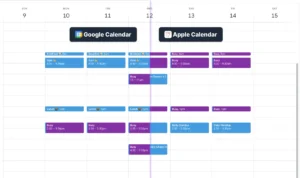






You are juggling meetings, tasks, and backandforth emails just to find 30 minutes for deep work. An AI calendar management tool steps in and handles the heavy…

Virtual assistant meeting reminders are the silent guardians of our busiest days, turning chaotic schedules into manageable routines. By learning how these…

Virtual assistant calendar organization uses tools and techniques to automate scheduling, sync multiple calendars, and reduce manual planning tasks. Whether…