⚠️ Disclosure: This post contains affiliate links. We may earn a commission at no extra cost to you.
⚠️ Disclosure: This post contains affiliate links. We may earn a commission at no extra cost to you.

Image source: Web (Bing) / kimostore.net (Web image (fair-use with source credit))
You might wonder how to use a virtual assistant without ending up with a noisy smart speaker that only plays trivia and reminds you of nothing. The real shift happens when you match the right platform to the devices and habits you already own. It is not about chasing every new skill.
It is about building a small set of routines that actually reduce friction in your day.
Aggregate research from smart-home adoption reports shows that roughly half of US households now include some form of always-on voice device, and most users only tap the top 5 percent of available features. Per FTC guidance on consumer voice recorders, you should treat initial setup and privacy configuration as a single process rather than an afterthought. With that mindset, we can walk through the simplest path to a system that runs quietly while handling your calendar, lights, reminders, and calls.
Using a virtual assistant means picking one platform that matches your phone and home devices, then building three simple routines for daily tasks. Start by downloading the companion app, connecting your Wi-Fi, training the microphone, and linking your calendar. Test each routine individually before adding more features.
Disable unnecessary listening and purchase approvals during setup to protect your privacy.
People usually stall because they face too many entry points at once. The core issue is not the voice interface itself but the hidden dependencies behind it. Your assistant needs a reliable account, linked services, and a clear plan for what tasks it will own first.
If you skip that planning step, you will collect skills without getting productivity gains.
Most beginners chase one of these traps. They buy hardware before choosing an account ecosystem. They enable all microphone features without testing privacy controls.
Or they try to automate everything in week one and break their workflow. The simplest fix is to map your current stack before you unbox anything.
If you want to turn those chores into paid work later, you can also explore how professionals structure similar workflows by reviewing remote opportunities and best virtual assistant roles for entrepreneurs. In that context, you see how routine design matters across both home use and business operations.
The good news is that the barrier to entry is lower now than ever. Most major platforms offer free tiers with core automation tools, regional support in dozens of languages, and built-in family profiles. You do not need a tech degree to make your home respond to voice.
You only need to keep the first setup window focused and simple.
Your choice should follow your primary device and main use case. If you spend most of your time on Android and want a general assistant, lean toward Google Assistant. If you shop frequently online and prefer a skills-heavy environment, Amazon Alexa fits naturally.
If you live in Apple devices and want tight privacy controls on iPhone or Mac, Siri is the smoother match.
The branching decision gets clearer once you separate device ownership from task type. Voice assistants work differently when the goal is home automation compared with personal productivity. Smart home control favors platforms with broader Matter and Thread support.
Personal task management favors platforms with stronger calendar and messaging integrations. Location and service availability also matter, since some features roll out regionally and may not arrive everywhere at once.
| Primary Phone | Strongest Assistant | Best For | Key Limitation |
|---|---|---|---|
| Android | Google Assistant | Calendar, Search, Home Automation | Fewer third-party home hubs by default |
| iPhone / iPad | Siri | Apple Watch tasks, iMessage, Shortcuts | Weaker cross-platform smart home reach |
| Any, heavy Amazon shopper | Alexa | Skills catalog, multi-room audio | Ads can intrude if not disabled |
Most people end up running two ecosystems side by side. That happens because families often split phones by preference. The cleanest compromise is to keep one primary account per household while allowing limited guest profiles for children and visitors.
You can also route specific devices to different assistants, but that raises friction over shared routines and shopping lists.
If you are curious about how this maps onto professional work, browsing a job search platform comparison can clarify which ecosystems employers expect you to master. In practice, you only need to pick one main platform before you learn automation. You can always layer a second one once your first routine becomes second nature.
Setup fails most often because the Wi-Fi credential step is rushed. You should place the device near the router during initial pairing, then move it afterward. This simple habit prevents repeated dropouts during firmware downloads.
You also save time by updating the app first, since older versions often lack the latest pairing wizard.
Start with your chosen app, connect to your home network, and name the device by room, not by model. A label like "Kitchen" beats "Speaker 2" for voice recall. After naming, run the voice training exercise so the assistant learns your tone and pacing.
Enable wake-word sensitivity at medium unless your household is very noisy. High sensitivity increases false triggers and wastes power.
Next, link your key accounts. Begin with calendar and email, then add payment methods only if you need shopping or bill pay. Per NIST privacy guidance for conversational services, review what data is stored and how long retention lasts before granting broad access.
You can always tighten permissions later, but unlinking payment accounts is easier than deleting old history.
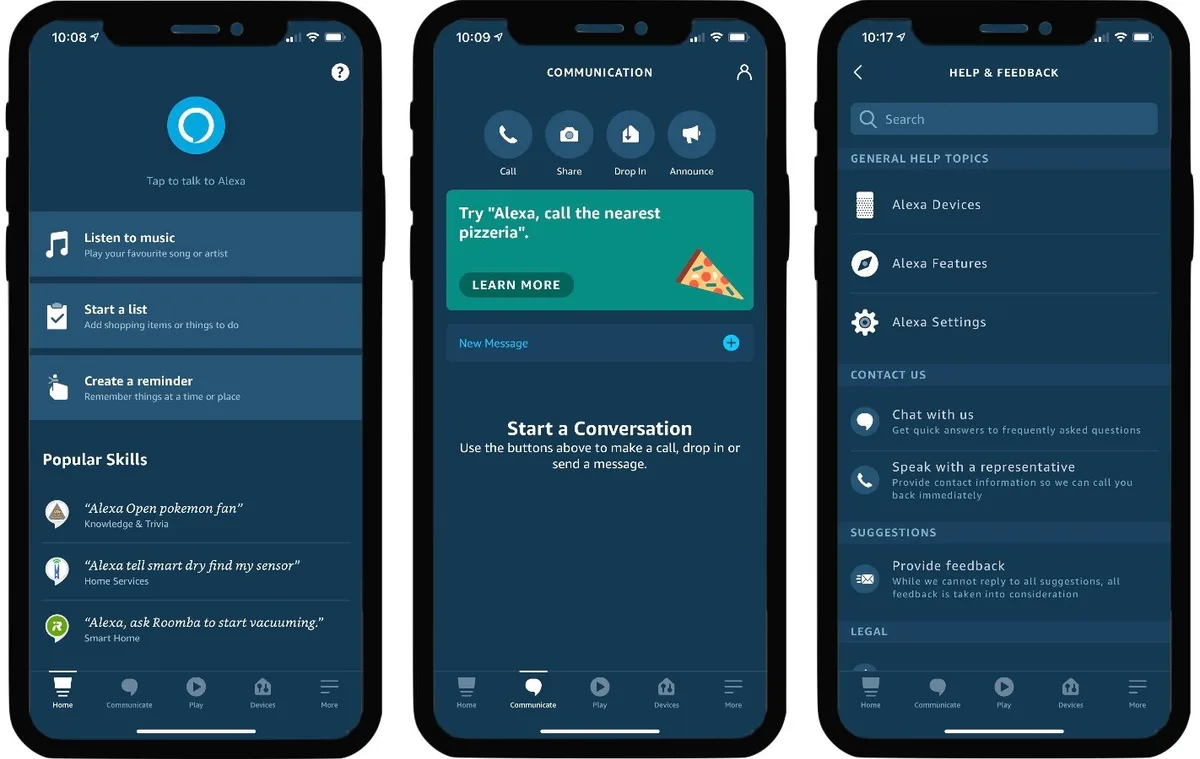
If you hit pairing errors, reset the device and retry with a 2.4GHz band first. Many smart speakers handle 5GHz, but the initial handshake is more stable on the longer-range channel. You should also keep firmware updates automatic unless you suspect a recent patch broke a local routine.
When in doubt, isolate new actions one by one so you can trace failures quickly.
The fastest path from box to useful is a seven-step sequence. Create account, name device, join Wi-Fi, train voice, link calendar and email, add a payment method only if needed, and test one simple routine. Once that loop completes, you can expand into media, alarms, and smart home zones without repeating the core setup.
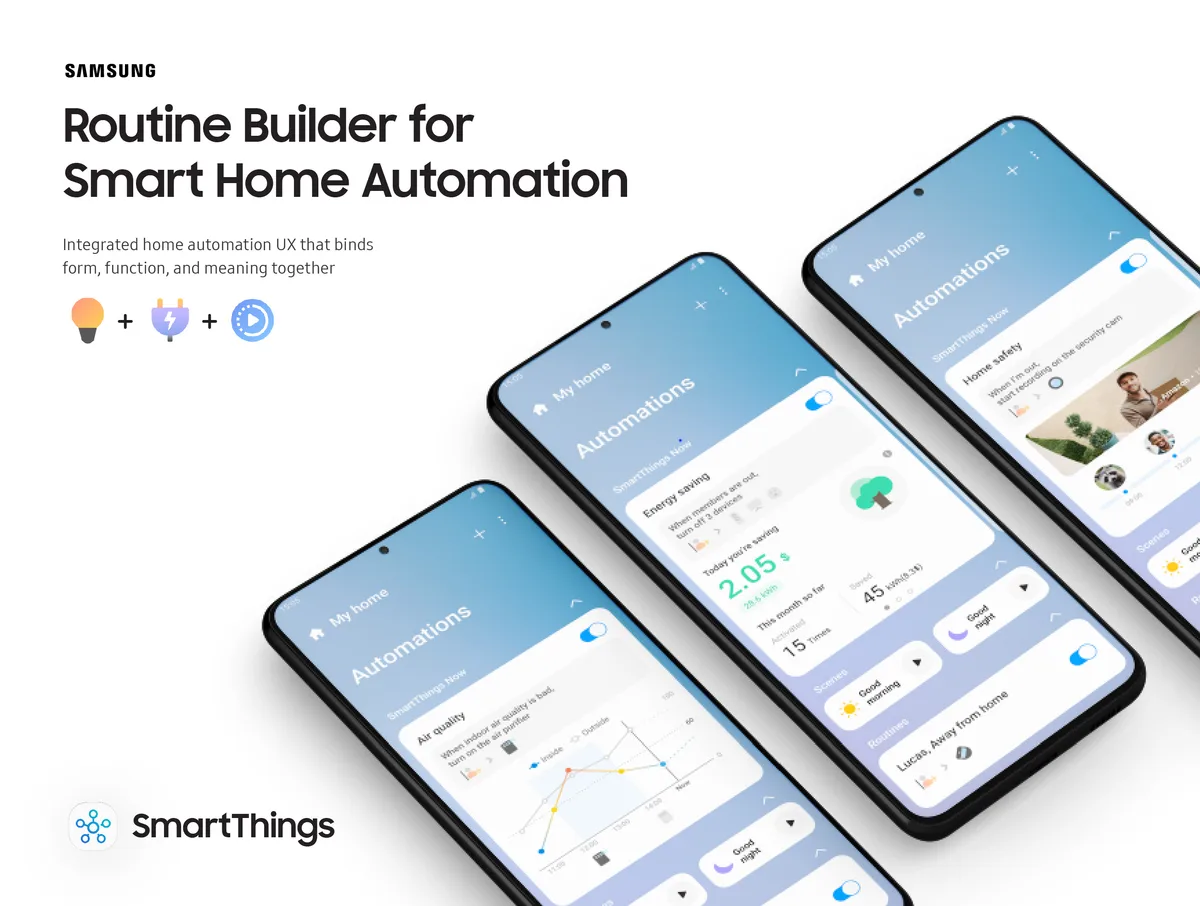
Routines turn vague voice commands into predictable actions. A good routine bundles triggers, conditions, and follow-up steps into a single phrase. You might create a morning routine that reads your calendar, starts the coffee maker, and gives traffic updates.
Or you could build an evening routine that locks doors, arms cameras, and silences notifications. The trick is keeping the bundle small enough to execute reliably.
Voice profiles let multiple household members speak cleanly without cross-triggering. Each profile can carry its own calendar, music preferences, and purchase approvals. If you share a device with kids, create child profiles with strict content filters and timer limits.
You should also enable ask-before-buying for any linked storefronts, since accidental purchases are the fastest way to lose trust in a voice system.
Daily workflows feel seamless when you align them to natural moments. Start with two anchor routines and one fallback query pattern. Anchor routines could be wake-up and bedtime.
Fallback queries cover the things you ask without thinking, like weather, timers, and quick definitions. Once these three patterns become automatic, you can layer in media playback and reminder chains.
Automation works best when you offload low-value repetition, not high-value decisions. Use voice to confirm plans, not to renegotiate them mid-day. Keep sensitive commands away from shared spaces, and add privacy modes for meetings or family time.
When routines drift, trim them back to the core steps and rebuild slowly. This approach preserves reliability while still saving you time.
If you eventually want to apply similar workflow design to paid work, understanding top remote opportunities for 2026 helps you see where routine-thinking pays off fastest. Virtual assistance rewards the same kind of disciplined automation you practice at home. Small, testable steps win over grand, untested systems.
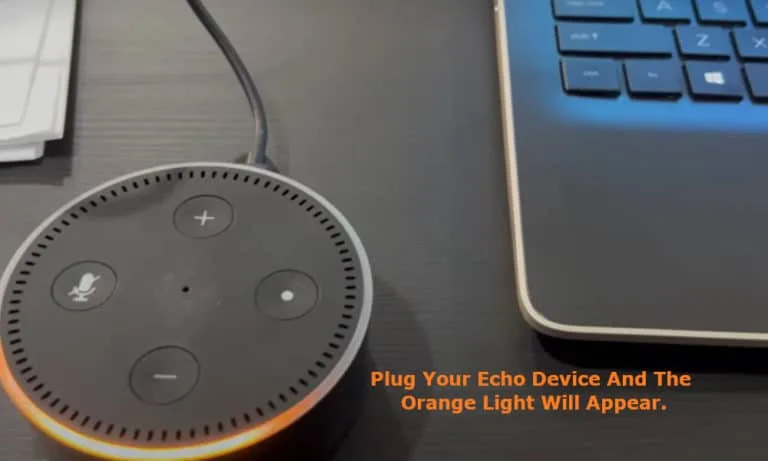
When the assistant ignores commands, start with the simplest culprits first. Check that the mic array is uncovered and that mute switches sit in the active position. Move the device closer to your usual speaking spot, since distance and background noise cause most recognition failures.
If the light ring indicates sleep mode, tap the correct button or say the wake phrase again, since some models toggle differently across regions.
False activations usually stem from overly sensitive wake words or overlapping speech in the room. You can reduce ghost responses by lowering sensitivity, removing similar-sounding trigger phrases from routines, and using custom wake words if your platform supports them. Test each change separately, then record whether false triggers drop after one adjustment.
This isolation makes it obvious which setting moved the needle.
Linking problems show up as missing calendar events, skipped bill-pay confirmations, or sudden skill failures. Re-authenticate connected apps through the main account menu, then retest a single action from each service. If one app breaks while others work, the issue likely lives in that third-party integration, not your core assistant.
In that case, uninstall and reinstall the broken skill, then update the companion app on your phone.
Firmware rollbacks are rare but useful when a fresh update breaks multiple routines overnight. Check the release notes for reported bugs or breaking changes, and look for a stability patch before accepting another incremental update. If you must downgrade, back up your current routines first, since factory resets erase custom automations.
Keeping a text snapshot of each routine prevents painful rebuilds after a hard reset.
Most rogue behavior resolves within three diagnostic loops. First rule out noise and placement. Second verify account links and permissions.
Third isolate single versus system-wide failures. If none of those clear the issue, contact the manufacturer's support channel with your device model, region, and routine list ready. Detailed logs shorten resolution time dramatically.
Privacy settings deserve attention before you automate your first routine. The microphone on these devices captures everything, which means you should know how to control what gets stored and shared. Review the voice history dashboard during setup and choose whether recordings auto-delete after three months or stay indefinitely.
Per FTC recommendations on consumer voice recorders, you can also request data deletion at any time through your account settings.
Hardware mute switches exist for a reason. Toggle the mic off during sensitive conversations, private calls, or when guests visit. Most devices show a visible indicator when muted, so you always know the status at a glance.
Consider creating a "privacy mode" routine that silences all microphones across devices in your home when activated.
Firmware updates often introduce new features, but they can also change existing behaviors. Before updating a major version, check release notes for reported bugs or breaking changes. If a recent update causes problems, look for a stable rollback option rather than accepting instability.
Keep automatic updates enabled for security patches, but set manual approval for feature drops.
Long-term maintenance prevents performance decay over time. Clear accumulated voice history monthly if retention settings allow it. Uninstall skills and actions you no longer use every quarter.
Re-test routines periodically to catch broken links before they frustrate daily use. These small habits keep your assistant reliable without requiring constant attention.
Most users complete basic setup in ten to twenty minutes. The process takes longer only if you link multiple accounts, run voice training exercises, or troubleshoot Wi-Fi connectivity issues. Advanced configuration with multiple rooms and family profiles can extend the time to thirty minutes or more.
You generally need a companion app for the first setup, but many functions work independently afterward. You can control lights, set timers, play music, and make hands-free calls using only voice commands. Some features like calendar syncing and skill management still require a phone or web browser.
Devices listen continuously for wake words, but they typically do not store audio unless activated. You can review recorded interactions in your account and delete them manually. Turn off automatic recording features if you prefer stricter privacy controls, though this may limit some personalized responses.
Enable purchase verification requirements like password entry, voice match confirmation, or approval workflows. Create a spending limit tied to your payment method so unexpected charges cannot exceed a set amount. Disable one-click buying options and turn on order confirmation notifications sent to your phone.
Your routines, linked accounts, and custom settings usually do not transfer between platforms. You will need to rebuild automations and re-link services in the new ecosystem. Back up your current setup by exporting routine configurations before switching so you can reference them during migration.
Granting access improves functionality but expands your data exposure surface. Review permission settings carefully and remove access from apps or services you no longer use. Choose platforms that offer transparent data retention policies and easy deletion tools to maintain control over your information.


















You’re drowning in email, your calendar is chaos, and you wonder how to manage virtual assistants remotely without spending all day managing them. Most guides…
Managing a virtual assistant doesn’t require a rigid playbook, it requires the right framework for your specific situation. If you’ve ever struggled with…
 Image source: Bing (Web (fairuse with source credit)) how to…