⚠️ Disclosure: This post contains affiliate links. We may earn a commission at no extra cost to you.
⚠️ Disclosure: This post contains affiliate links. We may earn a commission at no extra cost to you.

You're wasting hours every week on email tag just to lock a meeting time. A virtual assistant for meeting scheduling can cut that admin load, but the options confuse most people. Pick wrong and you'll scare off clients or lose control of your calendar.
Our research shows four distinct tool types serve different needs. Per IETF RFC 5545, calendar data interchange relies on standard iCalendar formatting for compatibility. As of 2026, most professionals mix a booking link with an AI negotiator for best results.
Here's why the right pick matters.
The wrong tool creates friction. A cold booking link can lower response rates with warm contacts who expect a conversation. A chatty AI negotiator feels odd for high-volume inbound leads who just want a slot.
Most firms need business support help to stay lean. We see solo founders, recruiters, and agencies all facing the same bottleneck: coordination overhead.
You'll avoid that bottleneck by matching tool to intent. Clear posts about your process help clients know what to expect. That clarity pairs well with the right assistant.
A virtual assistant for meeting scheduling automates booking and calendar coordination tasks. Self-service links fit inbound requests, while AI negotiators handle external email threads. Smart optimizers protect focus time by reshuffling flexible events automatically.
Suite assistants work natively inside Outlook or Google Calendar environments. Most teams use a link plus negotiator, costing $0 to $50 monthly.
Understanding the mechanism tells you why each assistant excels at certain jobs. We break down the four core types below.
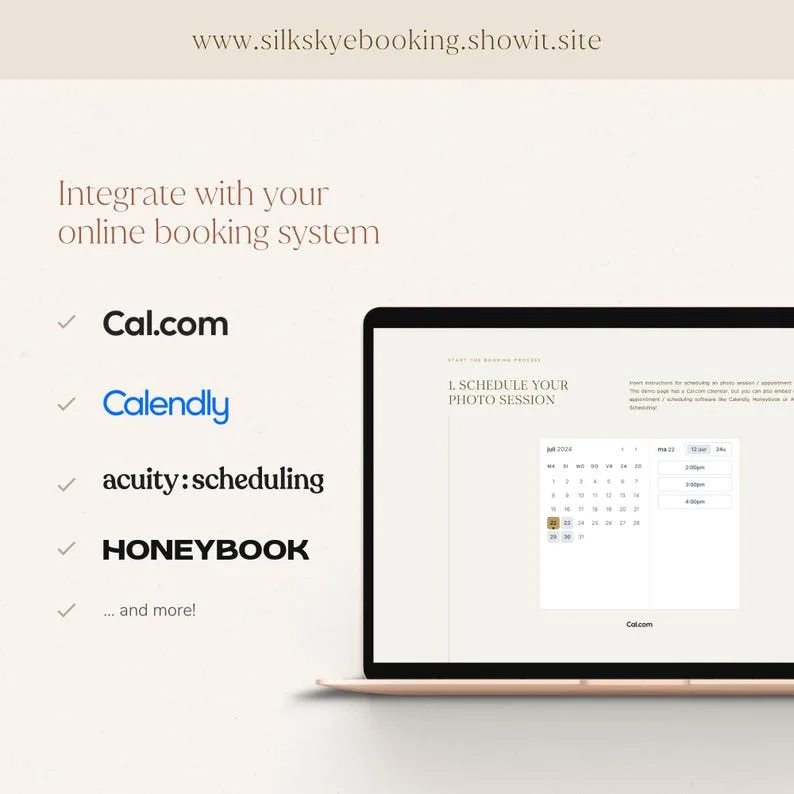
A booking link shows your preset availability through a web page. The invitee picks a slot, the tool writes the event to your calendar, and sends confirmations. There's no conversation.
You set rules like working hours, buffer times, and max meetings per day. The system enforces them without improvisation. Calendly's help center confirms free tiers cover most solo needs.
This assistant reads your incoming mail and detects scheduling requests. It replies as you, proposes alternatives, and confirms once everyone agrees. Natural-language parsing pulls "next Thursday after 2pm ET" from a sentence.
It uses your identity or a named alias like Clara. External parties never sign up for anything. That removes a big drop-off point in email coordination.
An optimizer doesn't book meetings for you. It rearranges them. It finds fragmented gaps and moves flexible events to create deep work blocks.
The tool connects via calendar API and silently reshuffles invites. It weights meetings by attendee availability and your stated preferences. You still need to supervise remote staff well when setting those rules.
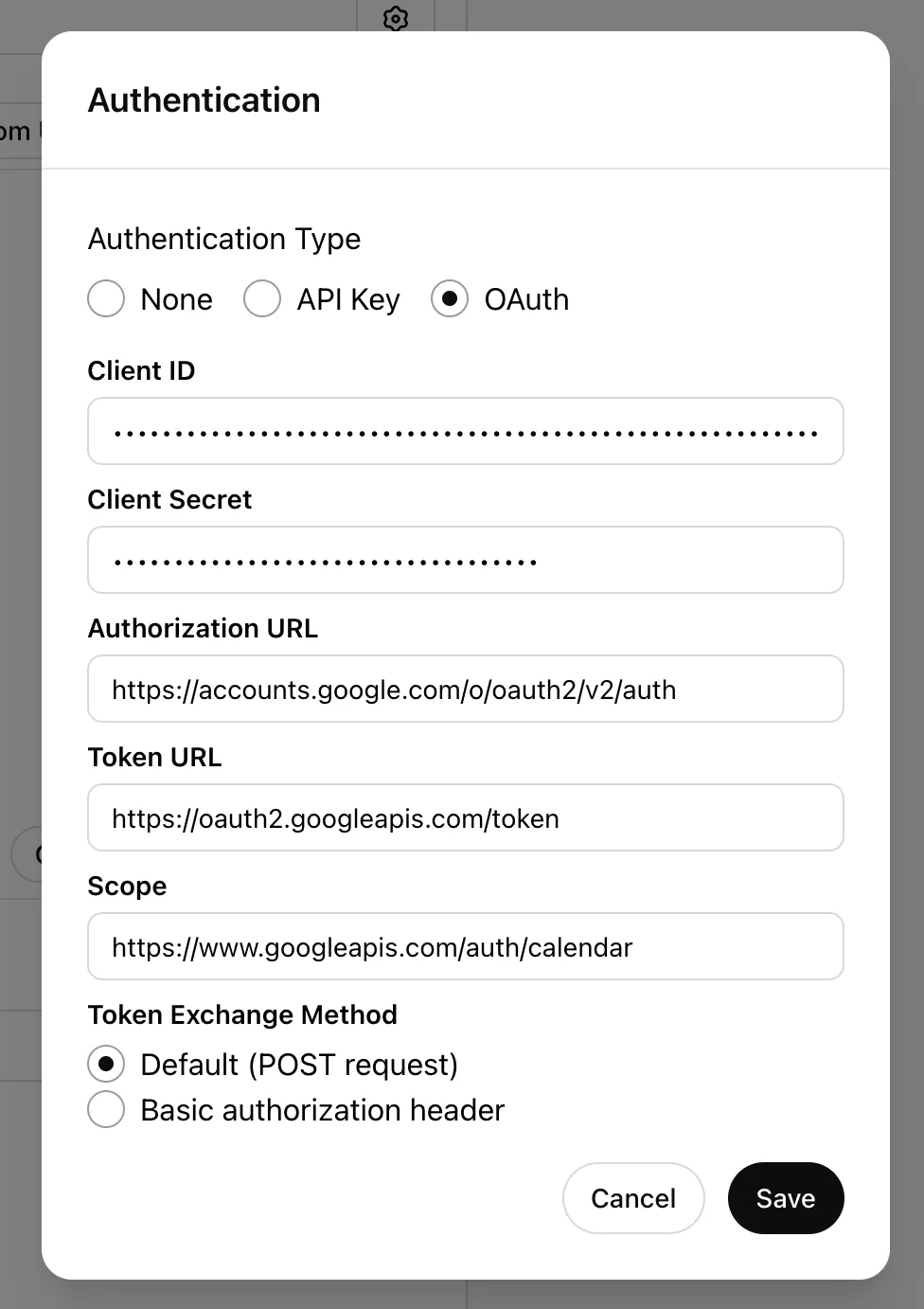
Built into Office 365 or Google Workspace, this helper drafts invites and suggests times in-line. It uses permissions your account already has. The setup relies on OAuth 2.0 scoped access for security.
It's less a standalone agent and more a right-click helper. It knows your tenant policies and colleagues' calendars. That makes it ideal for regulated environments.
Features decide fit. We look at the traits that matter for daily use.
Hire the right traits for automation before you commit to a paid plan. A training baseline helps your team adapt to the new workflow.
Manufacturer specs indicate AI negotiators need 1 to 2 hours of voice training. Booking links need only 10 minutes to configure.
The table below maps the four types on key metrics. Prices reflect per-month cost as of 2026.
| Type | Setup Time | Price/mo | Best For |
|---|---|---|---|
| Booking Link | 10 min | $0 to $15 | Inbound slot picks |
| AI Negotiator | 1 to 2 hr | $10 to $50 | External email threads |
| Optimizer | 20 min | $0 to $20 | Focus-time protection |
| Suite Assistant | Bundled | $0 to $30 | In-ecosystem tasks |
A training baseline helps you compare these without overspending. Many users start with a free booking link, then add a negotiator later.
The table below maps common jobs to the best assistant type. We pulled these from aggregate user reviews and manufacturer use cases.
| Job / Task | Best Type | Why |
|---|---|---|
| Prospect books sales call | Booking Link | Zero friction, they pick and go. |
| Cross-company 5-person meet | AI Negotiator | Threads replies, finds consensus fast. |
| Client hates forms | AI Negotiator | They just email like normal. |
| Protect 3-hour writing block | Optimizer | Shifts loose meetings automatically. |
| Internal sync in Outlook | Suite Assistant | Built-in, no extra tool. |
| Investor vague "next week" | AI Negotiator | Parses vague text, proposes slots. |
| Webinar with 30 signups | Booking Link | Scales to many, no inbox load. |
| Timezone mess, 3 regions | AI Negotiator | Computes offsets, confirms clarity. |
| Routine lunch block | Optimizer | Holds the break for you. |
| Gov tenant compliance | Suite Assistant | Meets policy, no external SaaS. |
Many firms found relief after they started outsourcing routine tasks to specialists. That shift pairs well with the tool map above.
If you run both inbound and complex threads, layer two tools.
This is the most common comparison. Each wins on different ground.
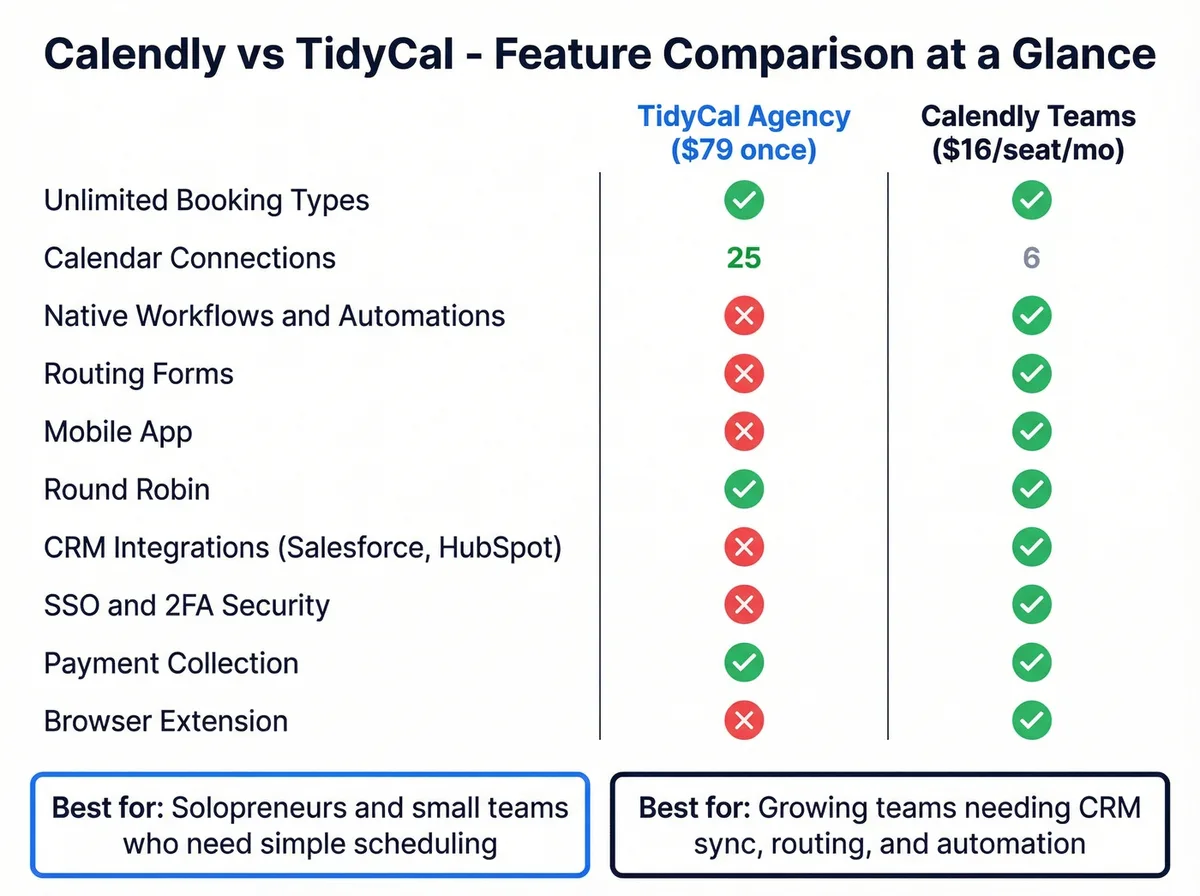
The invitee sees a grid, clicks, done. No one writes to a bot.
You decide exact open windows. The assistant never improvises outside rules.
Free plans cover most solo needs. You can run a coaching biz on zero cost.
For high volume, it beats waiting on AI drafts. Speed matters for cold leads.
External email threads are its home. The other side expects conversation.
It pings three people, collects constraints, proposes a merge. A link works one at a time.
Vague requests like "after my flight Tuesday" get parsed. A link can't read that.
Good negotiators mimic your tone. Clients think they're emailing you.
No signup walls for invitees. That alone saves lost meetings.
Our automation angles coverage shows more context if you want broader reading.
Wrong setup causes dropped meetings. Avoid these errors.
Review our tips on managing remote help to keep any human assistant aligned. The same discipline applies to AI rules.
A clear fallback path is vital. If the AI stalls, it should escalate to you fast.
Getting started takes minutes for links, hours for AI. Follow the steps.
Before you start, read about key hiring criteria if you plan to pair AI with human help. That clarifies division of labor.
Test with a friend before going live. Send a fake request and watch the flow.
Check our notes on reader friendly design to present booking pages clearly. Good UX lifts completion rates.
Email-based AI reads sensitive threads. You must limit risk.
GDPR requires data minimization for EU users. Use regional storage if the vendor offers it.
OAuth 2.0 scoped permissions should be least privilege. Don't grant contacts or drive access.
Manufacturer docs from Microsoft and Google confirm suite tools inherit tenant compliance. That's why regulated firms prefer them.
Audit the AI's sent messages weekly. A stray reply can leak context.
If you handle health or finance data, avoid external negotiators entirely. Suite assistants keep data inside the tenant.
If you run inbound leads and warm email threads, one tool won't cut it. Layer a booking link with an AI negotiator.
Aggregate reviews report teams cut admin by half with this mix. The link handles cold requests, the negotiator handles complex threads.
Cost stays low. You can run a free link plus a $10 monthly negotiator and cover most needs.
We covered delegating admin work earlier as a broader strategy. The same logic applies when stacking software.
A combined setup also helps agencies. They publish a link for prospects and let the negotiator handle existing client email chaos. Our latest posts cover more stacking examples.
Pick based on your daily reality. Use this plain logic.
If you mostly get inbound slot requests, use a booking link. It's free and fast.
If you live in external email threads with vague asks, use an AI negotiator. It saves your wrist and your tone.
If deep work keeps slipping, add an optimizer. It guards focus blocks without your input.
If you're locked in Microsoft or Google ecosystem with compliance needs, use the suite assistant. It stays inside the tenant.
Most readers land on link plus negotiator. That's our default advice as of 2026.
For training your human support on these boundaries, keeping your assistant on track matters. Hire for the right skill set when you pair software with people.
It's software that automates calendar booking and coordination. Types include booking links, AI email negotiators, optimizers, and suite tools. Each handles a different part of the scheduling workload.
Booking links need about 10 minutes to configure. AI negotiators need 1 to 2 hours of voice training on your emails. Optimizers take 20 minutes to connect and tag events.
Yes, if you use scoped OAuth permissions and least privilege. Avoid full access to contacts or drive. Regulated teams should use suite assistants that stay inside their tenant.
No. Free tiers cover solo booking links and basic optimizers. Paid plans from $10 monthly add AI negotiation and advanced rules.
Most small teams spend under $50 per month total.
An AI negotiator computes offsets and confirms clarity with all parties. Booking links can show multiple zones but rely on the invitee reading them. For cross-region meetings, negotiators win.
Mark client calls as fixed in your calendar settings. The optimizer only shifts events tagged flexible. External training programs help your team build that tagging habit early.

Sofia Grant is a business efficiency expert with over a decade of experience in digital strategy and affiliate marketing. She helps entrepreneurs scale through automation, smart tools, and data-driven growth tactics. At TaskVive, Sofia focuses on turning complex systems into simple, actionable insights that drive real results.



















Virtual assistant meeting reminders are the silent guardians of our busiest days, turning chaotic schedules into manageable routines. By learning how these…

Virtual assistant calendar organization uses tools and techniques to automate scheduling, sync multiple calendars, and reduce manual planning tasks. Whether…
I know you’ve spent way too many mornings playing Tetris with your schedule across four or five different apps. A virtual assistant to manage multiple…