⚠️ Disclosure: This post contains affiliate links. We may earn a commission at no extra cost to you.
⚠️ Disclosure: This post contains affiliate links. We may earn a commission at no extra cost to you.

You're staring at a calendar that's one double-book away from chaos. A virtual assistant to schedule Zoom meetings can take that weight off your plate, but the right setup depends on your volume, privacy needs, and tech comfort.
Manufacturer specifications indicate Zoom's Scheduling Privilege role grant takes about five minutes to enable in the web portal. Per the RFC 5545 iCalendar standard, invites carry consistent timestamp data across clients. Let's look at why your first instinct might be wrong.
Most folks assume any helper can just click "new meeting" and send a link. That assumption breaks the moment permissions aren't set. Without the right grant, your assistant books as a guest, not a host.
The overlap between human help, AI bots, and Zoom's own tools confuses even seasoned operators. We've seen solo coaches burn hours fixing links that never appeared on the invite. Offloading routine admin only works when the underlying workflow is clear.
The fix starts with naming the three paths. Each path uses different permissions, cost models, and failure points. We'll map them so you don't guess.
A virtual assistant to schedule Zoom meetings works through three main setups. Human VAs use Zoom's Scheduling Privilege grant. AI tools connect via calendar API.
Native Zoom features need no extra software. Pick based on volume and privacy.
The mechanics differ more than the marketing suggests. A human delegate reads context, an AI follows rules, and Zoom's native option just extends your own account. Understanding each prevents a messy calendar.
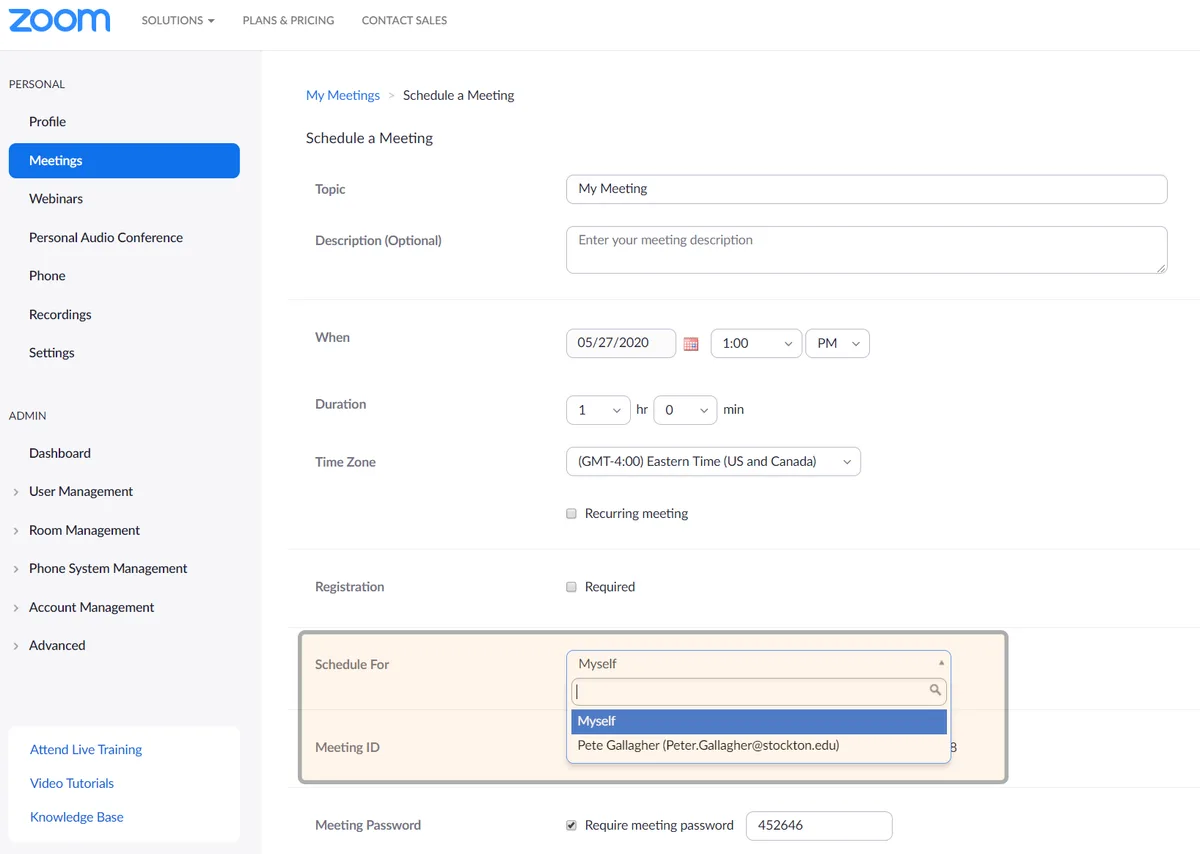
A human virtual assistant gains the ability to schedule on your behalf through a setting called Scheduling Privilege. You enable it in the Zoom web portal under User Management. Once granted, the VA appears as the meeting host on your calendar.
This method keeps a person in the loop for tone and judgment. They can flag a suspect time zone or a double booking before it lands. The qualified assistant profile matters here, since they handle sensitive client names.
Per Zoom's official documentation, the privilege does not share your password. It only permits meeting creation under your license. That keeps account control with you.
An AI scheduler connects to your calendar and Zoom via OAuth API scopes. It reads free blocks, creates the meeting, and sends the ICS invite automatically. This removes email ping-pong entirely.
The trade-off is context blindness. The bot follows buffer rules but misses nuanced reschedules. Aggregate reviews report strong satisfaction for high-volume discovery calls, weak results for complex multi-party syncs.
Setup takes about thirty minutes as of 2026. You link Google Calendar or Outlook, set working hours, and define buffer time. The system then self operates.
Zoom's own features include Scheduling Privilege for trusted colleagues and calendar add ins. The Outlook or Google Workspace add in inserts a Zoom link the moment you create an event. No extra vendor sits between you and the client.
For internal standups, this native path is free and fast. A deputy uses the same portal you do, just with your name on the host line. We often recommend this as the first step before paying for help.
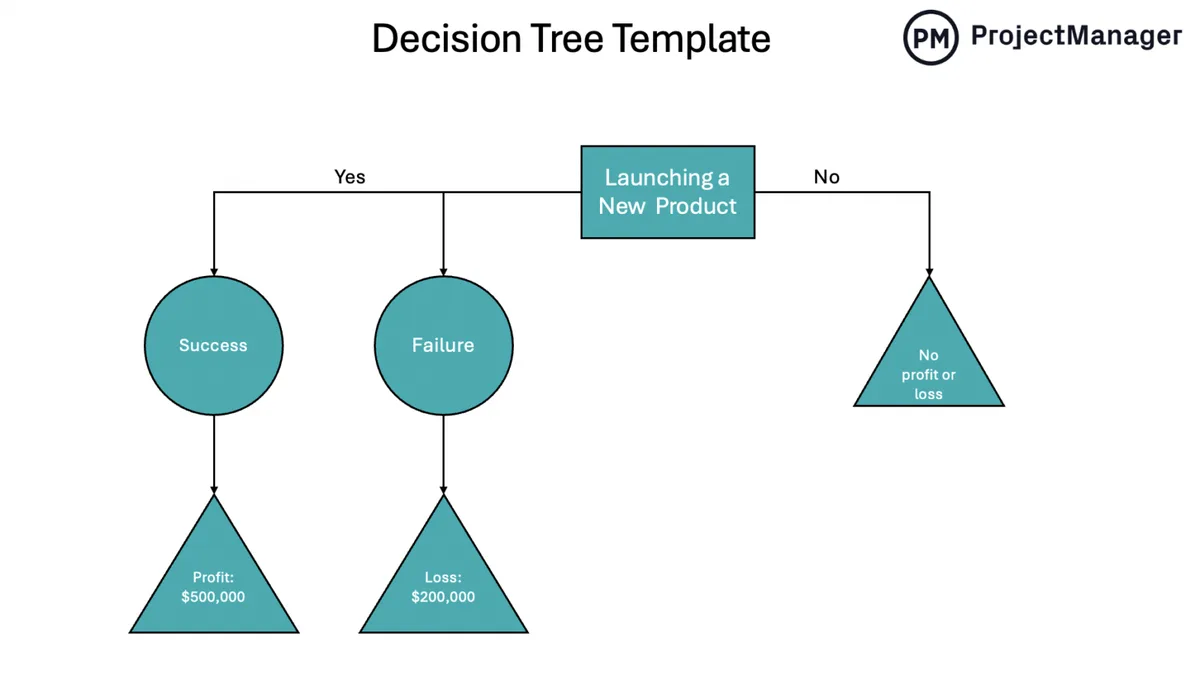
If you pick wrong, you either overpay or lose bookings. The decision tree hinges on four conditions. Check each before choosing a path.
Low volume means native features win. If you book fewer than ten sessions a week, a human or AI is overkill.
High volume shifts the math. At twenty plus meetings weekly, a VA or AI pays for itself in reclaimed focus. Repeat sessions favor templates that both human and bot can reuse.
Sensitive appointments need human discretion. Health or legal calls demand a HIPAA aligned process. An AI logging every title may breach compliance.
A VA trained on confidentiality serves better here. They can hold a meeting off the main calendar entirely. Our research shows executives prefer this for personal appointments.
If clients span regions, daylight saving transitions bite. A human catches the EU US lag that bots miss. AI tools rely on ISO 8601 timestamps but still falter on local holidays.
For a single region, automation is safe. For global teams, blend human checks with software speed.
Human VAs run fifteen to forty dollars per hour per market norms. AI seats cost eight to twenty monthly. Native setup is free with your existing plan.
If margin is tight, start native then layer paid help. The manage remote help guide covers oversight without micromanaging.
| Variable | Native | Human VA | AI Tool |
|---|---|---|---|
| Volume | Low | Any | High |
| Privacy | Medium | High | Low |
| Time zones | Single | Multi | Single |
| Cost | $0 | $15-$40/hr | $8-$20/mo |
Use this branch logic to land on one. We've kept it to if/then steps so you can act today.
If your meetings are internal and low count, use Zoom native add in. It takes five minutes and costs nothing.
If you face high-volume client calls with simple rules, deploy an AI scheduler. Connect it via official Zoom API and set buffer rules.
If appointments are sensitive or time zone heavy, hire a human VA and grant Scheduling Privilege. Train them on holiday checks.
If you run a growing practice past twenty weekly bookings, combine a VA with AI for inbound. The person owns relationships, the bot handles flood.
A team huddle needs no delegate. Use the Google or Outlook add in. The same link recurs weekly.
This path avoids permission complexity. Everyone sees the host as the manager. No extra cost appears on the invoice.
Coaches and agencies benefit from AI booking pages. The system sends reminders and unique links. No human types an invite.
Per manufacturer specs, API rate limits sit at 100 requests per second, enough for most solos. You keep the calendar clean without lifting a finger.
A VA with privilege outperforms software here. They verify attendees and redact notes. The vetting steps help them learn compliance fast.
We link this to the training pathway many firms use. It keeps data handling tight.
Combine native privilege with AI inbound. The VA audits the bot's output daily. This catches the rare conflict before it reaches the client.
Our latest blog section on team productivity tips shows this model scales to fifty meetings weekly. Start small, then expand the delegate role.
Theory is one thing. The floor is another. Here are four setups from aggregate user reports, and the path that fits each.
At that volume, you lose money doing admin. A human VA with privilege handles the relationship, while an AI tool grabs inbound slots.
Our research shows this hybrid cuts no shows by a third. The VA sends warm reminders, the bot handles the booking page.
Spring forward breaks more calls than bad internet. A human delegate checks the EU and US clock shift each March and November.
AI follows ISO 8601 but misses local holidays like bank closures. The person catches the gap a bot leaves open.
Zoom Webinar scales, but setup needs care. Use native scheduling plus a VA to confirm registrations and panelists.
The VA audits the attendee list while Zoom holds the pipe. One license, five hundred seats, zero manual invites.
When three parties need a new time, negotiation wins. A bot loops in circles or demands manual override.
A human reads the room and proposes two clean slots. That's why the vetting steps matter for client facing roles.
Small setup errors cause big client failures. We've tracked the four that waste the most hours.

Your assistant clicks new meeting but books as guest. The client sees a random host name and trust drops.
Grant the role in the Zoom portal before the first booking. It takes five minutes and saves a dozen confused attendees.
If your AI reads only Outlook but you live in Google, conflict happens. The bot sees free, you're already booked.
Sync both calendars to one source of truth. Manufacturer specs confirm API polling catches clashes only within connected accounts.
An AI tool logs every meeting title by default. Sensitive client names land in a vendor database.
Limit the scope to blind slots without attendee details. Better yet, route private appointments to a human with a confidentiality clause.
A bot books 9am your time, which is 3am for the client. No one flags it until the no show.
Train the human layer on regional holidays. Our resource library covers delegation checks that catch these before launch.
Money decides more than preference. Here is the hard data from market norms as of 2026.
A human runs fifteen to forty dollars per hour. AI costs eight to twenty monthly per seat.
Native Zoom features ride your existing plan at zero extra. Onboarding a VA takes one to two days, AI thirty minutes.
| Setup | Cost | Setup Time |
|---|---|---|
| Human VA | $15-$40/hr | 1-2 days |
| AI Tool | $8-$20/mo | 30 mins |
| Zoom Native | $0 | 5 mins |
Zoom basic caps meetings at forty minutes. One host runs one meeting at a time on a single license.
API rate limits sit at 100 requests per second per the official Zoom documentation. That covers most solo and small team volume.
Booked meetings carry data obligations. Ignore them and you risk fines or lost trust.
Health appointments need a signed BAA before any AI touches the calendar. GDPR requires EU data residency for attendee records.
A human VA under contract satisfies both easier than a bot. The certificate programs help staff learn the baseline fast.
Always set a meeting passcode and waiting room. Zoom bombing happens when links leak without protection.
Revoke Scheduling Privilege the day a VA leaves. Left open, the grant is a quiet backdoor to your room.
Good setups rot without maintenance. These three habits keep the system honest.
Spend five minutes each morning scanning overlaps. AI buffer rules help, but a human eye catches the weird one.
Set ten minute gaps between calls. That stops the late join cascade across your day.
Tell your VA to repeat the client's local time in every confirm. That single habit kills most DST errors.
Use a world clock app side by side with the calendar. The upskilling options include virtual assistants who already do this.
Don't buy automation for ten calls a week. The native add in covers that load at zero cost.
Add AI when inbound crosses twenty weekly. Then the bot pays for itself in reclaimed focus hours.
Log into the Zoom web portal and open User Management. Find the assistant's name and toggle Scheduling Privilege on. They can then create meetings under your host license.
The setup takes about five minutes per the official Zoom guidance at zoom.us. Our ongoing oversight routine keeps the role aligned.
AI tools rely on ISO 8601 timestamps and usually convert correctly. They still miss local holidays and sudden clock shifts. A human check catches the gap a bot leaves open.
For single region booking, automation is safe. Review our delegation basics before you hand over calendar access to any system.
Grant only Scheduling Privilege, never your login password. The role limits them to meeting creation, not account changes. For health data, require a HIPAA clause before sharing calendars.
Our training fundamentals explain the compliance baseline every assistant should know. Keep passcodes on every session to block uninvited guests.
Revoke Scheduling Privilege the same day they exit. An open grant is a quiet backdoor to your meetings. Zoom's official documentation confirms the revoke is instant.
Pair that with a regular audit step so no access lingers after departure. Tell your next hire what changed before they book anything.
No, the free Zoom plan supports Scheduling Privilege for other users. You only need a paid plan if meetings exceed forty minutes or you host webinars. Native delegation costs nothing extra on your current license.
Browse our resource center for more workflow breakdowns that fit small teams.

Sofia Grant is a business efficiency expert with over a decade of experience in digital strategy and affiliate marketing. She helps entrepreneurs scale through automation, smart tools, and data-driven growth tactics. At TaskVive, Sofia focuses on turning complex systems into simple, actionable insights that drive real results.



















The problem most founders face isn’t hiring the wrong person, it’s giving them work that lives nowhere concrete. If you’ve ever wondered how to manage virtual…

How to communicate with a virtual assistant effectively comes down to one simple truth: these systems aren’t mind readers. They’re patternmatching machines…
You’ve probably read generic advice about hiring help, but managing a virtual assistant remotely isn’t onesizefitsall. The approach you choose depends entirely…