Table of Contents

Best Online Course Platforms

Best Online Course Platforms: Top Picks For Creators

Best online course platforms help creators sell courses, host lessons, and grow learning businesses.

I’ve built and launched courses for years, taught thousands of students, and tested top systems hands-on. This guide breaks down the best online course platforms with clear comparisons, real use cases, and practical tips so you can pick the right platform fast. Expect hands-on insights, platform pros and cons, pricing cues, and launch tactics based on real experience building courses that actually sell.
Why choose the best online course platforms
Source: uteach.io

Why choose the best online course platforms

Choosing the best online course platforms matters. The right platform saves time, creates a smooth student experience, and boosts sales. A good platform handles video, quizzes, payments, and student tracking. It also scales as your audience grows and protects your content.

From my work, platform limits often block growth. Picking a flexible platform early avoids painful migrations. The best online course platforms let you build, brand, and sell without getting stuck on tech. That’s why a clear comparison matters before you commit.
Top platforms: quick profiles and who they suit
Source: emailvendorselection.com

Top platforms: quick profiles and who they suit

Below are strong options I use or test often. Each platform suits a different goal — teaching a hobby class, running a coaching business, or hosting university-level content.

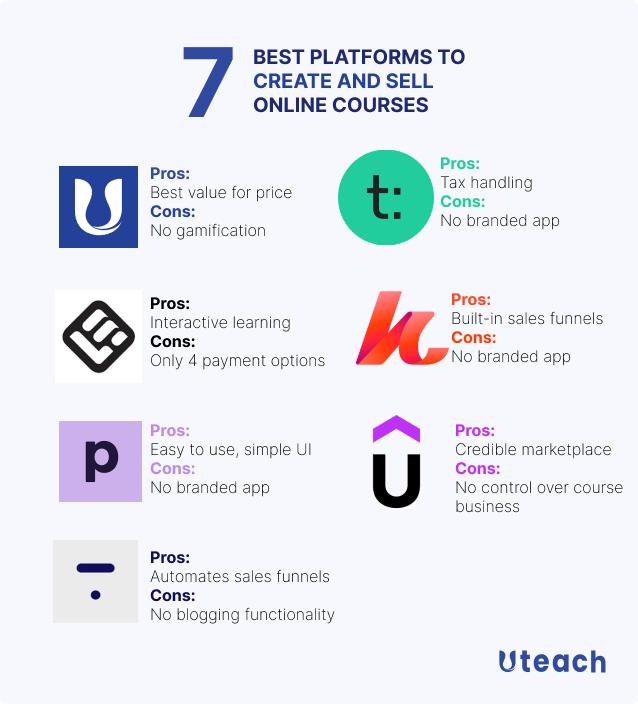
  • Teachable — Easy course builder, strong sales tools. Good for creators who want fast setup and flexible pricing.
  • Thinkific — Robust free tier and good course customization. Good for teachers who want more design control.
  • Kajabi — All-in-one platform with email and landing pages. Best for creators who want to run marketing and courses in one place.
  • Udemy — Massive audience and marketplace rules. Great for passive reach but limits pricing control and brand visibility.
  • Coursera — Academic and partner-driven courses. Best for universities and credential programs.
  • Skillshare — Membership-based marketplace for short creative classes. Good for portfolio and exposure.
  • Podia — Simple seller-focused platform with digital downloads and memberships. Great for solo creators wanting simplicity.
  • LearnWorlds — Interactive learning tools and great learner experience features. Good for high-engagement courses.
  • LearnDash — WordPress LMS plugin for self-hosters. Best for full control and deep customization.
  • Gumroad — Lightweight sales and delivery tool for simple course setups and creators who want frictionless checkout.

I’ve used Teachable for quick course launches and LearnDash for custom WordPress sites. Each platform handles video and downloads. The main differences are marketing tools, pricing control, and student features. Choose based on whether you value audience reach, brand control, or built-in marketing.
Platform comparison: features, pricing, and limitations
Source: marketingwithwp.com

Platform comparison: features, pricing, and limitations

We’ll compare the core needs: ease of use, course features, marketing, pricing, and support. This helps you match a platform to your project.

  • Ease of use
    • Marketplace platforms like Udemy and Skillshare are plug-and-play. You can upload and sell fast.
    • Hosted builders such as Teachable and Podia require setup but are intuitive.
    • Self-hosted options like LearnDash need technical setup and hosting.
  • Course features
    • Quizzes, certificates, and drip schedules come standard on Thinkific and Kajabi.
    • Interactive elements and advanced assessments are stronger on LearnWorlds.
    • Community features vary; Kajabi and Podia include membership and community tools.
  • Marketing and sales
    • Kajabi shines with funnels, email, and landing pages built-in.
    • Teachable and Thinkific integrate with many email tools.
    • Marketplace platforms drive organic traffic but limit pricing.
  • Pricing model
    • Marketplaces take revenue cuts or set price floors.
    • Hosted platforms charge monthly fees. Expect free tiers with limits, and paid plans from $20 to $200+ per month.
    • Self-hosting has hosting and plugin costs but no platform cut.
  • Support and reliability
    • Hosted platforms typically offer live chat and docs.
    • Marketplaces handle payments and deliverability but control terms.
    • Self-hosted requires you to manage backups, security, and updates.

Limitations to watch for

  • Transaction fees on lower plans can eat margin.
  • Course upload limits or storage caps may require upgrades.
  • Branding restrictions on marketplaces limit your long-term identity.
How to choose the right platform
Source: awaraj.com

How to choose the right platform

Follow this decision path to find the best online course platforms for your needs.

  • Define your goal
    • Are you testing an idea or building a long-term school? Quick tests fit marketplaces. Long-term schools need hosted or self-hosted platforms.
  • Map your must-haves
    • List essential features like certificates, assignments, or memberships. Match these to platform feature lists.
  • Set a budget
    • Include platform fees, payment processing, and marketing spend. Account for growth costs.
  • Try before you buy
    • Use free trials and create a sample course. Check how the student view looks and how easy it is to manage content.
  • Think about migration
    • Plan export options. Avoid platforms that make it hard to move students and content later.

From my experience, the biggest mistake is choosing a platform only for low cost. I once launched on a low-cost plan but hit storage and feature limits mid-launch. Moving later took weeks and cost money. Spend a little more time choosing and you’ll save headaches.

Building a profitable course on these platforms
Source: youtube.com

Building a profitable course on these platforms

A platform helps, but content and launch matter most. Use this step checklist to build a course that sells and scales.

  1. Validate your idea
  • Run a small survey or a free mini-workshop to test demand.
  1. Outline outcomes
  1. Create bite-size lessons
  • Short videos plus worksheets help completion and results.
  1. Price with value
  • Price based on the outcome and market, not just hours of content.
  1. Build a launch funnel
  • Use email, a lead magnet, and a webinar or challenge to convert leads.
  1. Support learners
  • Offer Q&A, community, or office hours to raise satisfaction and reduce refunds.

I ran a 6-week cohort using Thinkific with a private community. Completion and referrals rose because students had live check-ins. The platform made it easy to drip content and host live calls.

Monetization and pricing strategies
Source: foundr.com

Monetization and pricing strategies

Choose a pricing model that fits your audience and content type.

  • One-time payment
  • Subscription or membership
    • Works well for ongoing content and communities.
  • Cohort-based pricing
    • Charge a premium for live support and deadlines.
  • Hybrid models
    • Offer a low-cost self-study path and an upsell for coaching or certification.

Also consider discounts, payment plans, and bundled offers. Platforms like Kajabi and Teachable support payment plans out of the box. Marketplaces may restrict coupon options. Test pricing with small launches before scaling.

Common mistakes and how to avoid them
Source: zapier.com

Common mistakes and how to avoid them

Avoid these pitfalls when choosing and using the best online course platforms.

  • Mistake: Choosing based on price alone
    • Fix: Map features to goals and include growth costs.
  • Mistake: Ignoring student experience
    • Fix: Test the student view, mobile access, and course flow.
  • Mistake: No marketing plan
    • Fix: Build email lists and funnels before launch.
  • Mistake: Overloading content
    • Fix: Focus on outcomes. Keep lessons short and actionable.
  • Mistake: No plan to move platforms
    • Fix: Keep backups and export options in mind.

In one launch, I lost momentum by adding too much content too fast. Students felt overwhelmed. After simplifying lessons, course satisfaction rose and refund rates dropped.
Integration and technical tips
Source: learnworlds.com

Integration and technical tips

Make integrations work for you. The right stack improves automation and saves hours each week.

  • Essential integrations
    • Email provider, payment gateway, webinar tool, and calendar.
  • Automation tips
    • Automate welcome flows, drip schedules, and feedback surveys.
  • Security and backups
    • Ensure the platform supports SSL, secure payments, and data export.
  • Analytics and tracking
    • Use tracking to optimize funnels and improve conversion.

If you use WordPress with LearnDash, pair it with a CDN and cache plugin to keep video smooth. For hosted platforms, test how they handle large file uploads and streaming quality.
My recommended picks by goal
Source: foundr.com

My recommended picks by goal

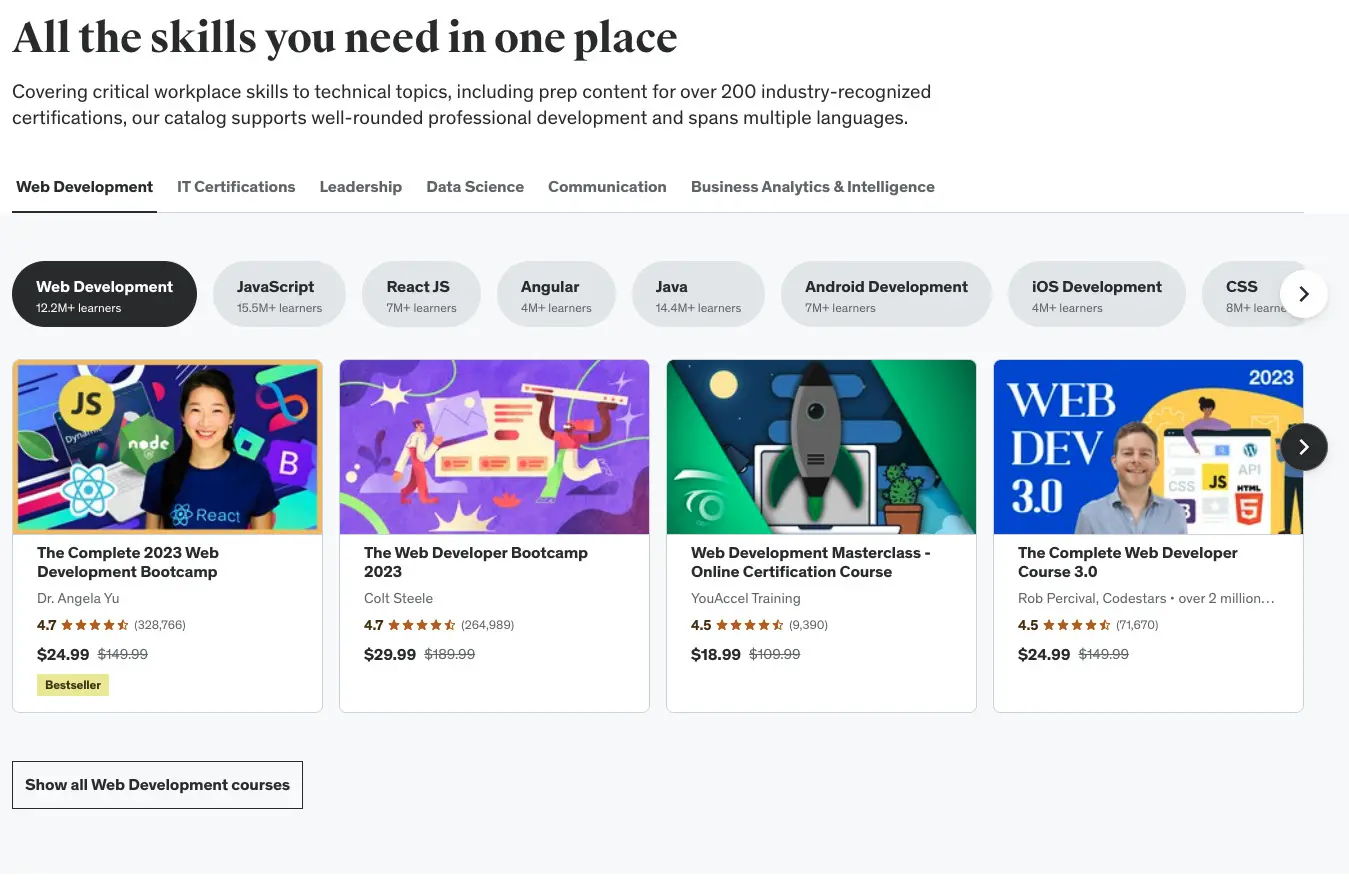
These are quick picks based on common goals and my direct use.

  • Best for fast launches and low tech: Teachable or Podia
  • Best for full marketing stack: Kajabi
  • Best marketplace reach: Udemy or Skillshare
  • Best for interactive learning: LearnWorlds
  • Best for WordPress control: LearnDash
  • Best free tier and scale: Thinkific

Each of these are among the best online course platforms when matched to the right need. Try two platforms with short pilots to see which fits your workflow and audience.

Frequently Asked Questions about Best online course platforms

What is the difference between marketplace and hosted platforms?

Marketplace platforms list courses to their audience and handle discovery. Hosted platforms let you control branding, pricing, and student data while you handle marketing.

Which platform is best for selling memberships?

Platforms like Kajabi and Podia are built for memberships and recurring revenue. They include tools for gated content and community features.

Can I move my course from one platform to another?

Yes, but it can take time. Export videos, files, and student lists when possible, and inform students about the move to reduce churn.

Do I need technical skills to use these platforms?

Many hosted platforms are user-friendly and need little tech skill. Self-hosted options like LearnDash require more technical work and hosting know-how.

How do I pick the right platform for a small audience?

Prioritize platforms with low monthly costs and flexible plans, such as Thinkific or Podia, and test demand before upgrading.

Conclusion

Choosing the best online course platforms starts with clear goals, a realistic budget, and testing. Match platform features to the outcomes you want to deliver. Build short, actionable lessons, and plan your launch and marketing early. Take one small step: try a free trial or run a mini-course this month to learn the ropes. Share your results, subscribe for updates, or leave a comment about your platform experience — your next course can start today.

Picture of Ms.Sultana
Ms.Sultana

Affiliate Marketer | SEO Specialist | Blogger at Elite Global Marketing Agency

Ms.Sultana brings over 16 years of expertise working with global Clients by providing different skills and Services. For the last 5 years working as an Affiliate marketer, specializing in high-ticket campaigns that drive exponential growth. She holds a degree in Computer Science and Engineering as well as achieved many more skills certificates from different institute/academies/Platform. As part of the Elite Global Marketing team, Sultana has helped clients generate millions in revenue through strategic partnerships, innovative funnels, and data-driven insights. She’s passionate about empowering businesses to scale by connecting them with the right affiliate opportunities.
Explore our resources or connect with us on LinkedIn to stay ahead in affiliate marketing.

Related Posts