
Virtual assistants store and process sensitive data, so proper safeguards are essential to prevent breaches.
I build and audit AI systems and have spent years securing conversational agents. This article breaks down data security for virtual assistants with clear steps, real examples, and practical rules you can apply today. Read on to learn how to protect user data, meet compliance, and reduce risk without killing usability.
Why data security for virtual assistants matters
Virtual assistants often hold personal and business data. Protecting that data keeps users safe and preserves trust. Weak controls can lead to data leaks, fraud, or legal fines. Prioritizing data security for virtual assistants is a core part of delivering a reliable product.
Common threats and vulnerabilities
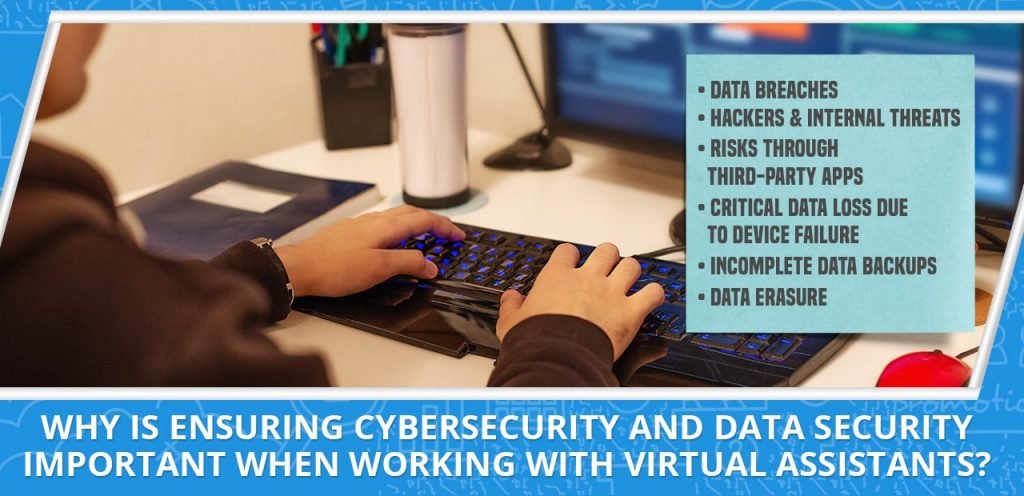
Understanding threats helps you act fast. Here are the usual risks when you design or run virtual assistants.
- Eavesdropping on voice or network traffic. Attackers can intercept unprotected channels.
- Compromised backend or cloud accounts. A single key leak can expose stored conversations.
- Malicious prompts or injection attacks. Crafted input can make assistants reveal secrets.
- Over-privileged integrations. Third-party plugins may access more data than needed.
- Data retention and backups. Old snapshots can leak if not scrubbed.
Addressing these risks is central to strong data security for virtual assistants. Regular threat reviews and simple controls cut exposure.
Best practices for securing virtual assistants
Good security is layered, simple, and repeatable. Use these core practices to raise your protection level.
- Encrypt data at rest and in transit. Use strong TLS and modern ciphers for all channels.
- Use short-lived tokens and least-privilege access. Limit what each service can do.
- Sanitize and validate inputs. Treat user text and voice as potentially hostile.
- Apply role-based access control and audit logs. Track who accessed what and why.
- Minimize data collection and retention. Store only what you need and delete it on schedule.
- Run regular security tests. Pen tests and red team exercises find blind spots.
These steps form the backbone of any data security for virtual assistants plan. Start with the basics and build from there.

Architectural approaches and tools
The right design makes security easier and cheaper to maintain. Consider these architectural patterns.
- Edge processing for sensitive inputs. Process voices or PII locally to avoid sending raw data to the cloud.
- Tokenization or pseudonymization. Replace real identifiers with safe tokens for analytics.
- Secure model access gateways. Put a hardened API layer between users and models.
- Strong identity and access management (IAM). Use MFA and short-lived credentials.
- Centralized secrets management. Keep keys out of app code and rotate them automatically.
- Monitoring and anomaly detection. Use logs and alerts to spot abnormal data access.
Choosing the right mix reduces the attack surface and strengthens overall data security for virtual assistants.
Policies, compliance, and governance
Security is not only technical. Policies and rules make behavior repeatable and auditable.
- Data classification and handling rules. Define what is sensitive and how to treat it.
- Privacy notices and consent flows. Tell users what you collect and why.
- Retention and deletion policies. Automate purges and retention limits.
- Vendor risk management. Vet third-party models and plugins for security practices.
- Regulatory alignment. Map controls to laws like GDPR, HIPAA, or other industry rules.
- Incident response plan. Have a playbook for breaches, including notification steps.
Good governance turns security into a habit. It also helps when you must prove compliance during audits. These governance steps reinforce data security for virtual assistants.
Implementation checklist: step-by-step
Use this checklist to move from plan to production. Each step keeps data security for virtual assistants front and center.
- Map data flows. Identify where user input travels and where it lands.
- Classify data. Mark what is PII, health data, or sensitive.
- Apply encryption. Enable TLS and encryption-at-rest across systems.
- Limit access. Set up IAM roles and remove unused keys.
- Add input filtering. Block or redact known sensitive patterns before logging.
- Log and monitor. Capture access events and set alerts for odd behavior.
- Test continuously. Run automated scans and regular pentests.
- Train staff. Teach devs and ops secure handling and incident steps.
- Review vendors. Confirm third parties meet your security bar.
- Automate retention. Enforce deletion and data minimization rules.
Follow this list to raise the bar on data security for virtual assistants in a practical way.

Real-world examples and personal lessons
I once audited a virtual assistant that logged user tokens in plain text. We found the logs via a routine review and fixed token handling within a week. The leak was not exploited, but the fix prevented potential misuse. From that work I learned three clear lessons.
- Make safe defaults. Developers often use convenience settings that expose data. Flip those defaults.
- Automate checks. Small errors persist when reviews are manual. Automation finds them fast.
- Communicate with users. Clear privacy notices can reduce confusion and support requests.
These lessons are practical. They make data security for virtual assistants easier to maintain over time.

Frequently Asked Questions of data security for virtual assistants
How do I prevent leaks of user conversations?
Limit what you store and encrypt what you must keep. Use redaction to remove PII before any long-term storage.
Can cloud providers secure my virtual assistant data?
Cloud providers offer strong tools, but you must configure them correctly. Shared responsibility means you secure app logic and access.
How long should I keep user data?
Keep data only as long as it serves a clear purpose. Typical retention windows range from days to months, not years.
Are on-device assistants safer than cloud-based ones?
On-device processing reduces data sent to servers and can improve privacy. However, device security and update practices still matter.
What is the best way to handle third-party integrations?
Vet providers for security and privacy practices. Limit the data they can access and use contracts to bind behavior.
Conclusion
Protecting user data is vital for trust, safety, and compliance. Use layered controls, clear policies, and regular testing to strengthen data security for virtual assistants. Start with mapping your data flows, then apply encryption, access limits, and automated retention. Take action now: run a quick audit of your assistant, fix the biggest gaps, and subscribe to security updates to stay ahead.

Sofia Grant is a business efficiency expert with over a decade of experience in digital strategy and affiliate marketing. She helps entrepreneurs scale through automation, smart tools, and data-driven growth tactics. At TaskVive, Sofia focuses on turning complex systems into simple, actionable insights that drive real results.