⚠️ Disclosure: This post contains affiliate links. We may earn a commission at no extra cost to you.
⚠️ Disclosure: This post contains affiliate links. We may earn a commission at no extra cost to you.


Executive virtual assistant calendar management isn't just about filling time slots. It's about strategically protecting your most valuable asset. As of 2026, the average executive loses 7 to 15 hours weekly to scheduling friction alone.
That's not just lost productivity. It's lost revenue, focus, and sanity.
The right calendar strategy can recover all of it. But getting there requires understanding which support model actually fits your reality. Your options range from DIY tools to general VAs to specialist executive calendar managers.
Picking wrong costs more than hiring right.

Most executives hit a ceiling when managing their own calendars. You've probably tried tools like Clockwise, Notion, or Google Calendar. They organize beautifully but make poor strategic decisions.
A tool will happily schedule five back-to-back meetings because the slots are technically available. It doesn't know you need air between calls.
Taskvive virtual assistants bring context that software lacks entirely. They understand your energy patterns, your priority hierarchy, and when a meeting shouldn't happen at all. That judgment gap is why so many high performers end up overwhelmed despite using the best tools available.
The harsh truth is simple. Good tools handle logistics. Great humans handle strategy.
Your calendar should reflect what matters, not just what fits.
The landscape breaks down into three distinct paths. Each produces very different outcomes. Understanding where each one lands helps you stop guessing and start choosing deliberately.
DIY tools and automation platforms excel at mechanical coordination. They send reminders, block conflicting times, and color-code events beautifully. But they cannot negotiate with stakeholders or push back on low-value requests.
Read more about automating your scheduling workflow.
General virtual assistants fill the execution gap at $15 to $25 per hour. They enter meetings, manage reschedules, and handle timezone conversions reliably. However, they typically follow your instructions rather than challenge assumptions about what deserves your time.
You remain the strategist while they become the operator.
Specialist executive calendar managers charge $35 to $75+ per hour and operate differently. They build protocols that protect deep work. They negotiate declining requests on your behalf.
They structure weeks around energy levels rather than empty slots. This is the tier that changes how you experience your week.
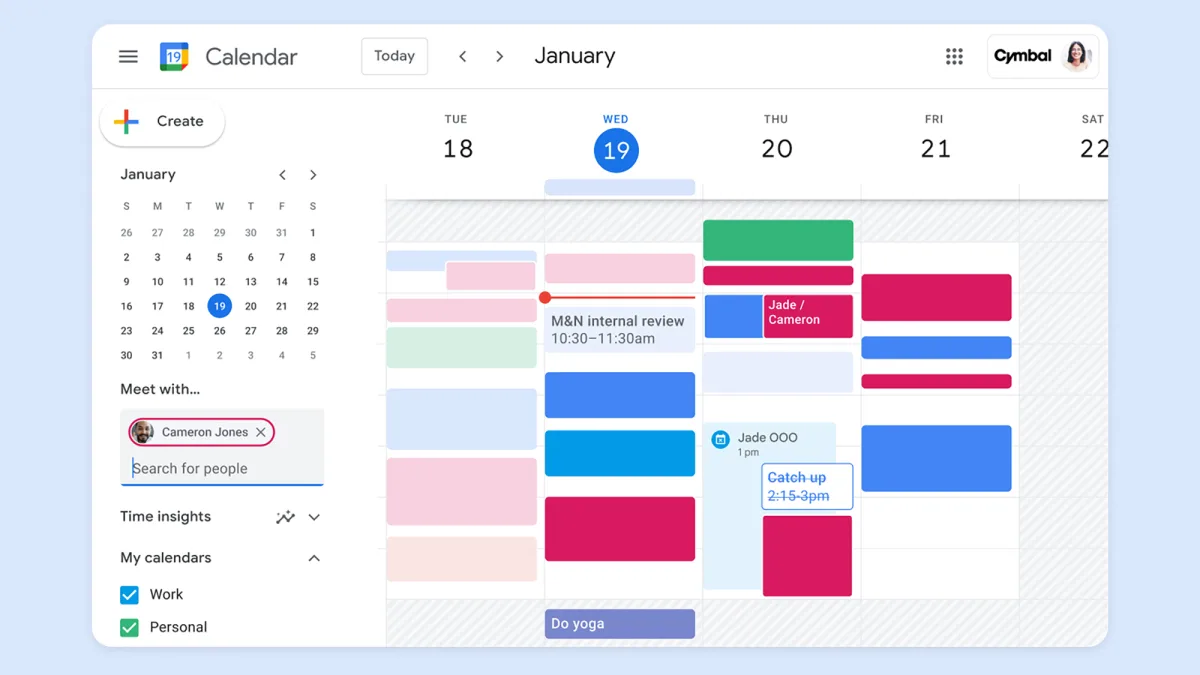
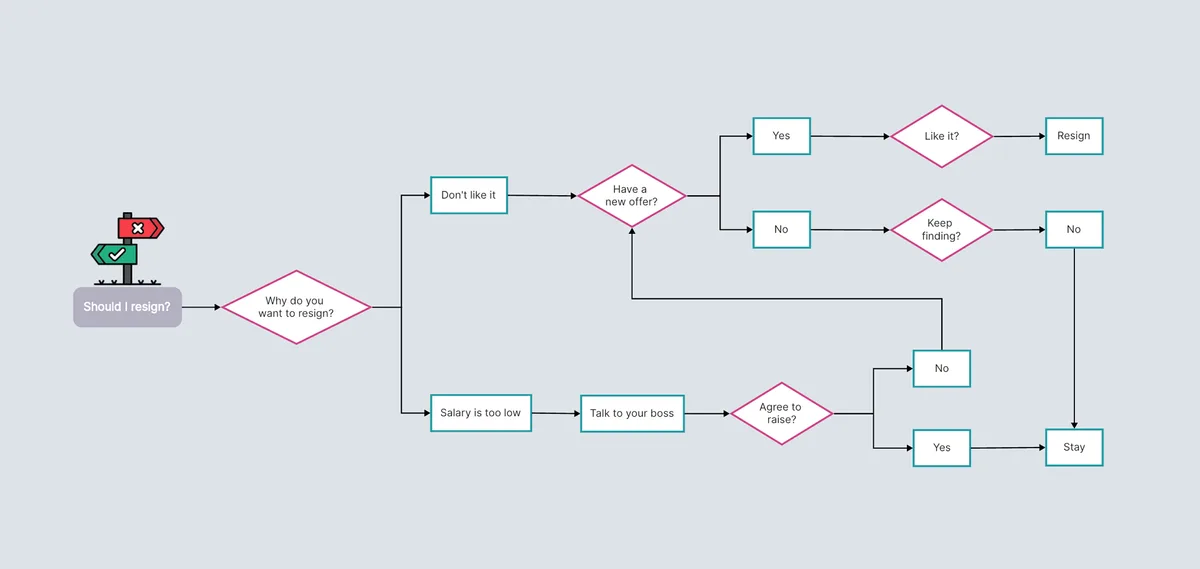
Image source: Web (Bing) / utpaqp.edu.pe (Web image (fair-use with source credit))
Start with a simple metric. Track how many meetings land on your calendar each week over a typical four-week period.
This volume signal is the fastest way to filter out options that clearly don't apply.
Volume alone doesn't tell the whole story. Some people juggle 10 highly complex meetings. Others host 25 repetitive ones.
Assess three dimensions:
A straightforward approach to appointment scheduling optimization can clarify whether your complexity demands a higher tier of support.
Running the numbers makes the decision far less abstract.
| Support Level | Hourly Rate | Monthly Cost Estimate | Hours Recovered Weekly |
|---|---|---|---|
| DIY Tools Only | $0 to $30/mo | Minimal | 0 (you do the work) |
| General VA | $15 to $25/hr | $600 to $1,200 | 5 to 8 hours |
| Specialist EA | $35 to $75+/hr | $1,200 to $3,000 | 10 to 15 hours |
If your effective hourly value exceeds $100, the math shifts quickly. Spending three hours weekly manually scheduling costs you $300 in opportunity value. A $500 monthly VA service nets you a positive return as soon as it saves more than five hours.
Explore our breakdown of calendar management services to see detailed pricing tiers across provider types.
Don't underestimate setup time. A general VA typically requires 1 to 2 weeks to learn your tools and start executing independently. A specialist usually needs 3 to 4 weeks for deeper context integration.
This matters especially if you manage international calendars or complex stakeholder ecosystems.
Budget this learning curve realistically. Rushing onboarding produces misaligned schedules that take months to correct.
Not every VA understands executive calendar management. Several patterns signal a mismatch before you waste months on it.
They accept every request without question. A calendar manager who never pushes back is an order-taker. You hired help to filter, not to comply blindly.
They treat scheduling as purely mechanical. When someone focuses only on slotting meetings rather than understanding why certain blocks matter, they're missing the strategic layer that makes your calendar useful.
They can't explain their conflict-resolution approach. Ask directly how they'd handle a last-minute reschedule that disrupts your deep work block. Vague answers mean vague execution.
Response times to calendar changes are slow. If they take hours to confirm a simple time change during onboarding, things will deteriorate when emergencies hit.
The right interview questions cut through marketing language quickly.
These questions expose judgment gaps that resumes routinely hide.
Great VA relationships don't start with access credentials. They start with clarity. Expect a 90-minute discovery session covering your existing calendar structure, communication preferences, and hard boundaries around availability.
Written protocols should include response windows, confirmation habits, and escalation paths for urgent changes. Learn how top performers optimize their appointment management systems.
Weekly check-ins during the first month catch small misalignments before they compound. After month one, shift to biweekly reviews unless your schedule is particularly volatile.
The single most impactful thing you can establish early is your non-negotiable time blocks. These are sacred zones your VA must protect at all costs. Examples include morning focus blocks, client call windows, and end-of-day wrap periods.
When protocols exist upfront, your VA operates with confidence instead of constantly seeking approval. That autonomy turns a basic assistant into a genuine force multiplier.
Marcus ran a five-person startup with 18 weekly meetings spanning four timezones. He hired a general VA at $18 per hour to manage his Google Calendar. Within six weeks, he was spending nearly as much time correcting her schedule as he had before hiring her.
The problem wasn't competence. It was scope. The VA followed his instructions precisely.
She lacked context about which meetings carried strategic weight. She booked back-to-back blocks without recognizing that Marcus needed preparation time before investor calls.
Marcus switched to a specialist after three months of frustration. The new VA restructured his entire week in week one. She reduced scheduled meetings by 30 percent while preserving every critical interaction.
He reclaimed approximately nine hours weekly.
Sarah, a director at a mid-size firm, had only eight to ten meetings per week. Her schedule involved no timezone complexity. She hired a specialist VA at $55 per hour expecting transformative results.
Instead, she got excellent overkill.
Her calendar didn't demand strategic gatekeeping. It demanded reliability. The specialist's advanced protocols felt like unnecessary overhead on a straightforward schedule.
She downgraded to a general VA after two months and was happier. The specialist model wasn't wrong in principle. It was wrong for her volume and complexity level.
Matching support type to actual need matters more than hiring the most expensive option.
Some executives find success blending approaches. Use a general VA for routine coordination and recurring meetings. Contract a specialist for quarterly planning sessions.
During those sessions, they restructure your calendar architecture around shifting priorities.
This model costs roughly $800 monthly. It captures about 70 percent of the benefit at 40 percent of the price of full specialist engagement. It's ideal for leaders in transition who need strategic support occasionally but daily execution continuously.
Apply this quick diagnostic to your own situation before deciding.
Match your answers honestly against the volume and complexity thresholds established earlier. The data points will reveal which path makes financial and operational sense for your circumstances.
Yes, but with limits. General VAs manage standard timezone conversions and can schedule across regions competently. Problems emerge when you have four or more timezones, overlapping business hours are scarce, or cultural scheduling norms differ significantly.
In those cases, a specialist's experience with global coordination patterns prevents expensive mistakes.
Give your VA full viewing and editing access to your primary calendar immediately. They cannot protect your time if they're checking availability manually or emailing you for permission on routine changes. Restricting access creates bottlenecks that defeat the purpose of hiring help in the first place.
Expect one to two weeks of adjustment with a general VA. With a specialist, initial restructuring typically completes within days. You'll notice compounding benefits over four to six weeks as they learn your priorities deeply enough to make autonomous decisions aligned with your goals.
Upgrade when you consistently hit 20 or more weekly meetings, manage three or more active timezones regularly, or spend more than three hours weekly second-guessing scheduling decisions despite having help. If your calendar feels technically organized but strategically misaligned, that's the clearest signal you've outgrown generalist support.

Sofia Grant is a business efficiency expert with over a decade of experience in digital strategy and affiliate marketing. She helps entrepreneurs scale through automation, smart tools, and data-driven growth tactics. At TaskVive, Sofia focuses on turning complex systems into simple, actionable insights that drive real results.


















 Image source: Bing (Web (fairuse with source credit)) Do these tools really save time or…

Most people get tangled up by contradictory numbers. One blog claims VAs cost $5 an hour, another quotes $50, and a third insists you need $3000 a month…

People ask “how much does a virtual assistant charge” expecting a single number. The answer isn’t one. You might pay nothing at all, or nearly $100 an hour for…