⚠️ Disclosure: This post contains affiliate links. We may earn a commission at no extra cost to you.
⚠️ Disclosure: This post contains affiliate links. We may earn a commission at no extra cost to you.

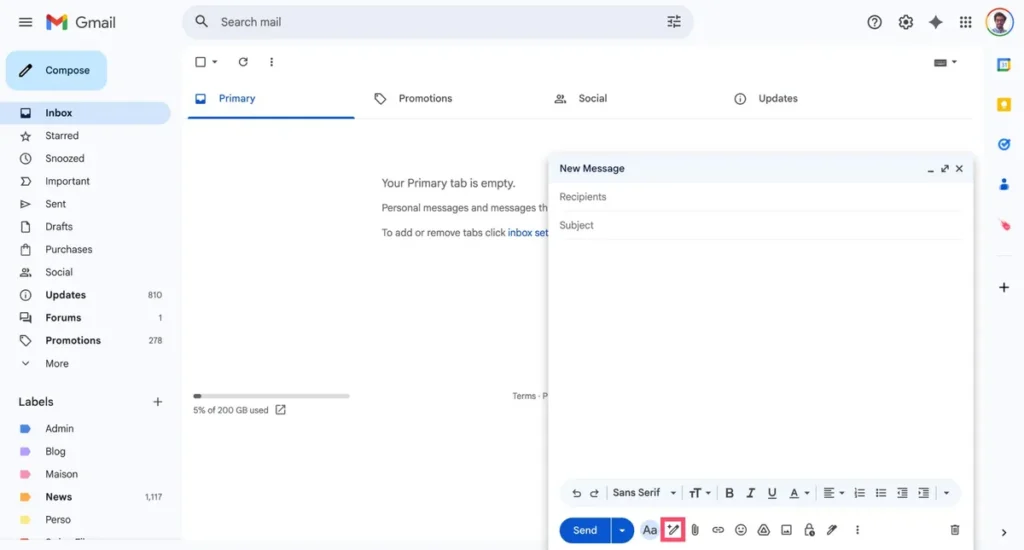
Email piling up feels endless. You need quick replies but stare at a blank compose window. A free AI email assistant can cut drafting time dramatically, turning rough thoughts into polished messages.
Our research shows the right tool saves about 20% of time spent on routine emails, per Google Workspace performance benchmarks. Let's walk through what actually matters when you pick one.
Free AI email assistants help you draft, rewrite, or summarize emails quickly. They integrate with Gmail, Outlook, or work as standalone apps. Most offer a forever-free tier with daily limits.
Always check privacy policies before granting access.
Free AI email assistants automate several tedious tasks. They turn bullet points into coherent drafts, summarize lengthy email chains, and rewrite sentences for clarity or tone. Some also detect reply-all risks, extract calendar events, and suggest follow-up reminders.
However, they cannot read your mind. If a thread involves sensitive negotiations or nuanced humor, the AI may miss the mark. Always treat suggestions as starting points, not final drafts.
Free tiers often impose strict daily limits like 50 requests per day or 1,000 words of generated text. After that, the tool either blocks access or nags you to upgrade. Worse, many lack learning capabilities.
They don't adapt to your writing style over time, so every email still sounds generic. Privacy is another concern. Some services store your message content indefinitely for model training.
Check the data retention policy before you connect your inbox.
Built-in features (Gmail's Help Me Write, Outlook's Summarize) are tightly integrated but limited. Third-party extensions (Grammarly, Lavender) offer more controls but may conflict with other add-ons. Standalone apps (Shortwave, Spark) provide richer environments but require switching contexts.
Each model has trade-offs. Choose based on where you spend most of your email time.
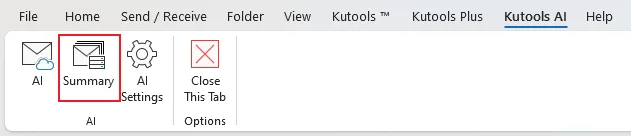
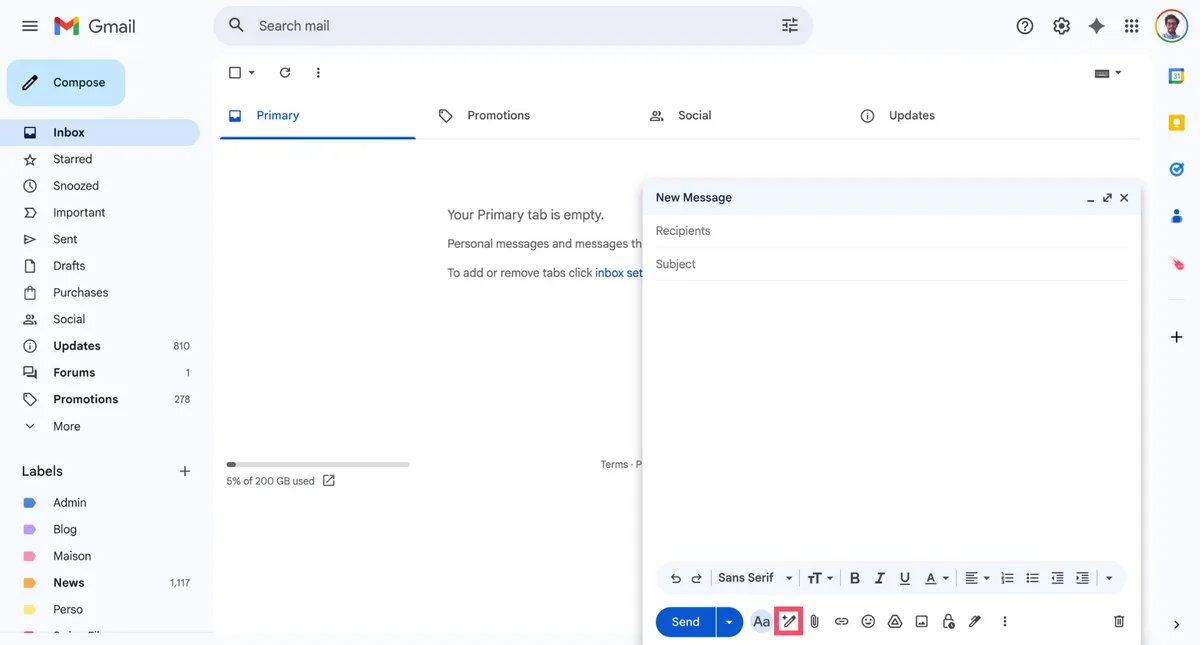
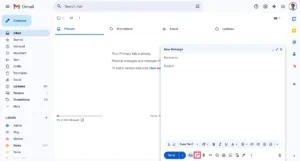
Gmail's Help Me Write lives inside the compose window. You type a prompt like ask for a meeting next week, and it generates a draft. Outlook's Summarize pulls key points from long threads.
Both are convenient but basic. They lack tone adjustment and don't learn from your past replies.
Shortwave is an AI-first client with smart replies, priority ranking, and cross-platform sync. Its free tier allows 50 summaries per month. Spark offers Smart Replies and Send Time Predict but caps AI uses daily.
Grammarly focuses on grammar and tone across platforms. Lavender specializes in cold-email coaching but imposes a 20-draft-per-day limit.
| Tool | Type | Key Features | Free Limit | Best For |
|---|---|---|---|---|
| Gmail Help Me Write | Built-in | Draft generation from prompts | Unlimited within Gmail | Gmail-only users |
| Outlook Summarize | Built-in | Thread summarization | Unlimited within Outlook | Microsoft 365 users |
| Shortwave | Standalone app | Priority inbox, summaries, replies | 50 summaries/month | Power users wanting an AI client |
| Spark | Mobile/desktop app | Smart Replies, Send Time Predict | Limited daily uses | Casual users |
| Grammarly | Browser extension | Grammar, tone, rewriting | 100 corrections/month | Non-native English speakers |
| Lavender | Extension | Cold-email feedback, follow-ups | 20 drafts/day | Sales outreach |
Our research indicates that built-in tools are safest for privacy but least flexible. Third-party extensions offer more features but require trusting your data to external servers. Always review permission settings before installing.
Your daily email habits should dictate your choice. Here's a quick match:
Remember, a single tool rarely covers every scenario. Many people run a built-in summarizer alongside a grammar checker. Test combinations carefully, extensions can conflict and slow down your browser.
If you're exploring how virtual assistants can complement your AI tools, see our guide to building a smooth virtual assistant workflow.
Hybrid approach: Use Gmail's Help Me Write for initial drafts, then polish with Grammarly. This splits the workload and keeps AI within your primary platform. For mobile, Spark offers solid offline summaries.
If you travel frequently, choose a tool with strong offline support.
Also, consider your email volume. If you receive 100+ emails daily, a tool with smart sorting (Shortwave) can save hours. If you send mostly concise replies, Grammarly's quick fixes suffice.
For remote workers juggling multiple projects, time tracking tools help measure where AI savings really land.
Getting started is straightforward, but skipping security steps can cost you later.
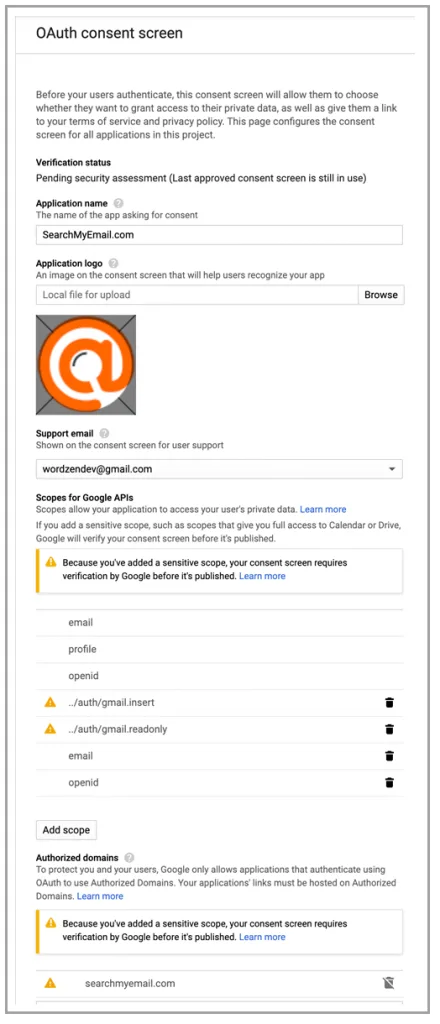
When you add a browser extension, examine the permissions requested. Does it need access to read and change all your data on websites you visit? That's broad, prefer tools that request only Gmail or Outlook API access.
Revoke unused permissions immediately. Use a dedicated password manager to separate credentials, and never reuse passwords across email and AI services.
Most AI tools improve when you show them your best writing. In Grammarly, upload a portfolio of well-received emails. In Shortwave, pin messages you consider models of clarity.
The algorithm learns patterns from your input, not from generic internet text. Spend ten minutes curating examples; it pays off in fewer rewrites. Content creators often pair AI email helpers with a virtual assistant for content creation to scale publishing schedules.
AI tends to over-formalize. Before sending, scan for phrases like I hope this finds you well or Please let me know if you require further assistance. Delete filler words and replace them with direct language.
A good rule: if a suggestion feels stiff, edit it until it sounds like you would speak in a meeting. Keep a signature phrases list handy, copy-paste your own closings and greetings. Always verify facts like dates and names; AI can hallucinate.
Even the best tools trip users up. Watch for these pitfalls.
The biggest mistake is treating AI output as final. A generated reply might contain plausible-sounding but incorrect details, wrong dates, misplaced deadlines, or inappropriate tone for a sensitive topic. Always fact-check and align the draft with your intent.
Think of AI as a junior editor, not the author. Digital marketers can leverage AI for campaign outreach while using a digital marketing virtual assistant for analytics.

Some free services retain your emails for up to 90 days to improve their models. If you handle proprietary information, that's a red flag. Corporate IT departments often block third-party extensions due to data-exfiltration risks.
Before installing anything, check your organization's acceptable-use policy. When in doubt, stick to built-in Gmail or Outlook features, which are governed by the same compliance standards as your email provider. The NIST AI Risk Management Framework provides guidance on evaluating AI systems for bias and transparency.
We've seen users hit daily caps during critical project launches. A tool that allows 50 drafts per day suddenly stops accepting prompts. The workaround?
Batch your AI-assisted writing or switch to a different tool temporarily. To avoid surprises, read the terms of service upfront. Look for hidden paywalls and note whether free users are deprioritized during high traffic.
There is no single best tool because it depends on your platform and workflow. Gmail users should try the built-in Help Me Write first, it requires zero installation and stays within Google's privacy envelope. Outlook users benefit from Summarize and Rewrite features that live inside the ribbon.
If you want a dedicated AI client, Shortwave's free tier stands out for its priority inbox and unlimited summaries on the web. For pure grammar and tone help, Grammarly's free extension covers 100 corrections a month without leaking data to third-party servers.
Trust depends entirely on the vendor's data policy. Always read the privacy notice before granting inbox access. Look for clear statements about whether they retain, train on, or share your message content.
Built-in tools from Google or Microsoft process data within their own ecosystem, which usually satisfies corporate IT. Third-party extensions often store drafts on external servers to improve their models. If your employer forbids uploading proprietary text outside authorized apps, stick to native features or an enterprise plan with a signed DPA.
Yes, if you accept every suggestion verbatim. AI models default to polite, middle-of-the-road language. You can counteract that by editing tone tags, adding specific details, and removing cliché openers like I hope this finds you well.
Over time, feed the tool examples of your best-written messages. Several assistants let you pin favorite replies as style anchors. The more you correct and customize, the closer the output matches your natural voice.
Turn off auto-formatting and request targeted edits instead of full rewrites. Ask the tool to shorten a paragraph or adjust formality rather than asking it to rewrite professionally. Disable suggestions on messages that contain sensitive or internal terms.
Create keyboard shortcuts for your own phrases so you rarely need AI-generated closings. A quick side-by-side comparison between the AI draft and your original often reveals where the tool drifted too far.
The main hidden cost is lost productivity when daily limits kick in during busy periods. Some services also push premium upgrades after a week of free use, which can distract you mid-workflow. Others bundle analytics or CRM links that only unlock with a paid seat.
Before committing, test the limit schedule over a full workweek. If you consistently hit caps, either batch your drafting or switch to a different tool for the rest of the day.
Start by matching the tool to your primary email environment. If you live in Gmail, use Help Me Write for drafts and Summarize for long threads. If you prefer a fresh inbox experience, try Shortwave's free tier and migrate only one project folder at a time.
Once you pick a tool, establish three guardrails: review every AI suggestion, revoke unused permissions monthly, and document your daily request limit so you never get surprised mid-project.
Retention comes down to consistency and clear boundaries. Set a weekly calendar block to review any new features or policy updates your assistant rolled out. Unsubscribe from promotional emails the tool tries to send you.
If the free tier starts feeling cramped, upgrade only the feature you actually need, sometimes a $5 per month bump unlocks just summaries, leaving other controls untouched. Pair your email assistant with a broader virtual support system to automate repetitive admin tasks without drowning in tool sprawl. You can find flexible options through remote virtual assistant jobs that handle scheduling, research, and follow-ups while the AI handles your compose window.
Keep the stack simple. One primary assistant for drafting, one for summarizing, and a grammar checker as a final pass. Anything beyond that tends to conflict, slow your browser, or fragment your style across multiple prompts.














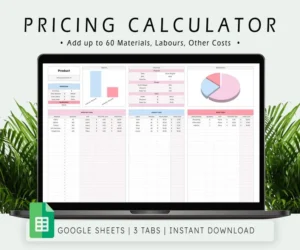


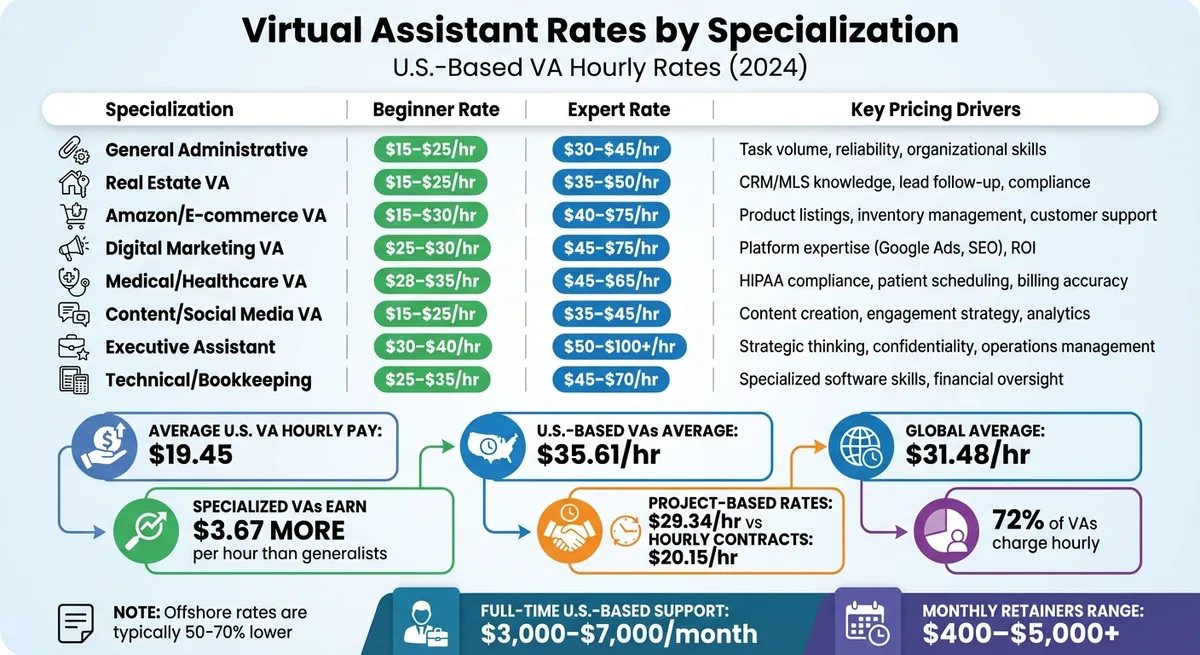
If you’ve ever stared at a quote of $500 a month, you probably wondered if it was fair. Understanding virtual assistant rates for entrepreneurs is the fastest…

Virtual assistant rates for real estate vary wildly based on location, experience, and scope of work. A basic offshore assistant handling data entry might cost…

A virtual assistant can handle your inbox, but “manage” is a spectrum. Sorting, drafting, and sending carry different risks. Each task needs specific…