⚠️ Disclosure: This post contains affiliate links. We may earn a commission at no extra cost to you.
⚠️ Disclosure: This post contains affiliate links. We may earn a commission at no extra cost to you.


Every business owner eventually hits the same wall: there are only so many hours in a day, yet the to-do list keeps growing. If you’re wondering “how do I hire a virtual assistant” without making a costly misstep, you’re in the right place. I’ve guided dozens of solopreneurs and small teams through the entire process—from that first overwhelming realisation to a smooth working relationship that frees up 10, 20, or more hours each week. This step-by-step guide gives you a repeatable system for finding the right VA, onboarding them quickly, and building trust that scales with your workload.
Nearly every professional gets bogged down by administrative busywork: inbox triage, scheduling, data entry, research, and routine customer replies. A skilled virtual assistant doesn’t just lighten the load—they become a force multiplier that lets you concentrate on revenue-generating activities. When you delegate with clarity, you transform chaotic days into a predictable, growth-focused rhythm. The tangible business benefits extend beyond saving time; a good VA often brings fresh ideas, improved systems, and better work-life balance. The key is knowing exactly how to hire one properly.
 A well-organised workspace sets the tone for productive virtual collaboration.
Source: heightsplatform.com
Before you craft a job post or browse profiles, spend a week logging every task you do. Highlight the ones that are repetitive, time-consuming, and don’t require your unique expertise. Typical candidates for delegation include:
Now group these tasks by frequency (daily, weekly, monthly), estimated hours, and skill level. This exercise turns a vague sense of “I need help” into a concrete role. A common mistake is to start with a wish list that’s too broad; instead, pick three to five core responsibilities that a VA can handle immediately.
Set a realistic budget. General virtual assistants with strong English skills typically range from $8 to $25 per hour depending on location and experience, while specialised VAs (bookkeepers, social media managers, content writers) often run $20 to $50+ per hour. Decide whether you need hourly flexibility or a consistent retainer—more on that later.
 Mapping out your task list and budget upfront prevents scope creep and mismatched expectations.
Source: samvanderwielen.com
Not all VAs are interchangeable. Matching the role to your task list determines whether the hire succeeds or becomes a drag on your time.
General VA
Handles administrative, scheduling, inbox, data entry, and light research. Ideal if you need someone to manage the operational clutter so you can focus on high-impact work.
Specialised VA
Focuses on a specific skill set: bookkeeping, customer support, social media management, graphic design, email marketing, or project management. When you need deep expertise in one area—say, a customer support specialist who understands ticketing systems—this is the smarter path.
Executive VA
Operates at a higher strategic level: inbox prioritisation, meeting prep, client liaison, travel logistics, and sometimes team coordination. Executive VAs often have years of experience supporting C‑suite leaders.
Before writing your job description, clarify which type matches 80% of your task list. Once you know the role, you can start evaluating which specialised abilities to prioritise in candidates.
 Choosing the right VA type from the start saves weeks of trial and error.
Source: thevirtualgurus.com
There are four main channels, each with trade-offs:
Freelance platforms (Upwork, Fiverr, Freelancer) give you access to a global talent pool at competitive rates. You’ll handle all vetting, contracting, and payment yourself. This route works well when you have a clear scope and are comfortable screening candidates.
VA agencies source, vet, and often manage the assistant for you. They typically provide backup coverage if your primary VA is unavailable. The cost is higher—agency fees can add 25–50% to the base rate—but the reduced hiring risk and management overhead is a worthwhile investment for many businesses. A trusted industry roundup of top services can help you compare reputable providers.
Niche job boards (like Remote.co, We Work Remotely, or LinkedIn) allow you to post directly to a professional audience. This method can surface highly motivated candidates who are actively looking for long-term roles.
Referrals and communities often produce the best long-term fits. Ask fellow business owners or professional groups if they can recommend someone. For broader discovery, online hiring platforms that specialise in VA placements aggregate profiles across multiple sources.
Whenever possible, combine two channels—for example, post on a freelance site and tap your network—to widen the funnel without sacrificing quality.
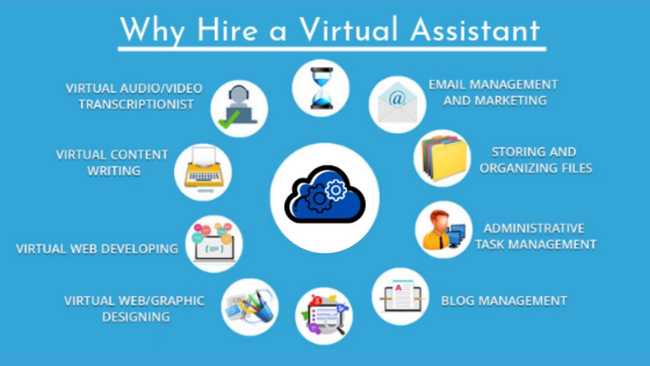 Choosing the right sourcing channel saves dozens of hours of fruitless searching.
Source: apploye.com
A vague job post attracts vague applicants. Write the description as if the right person will read it and immediately know they’re a fit. Include:
Sample application instruction: “In your cover letter, tell us how you’d handle an urgent priority shift when you already have a full task board. Include a Loom video link (under 2 minutes) walking through a process you improved in a past role.”
A well‑structured job post does half of the screening work for you.
 A detailed job description acts as your first filter, repelling unqualified applicants.
Source: virtualconstructionassistants.com
Resist the urge to hire based on a résumé alone. A short, structured process saves you from the most common hiring regret: discovering too late that a VA can’t communicate proactively.
Interview (15–20 minutes via video)
Ask scenario-based questions that reveal problem-solving and communication style:
Pay as much attention to how they ask clarifying questions as to the answers they give. Look for curiosity and a collaborative tone, not just scripted responses.
Paid trial task (2–4 hours of real work)
Create a mini‑project that mirrors an actual responsibility—for example, “Organise this inbox using labels, draft three email replies, and build a simple spreadsheet tracker.” Pay for the time. This step reveals quality, attention to detail, and turnaround speed far better than any interview.
Reference checks
Ask for one or two former clients or managers. When you call, focus on reliability, communication, and ability to work independently:
Now you have enough evidence to make a confident decision.
 A structured vetting process dramatically reduces the risk of a bad hire.
Source: testgorilla.com
Even the most talented VA can’t succeed without a clear path. Spend three focused hours on onboarding and you’ll prevent countless errors later.
Before day one:
First week cadence:
Setting up a management rhythm early creates a feedback loop that keeps the relationship healthy as the workload grows. Use a shared project board and a single communication channel so nothing falls through the cracks.
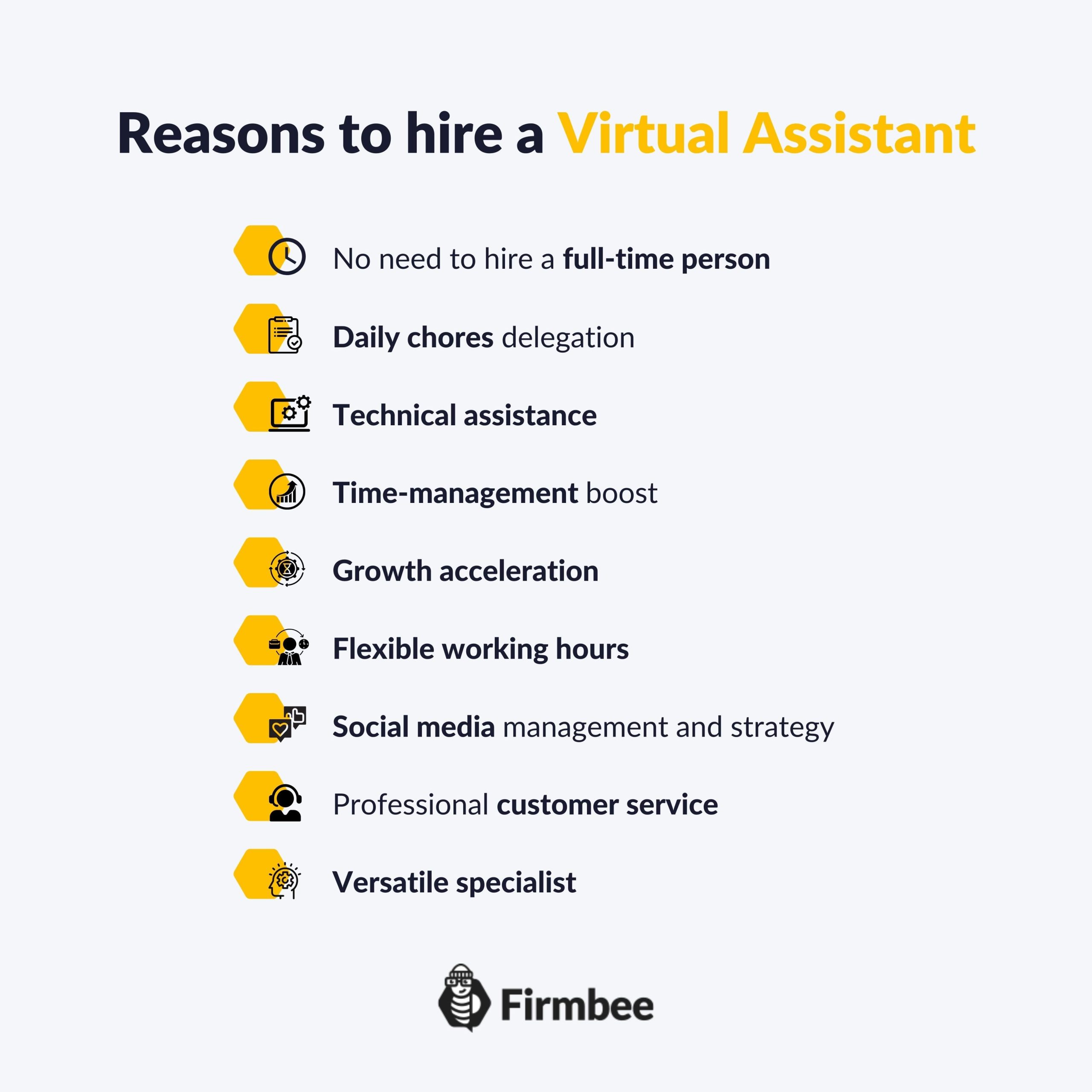 A one-page onboarding checklist aligns expectations from day one.
Source: firmbee.com
Protect both sides by formalising the engagement. Even if you found the VA on a freelance platform, a separate written agreement clarifies scope and prevents misunderstandings.
Pricing models
Understanding typical pricing models for your industry and the VA’s region helps you offer a fair rate that attracts top talent.
Contract essentials
Legally, most virtual assistants are independent contractors, not employees. Properly classify your VA as an independent contractor by following the official guide to contractor classification, and understand any local regulations that apply (for instance, GDPR if they access EU customer data). Invest a small amount of time upfront to get the paperwork right; it’s far cheaper than an audit later.
A relationship without clear expectations drifts. Define a handful of measurable indicators that reflect success for the role:
Hold a 15‑minute check‑in each week to review what went well and where there were friction points. Once a month, step back to evaluate overall progress and discuss professional development opportunities.
As the relationship matures, many business owners find they can safely delegate more. A common evolution looks like this: start with one general VA, then add a specialised bookkeeping VA, a content writer, and eventually a team lead or operations coordinator. This stacking approach lets you build a remote team incrementally without taking on too much risk at once.
 Regularly reviewing simple KPIs keeps the partnership aligned and productive.
Source: shopify.com
Over the years, I’ve seen the same mistakes derail well‑intentioned VA hires. Avoid these:
A common thread: invest in the setup, and the return compounds month after month.
The right technology stack makes remote work feel almost effortless. You don’t need a dozen apps—stick to a minimal set everyone uses consistently:
Pick one tool per category, train thoroughly during onboarding, and enforce usage. Consistency here eliminates “I didn’t see the message” as a viable excuse.
Start with a thorough task audit. For two weeks, note every activity you perform and mark those a trained person could handle. Then group them into a realistic role description with an estimated weekly hours need. This clarity anchors every subsequent decision.
If your workload varies a lot week to week, an hourly model with a cap gives you flexibility. If you have a steady set of recurring tasks (e.g., daily inbox management, weekly social posting), a monthly retainer usually motivates the VA to work efficiently since the payment is fixed. Match the model to the predictability of your requests.
A two‑week paid trial that includes several real tasks—totaling perhaps 8–16 hours of work—reveals quality, communication style, and reliability. At the end of the trial, both sides should evaluate honestly before committing long‑term.
Absolutely, but only with proper safeguards. Use a written confidentiality agreement, limit system permissions to the minimum necessary, and provide access through a password manager so credentials aren’t stored in plain text. For industries with regulatory requirements, ensure the VA understands compliance rules before they touch any data.
Go beyond written chat. Include a short video interview and ask the candidate to record a brief walkthrough explaining a process. Look for clarity, structured thinking, and the ability to ask clarifying questions. Strong communicators will naturally summarise what they heard before jumping into action.
Hiring a virtual assistant successfully isn’t about luck—it’s about following a proven sequence. Map your tasks, write a tight job description, run a paid trial, and onboard with clear expectations. The business owners who thrive with remote help are the ones who see this as an investment, not an expense.
Start small: pick three tasks from your list, draft a job post using the structure above, and post it on one platform this week. As you gain confidence, you’ll wonder why you didn’t do it sooner. For more hiring templates, management playbooks, and real‑world case studies, browse our resource library and continue building a business that runs smoothly without your constant presence.

Sofia Grant is a business efficiency expert with over a decade of experience in digital strategy and affiliate marketing. She helps entrepreneurs scale through automation, smart tools, and data-driven growth tactics. At TaskVive, Sofia focuses on turning complex systems into simple, actionable insights that drive real results.