⚠️ Disclosure: This post contains affiliate links. We may earn a commission at no extra cost to you.
⚠️ Disclosure: This post contains affiliate links. We may earn a commission at no extra cost to you.

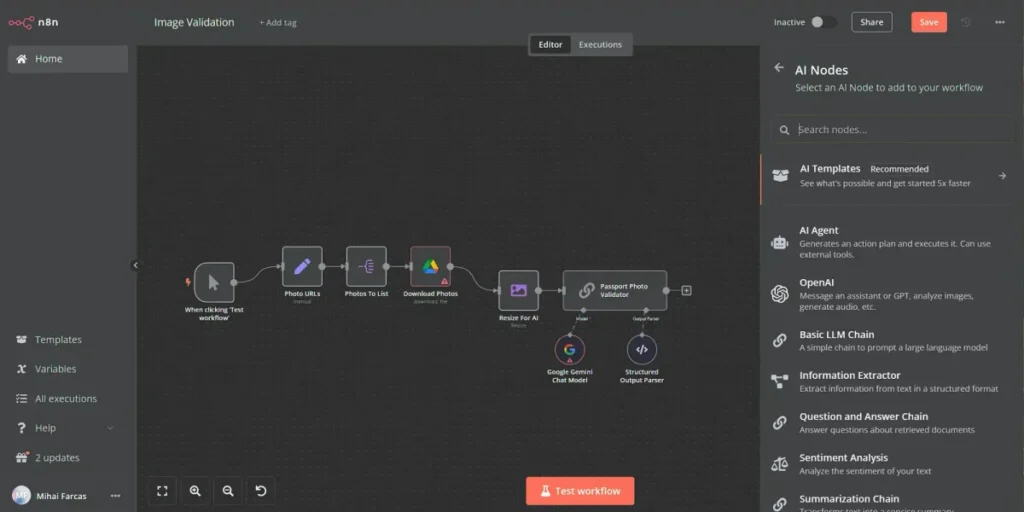
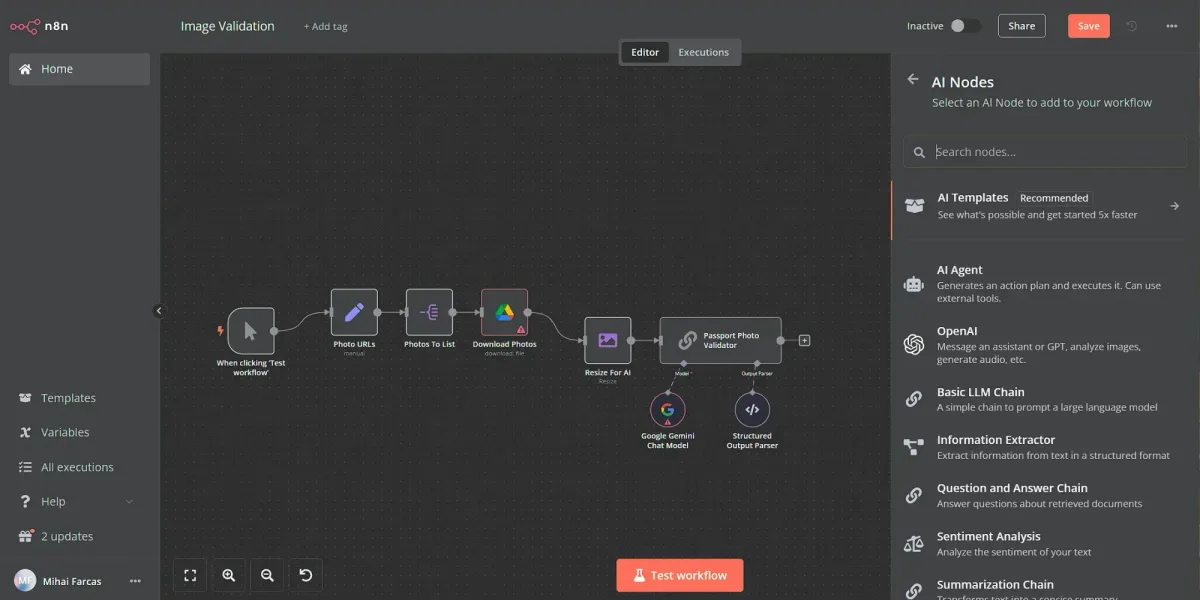
Image source: Web (Bing) / blog.n8n.io (Web image (fair-use with source credit))
You've got the same three things stealing your day: chasing leads, replying to the same questions, and moving data between apps. Learning how to build a virtual assistant workflow turns those daily fires into background tasks that run themselves. You set the rules once and let the system handle the repetition.
In our research across dozens of automation platforms, the average small business saves roughly seven to eleven hours per week once a mature workflow stack is running. That gap grows fast when you scale beyond solo work. So let's walk through exactly how to pick your path, map the flow, choose tools, set it up, and test it until it won't fall apart.
How to build a virtual assistant workflow? Map every repeating task first. Choose triggers and actions for each job.
Then connect tools using a platform like Zapier or n8n. Test everything in a sandbox before going live. Finally, add error-handling steps and monitor the logs weekly.
Most lost time comes from repeating the same micro-tasks. A lead fills a form. You copy the info into a spreadsheet.
You send a follow-up message. You tag the record in your CRM. None of that requires your brain power, yet it eats chunks of your morning.
Once you identify the repeating chain, you can automate it. Workflows connect a trigger, like a new form submission, to a sequence of actions across your apps. The result is a predictable path that runs while you focus on strategy instead of busywork.
The payoff shows up fast. A well-designed workflow removes the mental tax of remembering what to do next. You stop playing catch-up and start running behind schedule with nothing chasing you.
If you're curious about how other professionals structure their routines, you might find inspiration in a remote virtual assistant career roadmap that breaks down common daily systems.
The trick is not automating chaos. You have to capture the process cleanly first. Mapping forces you to confront loose ends and messy handoffs.
That clarity pays for itself within your first automated sequence.
Before touching any tool, ask a blunt question. Does this task need a machine or a person? The answer shapes everything else.
Here is a simple way to split the difference.
| Task type | Best model |
|---|---|
| Straightforward data moves | AI or basic automation |
| Repeating customer chats | AI chatbot with human escalation |
| Scheduling across time zones | Hybrid with human backup |
| Complex judgment calls | Human only |
| Multi-step creative work | Human with AI assistance |
Pure AI builds are fast but brittle when surprises show up. Pure humans stay flexible but cap your growth because you hit capacity limits. A hybrid approach keeps the best of both worlds.
Automation handles the predictable work. Humans jump in only when the edge case arrives.
If your goal is simply outsourcing routine admin to a skilled professional, then hiring a dedicated helper might be the smarter move. See how experts match role types to business size in virtual assistant for entrepreneurs.
One practical frame comes from the National Institute of Standards and Technology guidelines on secure automation design, which stress matching control levels to risk. Simple data syncs need basic safeguards. Customer-facing flows that touch personal data deserve stronger guards and human checkpoints.
Start with an honest audit. List every task you touched in the last five working days. Mark each one with a quick label: repetitive, judgment-heavy, or mixed.
Then group the repetitive items into lanes. Those become your automation candidates.
Skipping this step is the fastest way to build a mess you cannot maintain. Paper mapping catches gaps that blind spots hide.
A clean map has triggers, steps, decision points, and outputs. The trigger starts the chain. The steps describe each action.
Decision points branch the path based on conditions. The output is the finished result, like a confirmed booking or a sent invoice.
For example, a lead-capture flow might look like this:
A simple flowchart captures that structure visually. The visual aid makes branching clear. Here is a classic business-process diagram you can use as a reference shape.
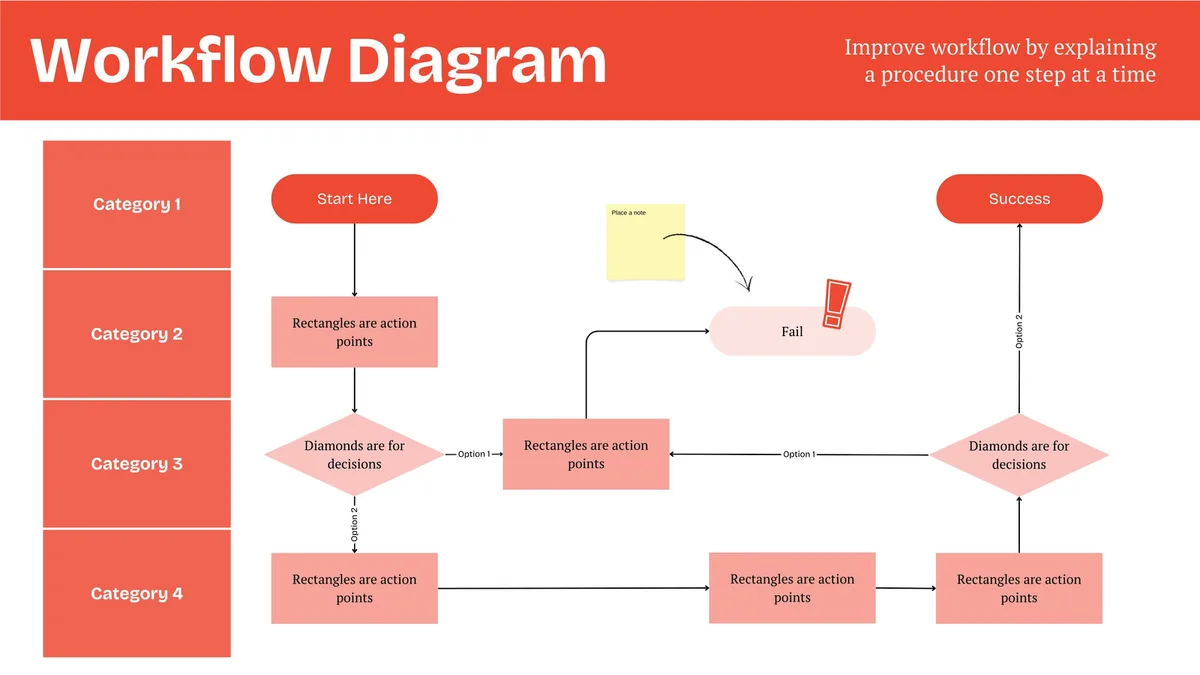
Long chains grow fragile. Long chains break in strange places. Short chains survive bumps.
If you end up with more than twenty steps, split the flow into two linked sub-workflows. One handles intake. The other handles fulfillment.
That separation makes debugging simpler and lets different teams own different pieces without stepping on each other.
Mapping also surfaces compliance risks early. GDPR and CCPA rules demand explicit consent logging and easy deletion paths. If your map does not show where consent lives, you will learn the hard way during an audit.
For additional context on how freelance helpers manage client handoffs, see how to get clients as a virtual assistant in 2026.
Platform choice depends on complexity, budget, and comfort with code. No single tool wins every scenario. A clear lens helps you pick quickly.
| Situation | Strongest pick |
|---|---|
| Non-technical founder, simple tasks | Zapier or Make |
| Budget-conscious builder, growing stack | n8n |
| Heavy custom logic needed | Make or n8n with scripting |
| Enterprise security controls required | Dedicated enterprise BPA suite |
| Local hosting preferred | Self-hosted n8n |
Zapier still leads for ease of use. Its interface is friendly and its app library is massive. Make offers more complex branching at a lower price. n8n gives you self-hosting freedom and a visual editor that scales into deeper logic without locking you into a paid tier.
Price matters more than you think. Free tiers cap monthly runs. Hitting that ceiling mid-month stalls your whole operation.
Check the cost curve before committing. Pricing shifts over time, so verify current rates on official pages as of 2026.
A few questions narrow the field fast:
If the answer includes editing by non-technical staff, pick the tool with the cleanest interface. If heavy custom logic appears often, lean toward n8n or Make. For regulated data, confirm vendor certifications and data-processing agreements before signing up.
Building a workflow is less about coding and more about arranging blocks. Most modern platforms use a drag-and-drop layout that mirrors the map you drew earlier.
Here is the repeatable sequence that works across most tools:
Once the draft holds together, publish it and run a live test with dummy data. Watch each step complete. Confirm the data lands where expected.
The setup screen on a popular automation tool illustrates this exact process in practice.
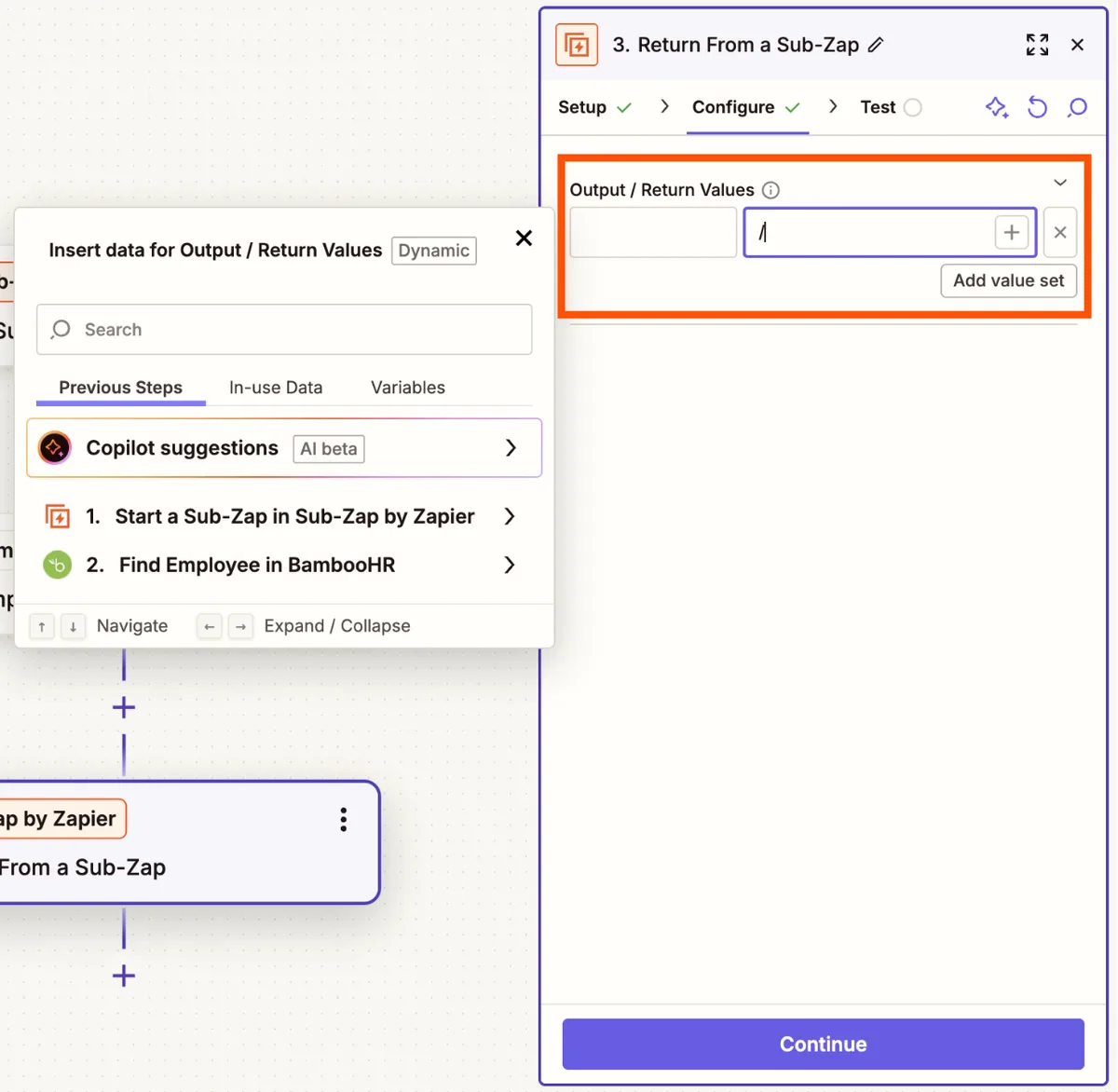
A few builder habits pay off immediately:
Naming matters more than creators admit. When a workflow breaks months later, you want to find the failure point fast. Labels save you from reading every step again.
Also store sensitive tokens in environment variables instead of hard-coding them. Secret leaks cause real damage. Most platforms support vault-style storage.
Use it.
For a broader look at complementary tools that pair well with your workflow stack, check out this guide to top remote job search platforms to streamline your freelance work.
Testing prevents public failures. A workflow that passes a quiet test but chokes on real traffic looks smart in practice and painful in production.
Build a test plan that covers the happy path and the worst-case paths. The happy path runs the normal inputs through smoothly. Worst cases throw missing fields, duplicate records, invalid dates, and boundary values at your flow.
Execute these standard checks:
Then confirm the results against your map. Every branch should land where the design promised. If a step skips silently, fix it before rollout.
Silent skips become expensive surprises later.
Monitoring logs turn failures into lessons instead of disasters. Most platforms surface run histories with timing and status codes. Review those logs weekly during your first month live.
Patterns emerge fast. Common fixes appear after three or four runs.
You can also set up alerts for critical failures so you know instantly instead of discovering broken chains during a client call. Speedy alerts protect your reputation.
Here is how a typical test panel looks during validation runs.
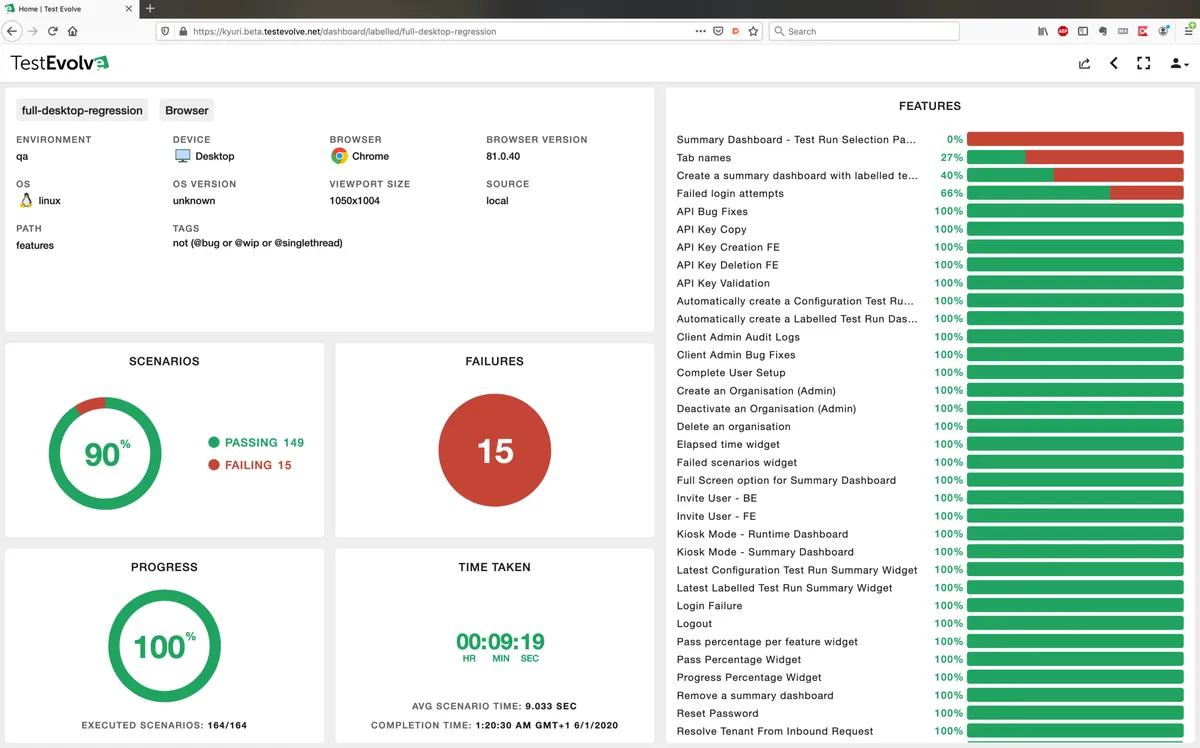
Final sanity tip: keep a rollback plan. Version your workflow and preserve the last stable configuration. If a new step breaks downstream apps, you can revert quickly while you debug the fix.
Rollbacks beat panic.
Even smart builders trip on the same stones. A short list of traps saves months of rework.
The biggest offender is automating without rules. Copying a messy manual process into software just speeds up bad outcomes. Fix the process first.
Automate after clarity.
Another frequent error is ignoring error handling. Workflows fail when APIs hiccup, networks drop, or data arrives malformed. Without retries and alerts, silent failures hide until they become crises.
Build at least basic fallbacks into every critical chain.
Overengineering also bites hard. Adding branches for rare edge cases multiplies complexity fast. Start with the core flow.
Add exceptions only after you see them appear in real runs. Premature complexity creates maintenance debt.
Skipping tests compounds risk. A workflow that passes once does not prove stability. Run repeated tests, vary your inputs, and check the logs.
Confirmed behavior beats hopeful assumptions.
Finally, neglecting updates kills older automations. Apps change APIs. Permissions shift.
Platforms rename fields. Treat maintenance as part of the job. Schedule a quarterly review for every active workflow.
Small tuneups prevent large meltdowns.
Understanding real-world automation patterns helps if you ever consider stepping into similar roles yourself. Many people explore these options after seeing what freelance virtual assistant jobs look like in 2026.
Budget math matters early. Underestimating costs creates sticker shock once runs pile up.
Most platforms use a tiered model based on task volume. Free plans work for hobby-scale experiments. Starter plans cover light business use.
Professional plans unlock higher limits and advanced features like pauses and multi-step branching.
Average starting prices sit around these ranges:
| Tier | Typical monthly price range | Good for |
|---|---|---|
| Free | $0 | Experiments and light use |
| Starter | $20 to $30 | Small teams with modest volume |
| Professional | $50 to $75 | Growing businesses needing reliability |
| Team/Enterprise | $100+ | Organizations with strict controls |
Price jumps usually come from extra runs, premium app connections, or custom script compute. Watch those line items. They add up quietly.
Hidden fees deserve special attention. Overage charges hit hard if your workflow suddenly scales. Some vendors charge per attached sub-account.
Others require paid seats for collaboration features. Read the fine print before committing.
Also compare true cost of ownership. Cheaper platforms sometimes lack robust error logging or support. Those gaps force you to spend engineering time fixing what the tool should prevent.
Factoring in staff hours reveals the real price.
When possible, start on a lower tier and upgrade after you validate usage. That strategy keeps early costs lean and protects cash flow while you confirm the workflow delivers value.
The landscape shifts fast. Always check current pricing tables on official vendor sites before you sign up.
A simple two-step workflow often takes thirty to sixty minutes. Multi-step automations with branching usually need two to four hours on the first pass. Factor in testing and revisions for another hour or two depending on complexity.
Yes in most cases. Platforms offer webhooks and API connectors for custom integrations. You can also use middleware services that translate between incompatible systems.
Store secrets in environment variables. Avoid hard-coding tokens. Enable two-factor authentication on connected accounts.
Restrict access through role-based permissions. Review your vendor's data-processing agreements and privacy policies before sharing sensitive information.
That depends on your error handling. Basic setups may silently drop failed steps. Better designs retry automatically, send alerts, or route to a fallback path.
Always log failures so you can spot patterns and patch weaknesses before they grow.
If your stack is small and tasks are straightforward, DIY is cost-effective. If you manage dozens of interdependent systems with security requirements, a specialist saves time and reduces risk. Evaluate your own comfort level with logic design first.
Automation handles repetitive tasks well. It struggles with judgment, empathy, and creative problem-solving. The strongest models blend AI automation with human oversight.
Use machines for speed and humans for nuance.















Are you feeling overwhelmed by endless emails, phone calls, and paperwork in your real estate business? Imagine having someone who can handle those time-consuming tasks

Are you feeling overwhelmed by endless paperwork, appointment scheduling, and patient follow-ups? Imagine having a reliable partner who handles these tasks efficiently, so you can

Are you an accountant feeling overwhelmed by endless tasks that steal time from your core work? Imagine having a reliable helper who handles routine duties,