⚠️ Disclosure: This post contains affiliate links. We may earn a commission at no extra cost to you.
⚠️ Disclosure: This post contains affiliate links. We may earn a commission at no extra cost to you.

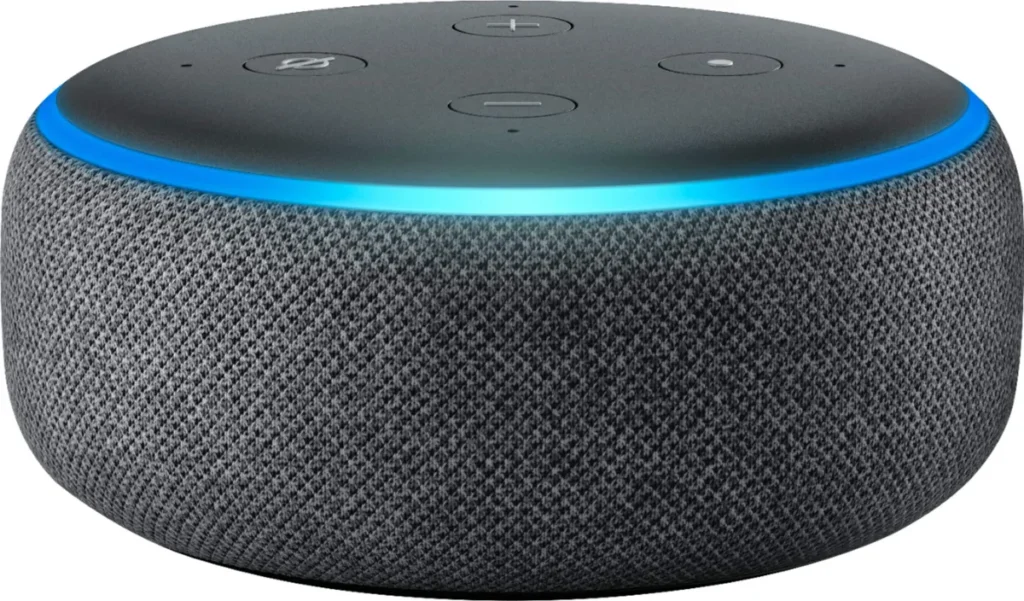
Still wondering how to train a virtual assistant? You're not alone. Millions of people and businesses want help from AI but don't know where to start.
The good news is that training varies depending on your goal and tools. This guide breaks it down step by step.
Our research shows there are two main paths: using built-in assistants like Alexa and Siri, or building custom chatbots with platforms like Dialogflow and Amazon Lex. Each approach has different complexity levels and costs. Let's walk through both so you can pick the right one.
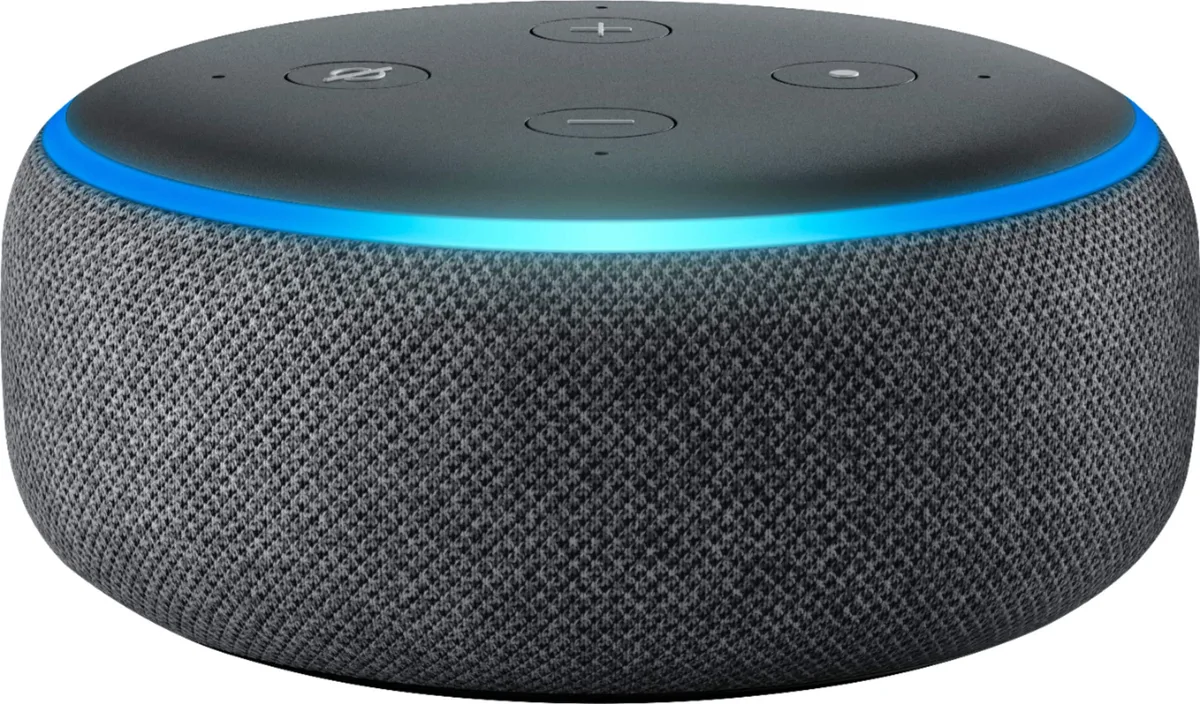
How to train a virtual assistant depends on your platform choice. For built-in assistants, use voice commands and app settings. For custom AI, define intents, gather training data, and test responses.
Most personal setups take under 30 minutes. Business-grade systems require hours to weeks of development time.
Before diving in, ask yourself what problem you're solving. Your answer determines everything else. Training an assistant for personal use looks very different from building one for business.
Let me explain why this matters so much.
Personal virtual assistants live on your phone, smart speaker, or computer. They come pre-trained by companies like Amazon, Google, and Apple. You simply customize them for your needs.
Custom AI assistants require actual development work. You build them from scratch or on a framework. These serve business purposes like customer support or lead generation.
Think of it this way. If you just want a tool that sets reminders, plays music, or answers basic questions, you need customization only. But if you want something that understands your brand voice, handles complex workflows, or connects to your CRM system, you need a custom build.
Your decision should flow naturally from your situation. Consider these factors before committing:
Built-in assistants are usually free or already paid for through device purchases. Custom AI ranges widely. Simple chatbot platforms may cost $20 to $100 monthly.
Enterprise-grade assistants can exceed $500 monthly when you factor in API calls and infrastructure. Our research on virtual assistant services indicates ongoing costs add up fast at scale.
Most beginners waste money trying to force-fit complex requirements onto simple tools. You'll end up frustrated and spending more than necessary. Start by clarifying your exact need, then choose the simplest solution that handles it.
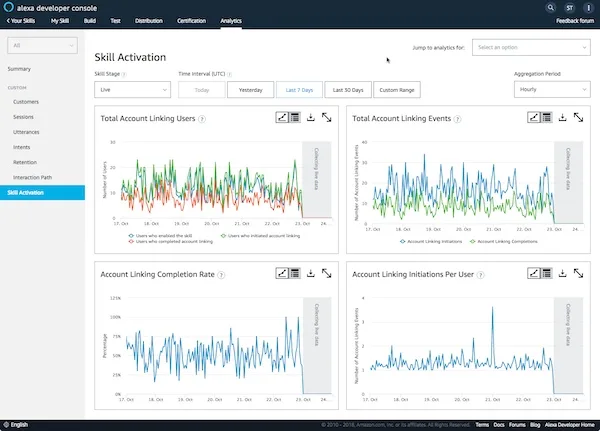
Image source: Web (Bing) / voicebot.ai (Web image (fair-use with source credit))
If you've ever wondered how to train a virtual assistant without writing code, this path is for you. Platforms like Amazon Alexa, Google Assistant, and Apple Siri dominate the personal market. Together they power billions of devices worldwide.
Voice command training happens through natural language. You teach assistants by repeating phrases they should recognize. The system learns patterns over time through usage analytics.
Here's how to start with each major platform:
Amazon Alexa: Open the Alexa app and access your skills library. Create custom routines through the Routines tab. Test voice triggers by speaking phrases aloud.
Review failed commands in the activity log to refine training phrases. Many users overlook this feedback loop entirely.
Google Assistant: Open the Google Home app and navigate to Settings. Enable your preferred voice model and microphone sensitivity. Create routines through the dedicated Routines section.
Train your voice with the My Voice feature for better recognition accuracy.
Apple Siri: Open Settings and select Siri & Search. Set up voice triggers for common actions. Create Shortcuts through the Apple Shortcuts app for custom commands.
Practice voice commands until Siri recognizes your speech patterns reliably.
Routines represent the most powerful training tool available. They link actions together based on triggers. Common examples include morning briefings, bedtime sequences, and arrival alerts.
Here's the workflow:
Business owners exploring automation alongside their career planning often discover these routines boost productivity significantly. Many professionals pair this knowledge with deeper resources on finding the best job search platforms for their needs.
Even well-trained assistants make mistakes. When one does, most people simply repeat louder or more slowly. That rarely fixes the underlying issue.
Instead, look for patterns in failures and adjust accordingly.
Common triggers for misunderstanding include background noise, similar-sounding words, and unusual accents. You can improve accuracy by speaking clearly and consistently. Some platforms offer accent-specific training modes now too.
Your assistant becomes far more useful when connected to other services. Check which apps and devices work together before you commit. Smart home brands frequently update their compatibility lists.
Popular integrations span from streaming services to security systems.
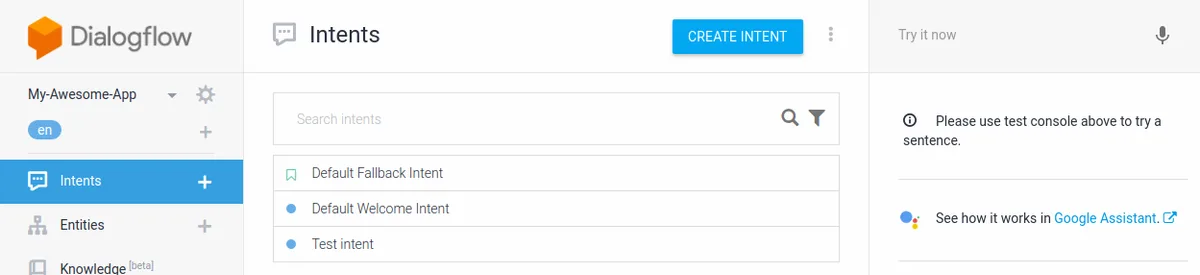
This path serves people who need more control and customization. Whether you're building a customer service bot, a sales assistant, or a specialized knowledge tool, custom development gives you that flexibility. It also demands more time and resources upfront.
Platform selection shapes your entire project. Several options exist for different skill levels and budgets:
Your team's existing skills should guide this decision heavily. Jumping into a platform that requires unfamiliar programming languages will slow progress dramatically.
Intent recognition forms the foundation of any conversational system. An intent represents what a user wants to accomplish. Training phrases are the different ways users might express that intent.
Here's how to approach both carefully:
For intents, list every possible user goal your assistant must handle. Group related goals together when they share similar responses. Avoid creating overlapping intents that confuse the model.
Clear boundaries between intents prevent mixed responses later.
Training phrases should cover real user language patterns. Include variations like synonyms, slang, and sentence structures. Start with 10 to 20 phrases per intent minimum.
More training data generally improves accuracy. However, quality matters more than quantity when data contains errors or inconsistencies.
Dialog flow mapping visualizes how conversations progress from start to finish. Use flowcharts or text-based descriptions to plan every branch point. Include fallback responses for unrecognized inputs.
Plan escalation paths to human agents when needed.
Context management keeps conversations coherent across multiple turns. Systems track previously mentioned information like names, dates, and preferences. Without proper context handling, assistants repeat questions and lose track of conversation threads entirely.
Test extensively with realistic multi-turn dialogues before launching.
Your assistant gains practical value when it accesses real data and performs actions. Common integrations include databases, email systems, calendars, and payment processors. Each connection requires API keys and proper authentication setup.
Security considerations become critical here. Never hard-code credentials in publicly accessible repositories. Use environment variables or secret management services instead.
Regular security audits prevent data leaks that could damage your reputation and violate privacy regulations.
Teams expanding their digital presence often integrate these assistants with broader online income strategies to maximize automation benefits across multiple revenue streams.
Even experienced developers make mistakes when building conversational AI. Some errors cause minor annoyances. Others completely derail projects and waste significant time and money.
Learning from these pitfalls saves everyone effort going forward.
Garbage in equals garbage out. This principle holds especially true for machine learning systems. Collecting training data quickly leads to sloppy results that surface during testing.
Common data problems include inconsistent formatting, missing edge cases, and biased examples reflecting narrow demographics.
To avoid this, audit your training dataset regularly. Look for gaps where certain user groups or scenarios are underrepresented. Ensure examples match how real people actually communicate.
Colloquialisms, abbreviations, and spelling variations deserve inclusion alongside formal language patterns.
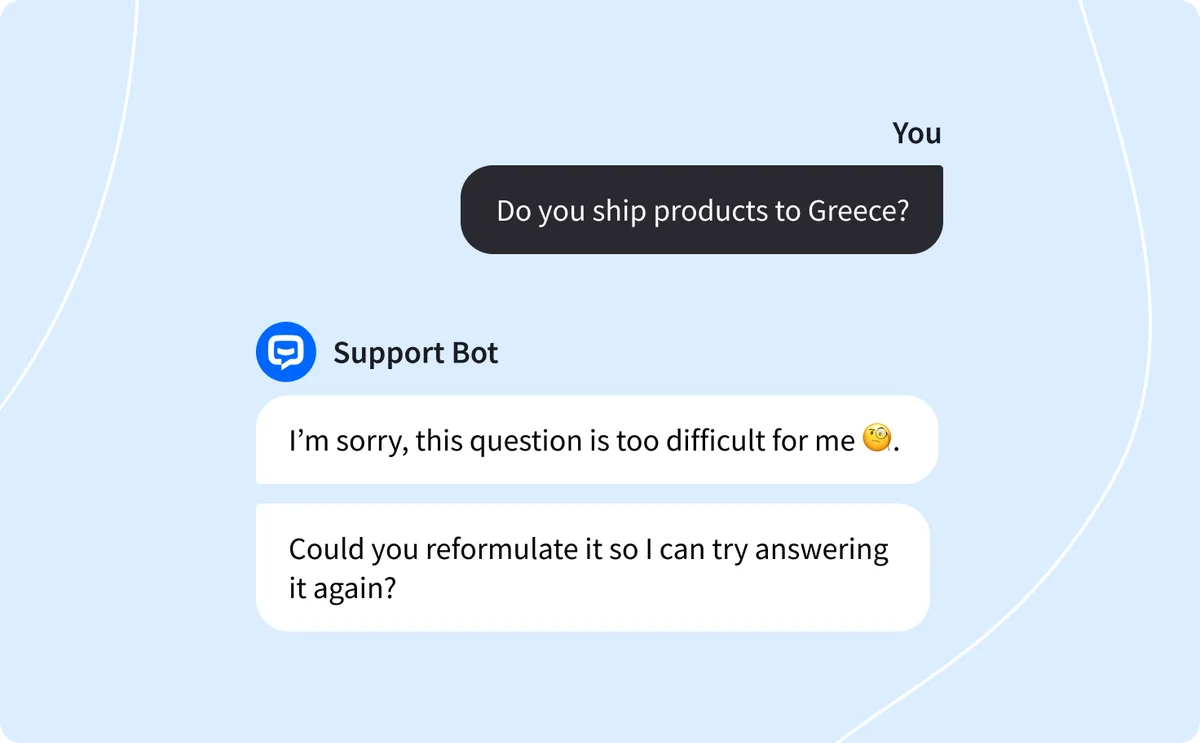
When your assistant encounters something it doesn't understand, what happens next? If you haven't planned for this scenario, users receive confusing or useless responses. Fallback strategies gracefully handle unknown inputs while keeping conversations productive.
Good fallbacks acknowledge the limitation, suggest alternatives, and guide users toward resolution. For example, responding with "I'm not sure I understood that. Could you rephrase your question about billing?" works far better than a generic error message or silence.
Many teams build assistants quickly and launch without thorough testing. They assume the system will work because their sample phrases matched during development. Reality rarely cooperates with assumptions.
Real users phrase things differently, encounter unexpected situations, and push systems beyond intended use cases.
Implement continuous testing throughout development. Use both automated tests and real user trials before each major release. Track failures systematically to identify recurring problems.
Regular iteration based on actual usage patterns keeps your assistant effective over time.
Building an assistant represents just the beginning. Language evolves, user expectations shift, and new features emerge constantly. Systems left unattended deteriorate quickly as training data becomes outdated and performance degrades.
Schedule regular reviews of conversation logs and failure reports. Update training phrases quarterly at minimum. Monitor metrics like task completion rates and user satisfaction scores closely.
Teams that invest in ongoing optimization see compounding returns as their assistants become more reliable and useful.
AI assistants handle increasingly sensitive information daily. From personal schedules to financial data to health records, these systems process details many users consider private. Neglecting safety and compliance creates serious legal and reputational risks that no organization can afford.
Privacy laws vary significantly by region and industry. General data protection frameworks like GDPR in Europe and CCPA in California impose strict requirements on how organizations collect, store, and process personal information. Healthcare applications face additional HIPAA obligations in the United States.
Key principles apply universally regardless of jurisdiction:
Technical safeguards protect against unauthorized access and data breaches. Essential measures include encryption protocols, access controls, and regular security assessments. Authentication mechanisms verify user identities before granting system access.
Network security prevents interception of data flowing between users and servers. Firewalls, intrusion detection systems, and secure socket layer certificates create defensive layers around your infrastructure. Keep all software components updated to patch known vulnerabilities promptly.
Per NIST AI Risk Management Framework guidelines, regular security audits should be part of any AI deployment lifecycle.
AI systems learn from training data and can absorb human prejudices present in that data. Without careful oversight, assistants may produce biased or offensive responses inadvertently. This risk affects reputation and potentially violates nondiscrimination policies.
Mitigation strategies involve diverse training datasets representing various demographics and perspectives. Regular content audits catch problematic outputs before they reach users. Human review processes for sensitive applications catch issues that automated filters miss.
Setting clear content guidelines and enforcement mechanisms establishes appropriate behavioral boundaries.
Users deserve honesty about what your assistant can and cannot do. Claiming abilities beyond your system's capacity builds false expectations that lead to frustration and distrust. Clearly communicating limitations upfront sets realistic expectations.
Include disclaimers where appropriate, especially for professional advice domains. Financial, medical, and legal guidance from AI carries significant risk if presented authoritatively without proper caveats. Users should understand when they're interacting with automated systems versus receiving human expertise.
Understanding financial and time commitments prevents unpleasant surprises later. Budgeting accurately from the start helps avoid mid-project funding shortfalls or rushed implementations that compromise quality. Let's examine realistic numbers across different approaches.
Built-in assistants like Alexa, Google Assistant, and Siri typically involve minimal ongoing expenses beyond device purchases. Setup time averages 15 to 30 minutes for basic configuration. Advanced customization through routines and shortcuts adds another 30 to 60 minutes initially.
Daily operation requires negligible effort beyond occasional adjustments as habits change. Most users interface with their assistants passively without conscious resource allocation. Occasional troubleshooting addresses recognition issues or connectivity problems when they arise.
Custom assistant development costs vary dramatically based on scope and complexity. Platform licensing fees range from free tiers up to several hundred dollars monthly for high-volume applications. Development time spans days for simple bots to months for sophisticated enterprise systems.
Infrastructure expenses include server hosting, API calls, and storage requirements scaling with usage volume. Integration costs add up quickly when connecting to multiple external systems. Maintenance represents ongoing expenditure rather than one-time investment.
| Project Type | Estimated Setup Time | Monthly Operating Cost | Ongoing Maintenance |
|---|---|---|---|
| Basic personal assistant | 30 minutes | $0 (free tier) | Minimal |
| Small business chatbot | 8 to 40 hours | $20 to $100 | 2 to 5 hours weekly |
| Enterprise voice agent | 2 to 6 months | $500 to $5,000+ | Full-time specialist |
Unexpected expenses frequently derail projects with inadequate forecasting. Data annotation and labeling services cost money when building custom training datasets from scratch. Professional consultation fees accumulate rapidly without proper scope management.
Infrastructure migration expenses surface when scaling beyond initial estimates.
Staff training represents another often-overlooked investment. Team members need time to learn new tools and adapt workflows around assistant capabilities. Productivity dips temporarily during transition periods as people adjust to changed processes.
Measuring assistant effectiveness helps justify continued investment and identify improvement opportunities. Track metrics like time saved per interaction, customer satisfaction improvements, and operational cost reductions. Compare these benefits against total expenditure including development, infrastructure, and personnel costs.
Break-even analysis determines whether your assistant delivers sufficient value relative to its cost. Simple assistants requiring minimal expense achieve positive ROI quickly through time savings alone. Complex enterprise systems demand longer evaluation periods but can generate substantial returns through improved service quality and expanded capacity.
Businesses exploring automation alongside professional growth often find these insights valuable when evaluating remote virtual assistant roles or considering virtual assistant services for entrepreneurs. Understanding cost structures helps organizations make informed decisions about technology investments versus human staffing choices.
Basic personal assistants take 15 to 30 minutes to set up. Custom AI development ranges from several days to multiple months depending on complexity. Simple chatbots require roughly one week of focused work for inexperienced developers.
Enterprise-grade systems demanding extensive integration and testing typically need three to six months.
Yes, several no-code platforms enable assistant creation through visual interfaces. Tools like Dialogflow ES, Wit.ai, and Botpress offer drag-and-drop builders requiring minimal programming. These options suit straightforward conversational flows but limit advanced customization compared to code-based approaches.
Primary concerns include data privacy violations, biased or inappropriate responses, and security breaches. Poorly designed systems may provide incorrect information confidently, damaging trust and potentially causing real harm. Organizations must implement robust governance, monitoring, and fail-safe mechanisms to mitigate these dangers effectively.
Consider expert assistance when dealing with sensitive data handling, complex integrations, regulatory compliance requirements, or tight deadlines. Professional developers bring experience with security best practices, scalability planning, and testing methodologies that reduce implementation risks significantly. Teams exploring freelance career opportunities often weigh these same factors when deciding between DIY solutions and professional services.





















How to communicate with a virtual assistant effectively comes down to one simple truth: these systems aren’t mind readers. They’re patternmatching machines…
You’ve probably read generic advice about hiring help, but managing a virtual assistant remotely isn’t onesizefitsall. The approach you choose depends entirely…
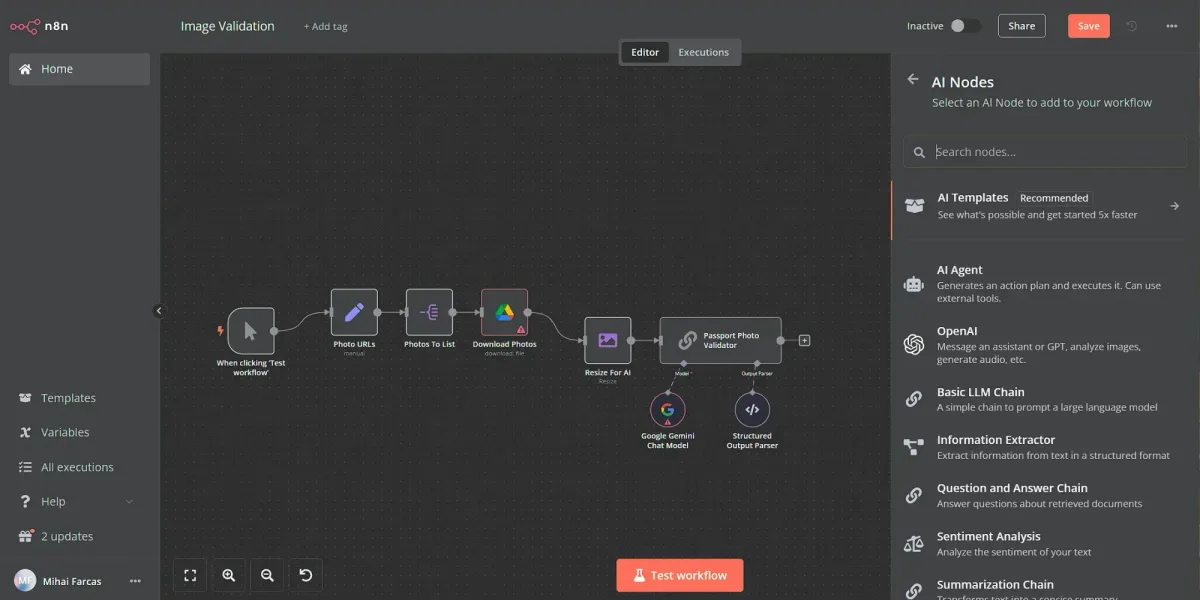
 Image source: Web (Bing) / blog.n8n.io (Web image (fairuse with…