⚠️ Disclosure: This post contains affiliate links. We may earn a commission at no extra cost to you.
⚠️ Disclosure: This post contains affiliate links. We may earn a commission at no extra cost to you.


Image source: Bing (Web (fair-use with source credit))
Do these tools really save time or just add another layer of complexity? They work by connecting to your existing calendar and reading through your events to find patterns. When someone requests a meeting, the AI scans both calendars and suggests slots where everyone is actually free.
It's not magic, it's just algorithmic logic processing dates and times faster than you ever could.
Here's what happens behind the scenes. You share a booking link or paste an email thread into the tool. It parses the text to extract names, dates, and preferences using natural language processing.
Then it cross-references everything against linked calendars to propose viable options. Smart versions also factor in your preferred working hours, buffer time between meetings, and even recurring commitments like gym sessions.
The real value shows up when conflicts arise. A basic scheduler spots overlaps and warns you. An AI-driven tool goes further.
It reschedules non-urgent tasks automatically and alerts you to potential issues before they become problems. This is especially useful if you manage multiple projects or juggle back-to-back calls throughout the week.
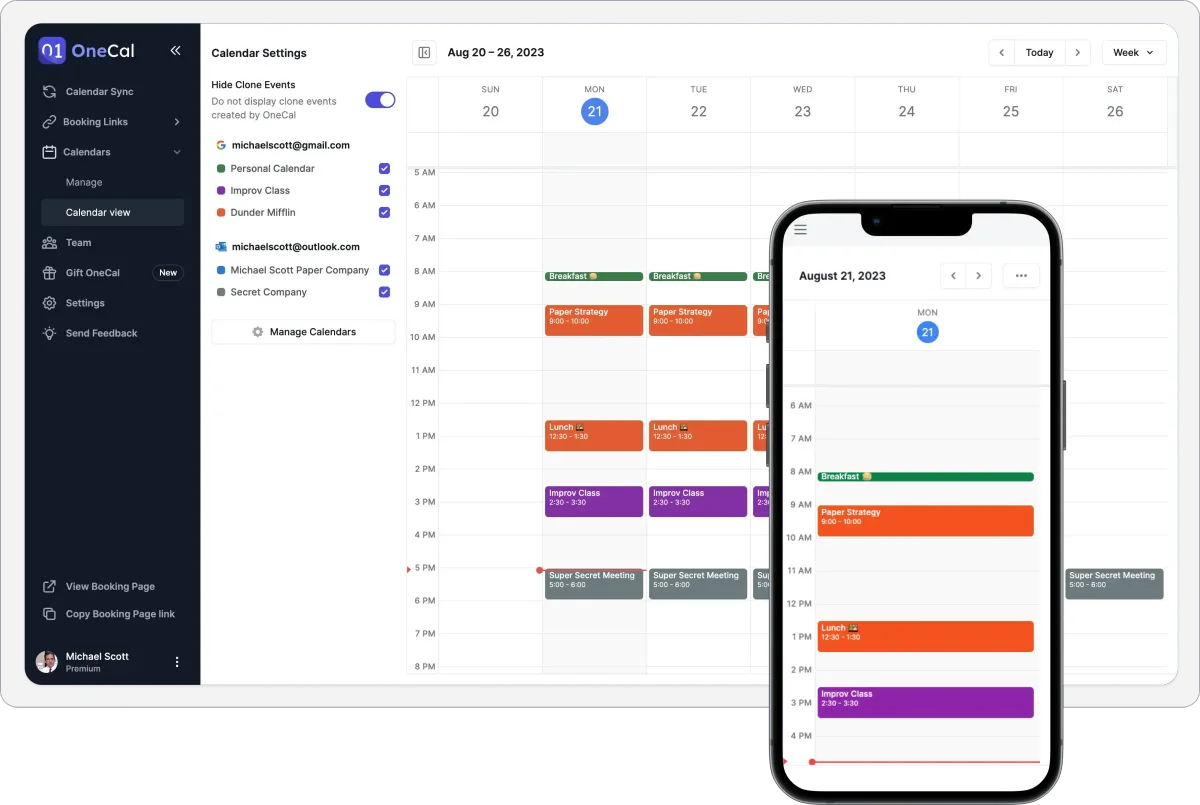
Most free versions cap their intelligence at surface-level suggestions. They'll find open slots but won't reason about whether you actually want that meeting at 3 PM on a Friday. That deeper reasoning usually lives behind paid subscriptions, which brings us to the tools worth evaluating right now.
Which platform deserves your attention before you commit to any of them? Let's break down what each one offers, where the free tier actually holds up, and who benefits most.
Google baked Gemini directly into its ecosystem. You get drafting assistance for invitations, summary pulls from shared Drive files ahead of calls, and basic scheduling links that sync natively across Gmail, Meet, and Calendar. The friction is near zero because everything already lives in one place.
The catch is that multi-party scheduling across different calendar systems stays limited. If you're purely Google-based, this is your smoothest entry point.
Microsoft pushes Copilot into Outlook with decent summarization and invite drafting. The free version handles email threads well but stops short of true calendar AI until you upgrade. It's ideal if your workplace runs Teams and M365.
Outside that bubble, expect limitations similar to Google's offering.
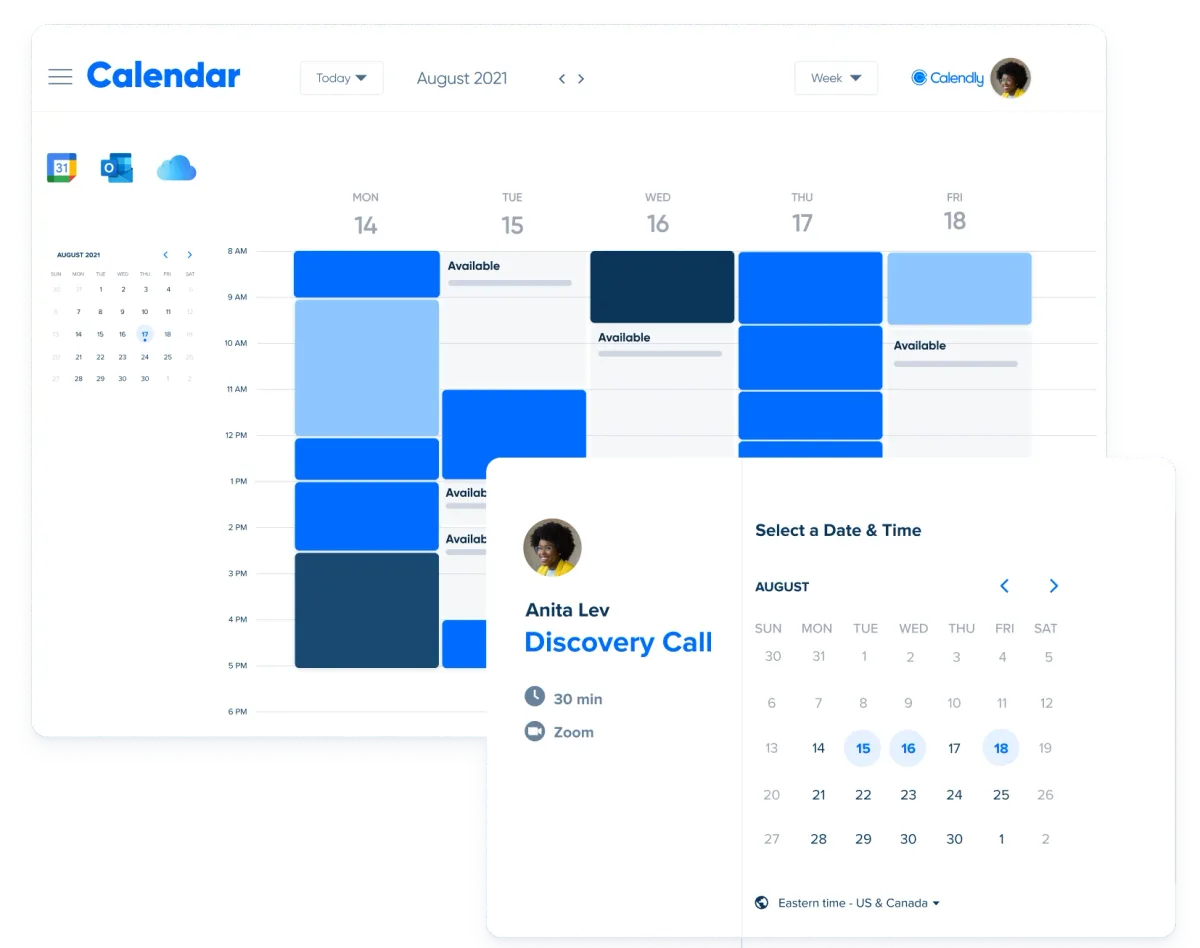
Calendly takes a link-first approach rather than rebuilding your entire calendar. You set availability once and share a booking page. Others pick a slot that works for them while respecting your configured rules.
The free plan supports unlimited events but locks you to one connected calendar. It shines for freelancers and consultants who want minimal setup.
Reclaim approaches scheduling differently by protecting your focus time. It auto-blocks personal hours, team overlap windows, and recurring habits. The free tier gives you unlimited personal events and solid conflict detection.
Team availability features carry stricter limits. This one suits people who treat their calendar as a commitment journal rather than a passive record.
Motion automates everything from task assignment to meeting rescheduling. It rebuilds your day dynamically when plans shift. The free window runs about two weeks.
After that, you either pay or pivot. It's impressive while available but not a permanent free solution.
Cal.com offers a self-hosted route if technical confidence isn't your strong suit. The GitHub repository provides full transparency into how data flows. It's a solid option for privacy-focused teams willing to manage their own infrastructure.
What does your actual workflow look like on a typical Tuesday morning? Your answer determines whether Calendly, Reclaim, or something else belongs in your stack.
Solo professionals who book client calls benefit most from link-based systems. Calendly's frictionless setup means you stop playing phone tag within minutes. You share a URL, clients pick a time, and your calendar updates instantly.
No arguing over timezone conversions or double-booking yourself across platforms.
Teams coordinating across time zones need visibility into collective availability. Google and Microsoft deliver this natively through their built-in assistants. Reclaim adds another layer by highlighting when group members share free blocks.
If you're running weekly standups or client check-ins with global participants, these three cover the bases well enough at zero cost.
Productivity-focused individuals protecting deep work should lean toward Reclaim. Its time-blocking engine respects your boundaries rather than just recording them. Focus sessions stay shielded from last-minute calendar intrusions.
You get structure without constantly policing your own schedule.
Enterprise users hit free-tier ceilings quickly. Team analytics, round-robin distribution, and advanced conflict resolution live behind paywalls across every option listed here. That's fine.
It means you've identified a problem worth solving properly.
If none of these fit cleanly, explore tools inside platforms designed for remote work environments where scheduling integrations matter more than standalone features. Sometimes the best assistant isn't a separate app at all.

Image source: Bing (Web (fair-use with source credit))
Every tool drawing your eye offers something limited upfront. Understanding those boundaries prevents frustration down the line when your plan stops working for your needs.
Calendar connections represent the most common restriction. Free tiers typically allow one linked account. That works until you manage separate work and personal schedules needing simultaneous access.
Upgrading unlocks multi-calendar sync, often at twelve to sixteen dollars monthly per user depending on the vendor.
Team capabilities follow similar gating patterns. Round-robin distributions, shared availability dashboards, and group booking rules appear exclusively in paid brackets. Organizations starting small notice this gap only after rolling out the tool internally.
AI intelligence tiers separate basic schedulers from genuine assistants. Rule-based matching finds overlapping free slots. Intelligent reasoning understands priorities, preferences, and context around why certain times matter more.
Most free plans stick to rule-only functionality unless you invest further.
Branding shows up on booking pages through vendor logos or watermark reminders. Clients see "powered by Calendly" or similar credits depending on the service. Professional-facing users sometimes consider this unacceptable even at zero cost.
Data visibility concerns deserve honest conversation too. Granting third-party access means sharing your full schedule history. Review privacy policies carefully before connecting sensitive professional calendars, especially if HIPAA compliance enters the equation through healthcare or wellness-related booking systems.
The trial-to-paid cliff affects tools like Motion most aggressively. Two weeks of genuine utility followed by abrupt lockout creates goodwill damage if users weren't warned clearly. Always verify whether a trial expires entirely or merely restricts certain functions afterward.
Understanding these trade-offs helps you select wisely rather than discover limitations reactively. Next up, we'll examine mistakes that make even solid tools fail in practice.
Why do promising scheduling apps end up abandoned after a few weeks? Usually because users skip foundational steps or misunderstand what free actually covers. Avoid these pitfalls and your chosen tool sticks around longer.
Overcomplicating setup before proving value. Spending thirty minutes configuring custom fields feels thorough until you realize the basic version already solves your core problem. Start simple, observe usage patterns, then expand selectively.
Ignoring ecosystem lock-in from day one. Picking Calendly when your entire organization runs Microsoft Teams creates integration friction that no amount of AI smoothing fixes. Match the tool to your existing infrastructure before investing effort elsewhere.
Picking tools without checking free-tier ceilings. Reading promotional copy hides hard limits like single-calendar caps or missing team features. Verify restrictions against your actual requirements before committing daily workflows.
Assuming all "AI" features are equal. Some vendors label auto-scheduling as artificial intelligence while others reserve that term for reasoning engines that understand preferences. Distinguish between rule automation and genuine cognitive modeling.
Skipping the two-week real-world test. Trial periods span one to fourteen days depending on the product. Push the system through actual busy weeks rather than idealized demo scenarios to surface genuine limitations early.
Forgetting about data privacy implications. Connecting personal calendars exposes sensitive meeting details to third-party servers. Review security documentation thoroughly, particularly if healthcare, legal, or financial data appears regularly. Government cybersecurity guidance on third-party permissions provides useful baseline standards.
Not comparing actual time saved versus setup effort. A tool requiring fifteen minutes of configuration to save five minutes weekly represents poor return. Measure tangible gains against friction before declaring success.
Addressing these errors proactively keeps frustration low and adoption high across whichever platform you ultimately choose.
Yes, most platforms offer perpetual free tiers with real functionality. Calendly, Google Calendar Plus Gemini, and Reclaim.ai all provide ongoing free access. You'll hit feature ceilings eventually, limited calendar connections and missing team tools, but core scheduling works indefinitely.
Most free plans connect only one primary calendar at a time. If you maintain separate Google and Microsoft accounts, you'll likely need to pick one or upgrade to access dual syncing. Some tools offer workarounds through CSV imports or manual synchronization, but seamless cross-platform pairing usually lives behind paid subscriptions.
Calendly focuses on outward-facing booking links for clients and external meetings. It prioritizes simplicity and shareability. Reclaim emphasizes internal time protection, auto-blocking focus sessions, and defending your personal hours from intrusions.
Choose Calendly for client-facing scheduling, Reclaim for personal productivity enforcement.
You're sharing full schedule data with external servers, which carries inherent risk. Review each tool's privacy policy before connecting sensitive calendars. Tools operating under GDPR compliance and offering enterprise-grade encryption provide stronger protections.
Never connect healthcare or financial calendars to unvetted platforms. Government cybersecurity guidance on third-party permissions outlines baseline safety standards worth reviewing.
Upgrade when you consistently hit feature limits, like needing two connected calendars, requiring team availability views, or wanting intelligent rescheduling instead of basic conflict alerts. If your weekly time savings justify the monthly cost, typically twelve to sixteen dollars, the investment pays for itself quickly.
Basic configuration runs ten to thirty minutes depending on tool complexity. Calendly often takes five minutes. Reclaim requires fifteen to twenty minutes for rule setup.
Factor in testing during a live workweek before declaring success or moving on.
Free tiers struggle with genuine team coordination. Most cap team features at three members or limit group availability views entirely. If you manage a team larger than that, plan to upgrade within your first month of use.
Individual productivity scales far better on free plans than organizational coordination does.
How do you actually choose without spinning your wheels? Match the tool to your real constraints rather than chasing feature lists.
Solo professionals booking external calls should grab Calendly immediately. The link-sharing model eliminates phone tag entirely with minimal configuration overhead. Clients pick their preferred slot, your calendar updates automatically, and you stop wasting Wednesday afternoons on email back-and-forth.
Remote workers juggling overlapping projects benefit most from Reclaim's time-blocking approach. The free tier protects personal commitments like morning workouts or lunch breaks from creeping meeting intrusions. Your schedule reflects your priorities instead of becoming a graveyard for other people's urgencies.
Google Workspace or Microsoft 365 users should enable built-in AI features first. Both ecosystems offer capable assistants at zero additional cost. Try those before installing separate apps.
Native integration reduces friction significantly.
Teams needing shared availability dashboards will outgrow free tiers quickly. Budget for upgraded plans once you confirm the workflow saves more time than it costs. Twelve to sixteen dollars monthly per seat remains reasonable when collective scheduling efficiency improves measurably.
Before committing permanently, run any chosen tool through two actual busy weeks. Notice which features you use daily versus which collect digital dust. Drop whatever adds complexity without delivering proportional time savings.
The best assistant is invisible. You barely notice it working until something breaks.










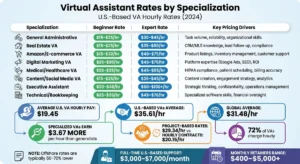







Most people get tangled up by contradictory numbers. One blog claims VAs cost $5 an hour, another quotes $50, and a third insists you need $3000 a month…

People ask “how much does a virtual assistant charge” expecting a single number. The answer isn’t one. You might pay nothing at all, or nearly $100 an hour for…

If you’re asking how much does a virtual assistant cost per hour, the answer splits in two. Human virtual assistants (VAs) charge by the hour. AI assistants…